Language
The Observability web app ships in English and Spanish (es-MX). English is the default and the fallback. Your language choice is remembered in the browser and applied everywhere — from the login screen through every page, dialog, and table.
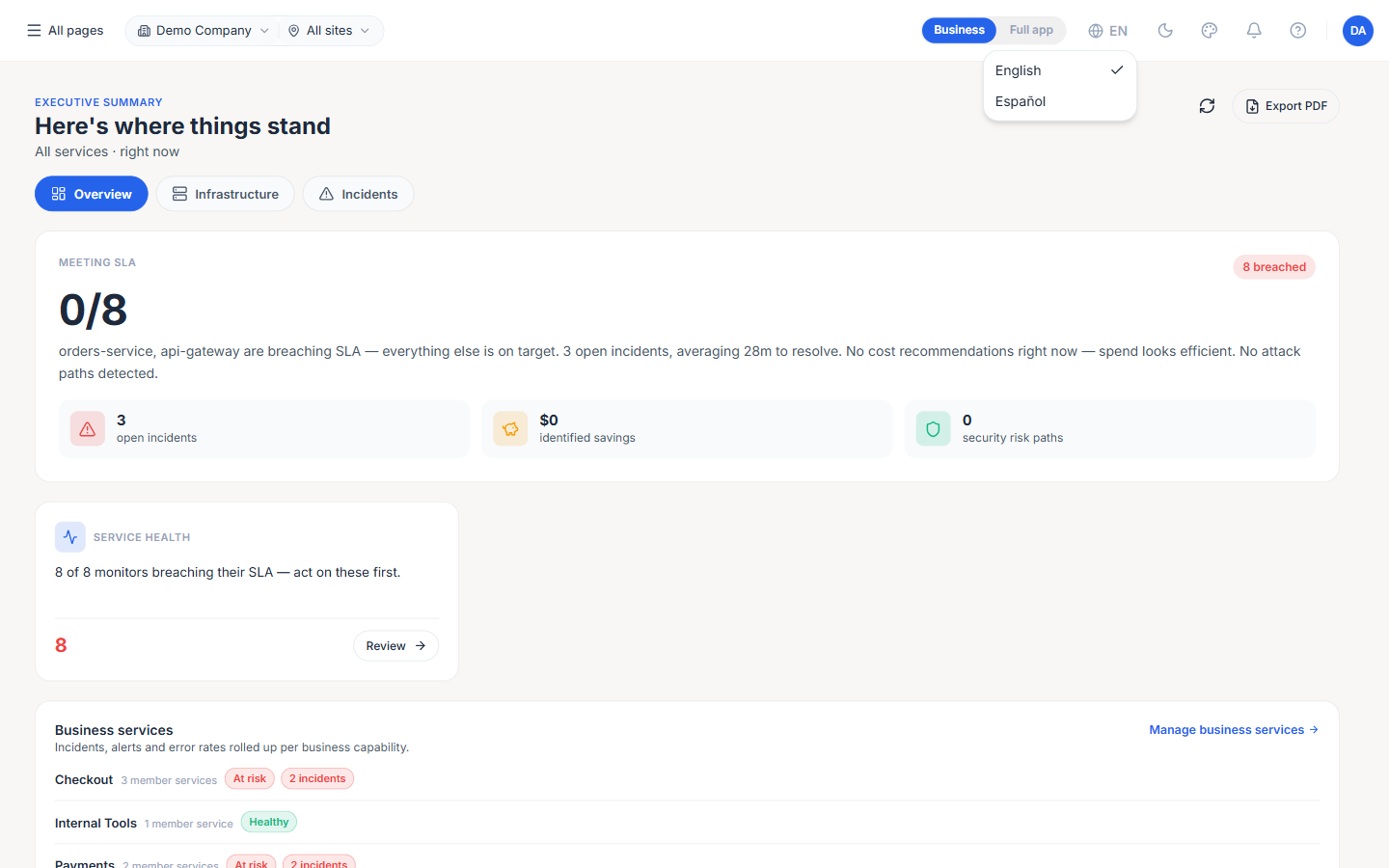
Changing the language
There are three places to switch language, and they all update the same setting:
- Login screen — Use the globe control in the top-right corner, before you sign in. This lets you read the sign-in form in your language without an account.
- Top bar — Once signed in, a globe control in the top bar switches language directly from any page — no need to open a dialog.
- Appearance panel — Alternatively, open the theme control in the top bar and pick a language under the
Languagesection, alongside Mode, Color, and Layout.
The change applies immediately — there is no page reload and no save button.
Note: The language is stored per browser (not per user account yet). Signing in on a different browser or device starts from the default until you set it there too.
What is translated
Selecting Spanish localizes the interface, including:
- Navigation and chrome — The sidebar, top bar, breadcrumbs, and the Appearance panel.
- Authentication — Login, multi-factor authentication, first-time setup, and invitations.
- All pages — Dashboard, Monitors, Hosts, Alerts, Incidents, Cloud, Kubernetes, Databases, Logs, Tracing, Reports, Connectors, FinOps, Settings, and the Application Manager pages.
- Dialogs and tables — Column headers, filters, pagination, empty states, confirmations, and toast notifications.
- Server messages — Validation errors,
Not foundand permission messages, and MFA prompts are returned in your selected language (the app tells the backend which language you are using on every request). - Connectors catalog — Each connector card's description and category heading (for example
Infraestructura,Base de datos,Servicio en la nube,Telemetría), plus the generic "how to configure" guidance shown on a connector.
Regional formatting
When Spanish is selected, dates, numbers, and currency follow es-MX conventions:
- Dates — Day/month/year ordering with localized month and relative-time text (for example,
hace 5 minutos). - Numbers — Locale-aware grouping and decimal separators.
- Currency — Formatted for the es-MX locale.
What stays in English
Some text is intentionally left untranslated:
- Technical and product terms — Kubernetes, Pod, APM, RUM, OpenTelemetry, SLA, and similar industry terms follow common Spanish-language technical usage and remain in English.
- Connector and product names — Technology and service names such as PostgreSQL, Amazon S3, Azure VM, and OpenTelemetry keep their original form in every language; only the surrounding descriptions are translated.
- Some server-provided content — A few areas are still English and are being expanded: the detailed setup guides for certain specific connectors, and email notifications (alert, monitor, and invite emails). These fall back to English automatically.
- Custom branding — If your organization has customized the login welcome, hero, or feature text, that custom text is shown as configured, in whatever language it was written.
Notes
- English fallback — If a specific piece of text has no Spanish translation yet, the English version is shown rather than a blank.
- Performance — Choosing English has no startup cost; Spanish text is loaded on demand the first time you switch, so the app starts just as fast either way.