Beak FinOps — Multi-Cloud Cost Management & Optimization
Beak FinOps is a multi-cloud financial operations platform that gives organizations real-time visibility into cloud costs, resource utilization, and optimization opportunities across Azure and AWS — reducing spend through AI-powered recommendations, reservation and commitment tracking, and automated cost analysis.
Scope and Views
Beak FinOps is organized around three levels of scope, selected from the top bar:
- Tenant — The organization (for example
Beak Prod). The Tenant Overview rolls up every company in the tenant. - Company — An organizational entity within the tenant (for example a business unit). The Client Overview (this page) is scoped to the selected company.
- Cloud — An Azure / AWS toggle. Cost-focused pages re-render for the selected cloud; the two clouds surface different, cloud-native breakdowns.
A Classic / Modern toggle switches analytical pages between the data-dense Classic layout and a narrative Modern executive layout.
Key Capabilities
Real-Time Cost Overview
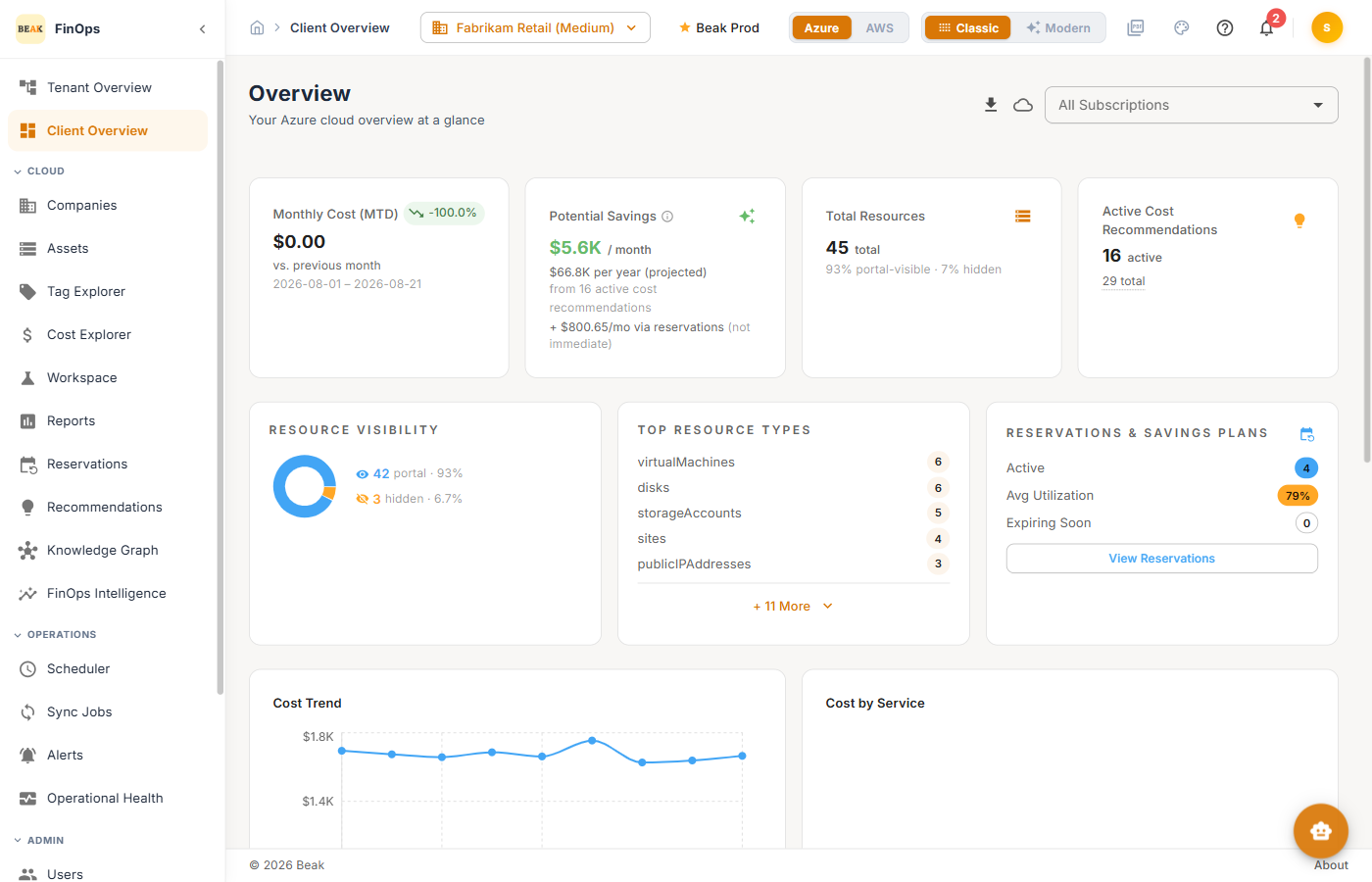
Monitor spend, potential savings, and resource inventory for a company from a single dashboard. KPI cards surface Monthly Cost, Potential Savings, Total Resources, and active Recommendations.
AI-Powered Cost Recommendations
Beak FinOps combines native cloud advisories (Azure Advisor, AWS) with proprietary AI and graph analysis to generate actionable recommendations — right-sizing, idle-resource cleanup, and reservation opportunities — each with per-resource savings estimates.
Asset Inventory & Categorization
Browse resources across all subscriptions or accounts with automatic categorization (Compute, Networking, Storage, Databases, and more), each showing utilization, state, and ownership.
Cost Explorer & Reports
Analyze spend with configurable date ranges, filters, and breakdowns by service, location, and top spenders, plus a catalog of prebuilt Reports.
Reservation & Commitment Management
Track Azure Reservations and Savings Plans, and AWS Commitments, with real-time utilization monitoring to surface underutilized or expiring commitments.
Automated Data Collection & Scheduling
Configure recurring data collection and recommendation generation per cloud, and monitor every run from Sync Jobs.
Role-Based Access Control
A granular permission model with four built-in roles — Super Admin, Tenant Admin, Analyst, and Viewer — plus custom roles. See Roles.
Client Overview Dashboard
The Client Overview gives a real-time snapshot of the selected company's costs, resources, and optimization opportunities.
KPI Cards
- Monthly Cost (MTD) — Current month-to-date spend with month-over-month change
- Potential Savings — Estimated monthly and annualized savings from active recommendations, plus reservation savings
- Total Resources — Discovered resources, with portal-visible vs. hidden counts
- Active Cost Recommendations — Open optimization recommendations
Widgets
- Resource Visibility — Portal-visible vs. hidden resource split
- Top Resource Types — Most common resource types by count
- Reservations & Savings Plans (Azure) / Commitments (AWS) — Active commitments, average utilization, and expiring-soon alerts
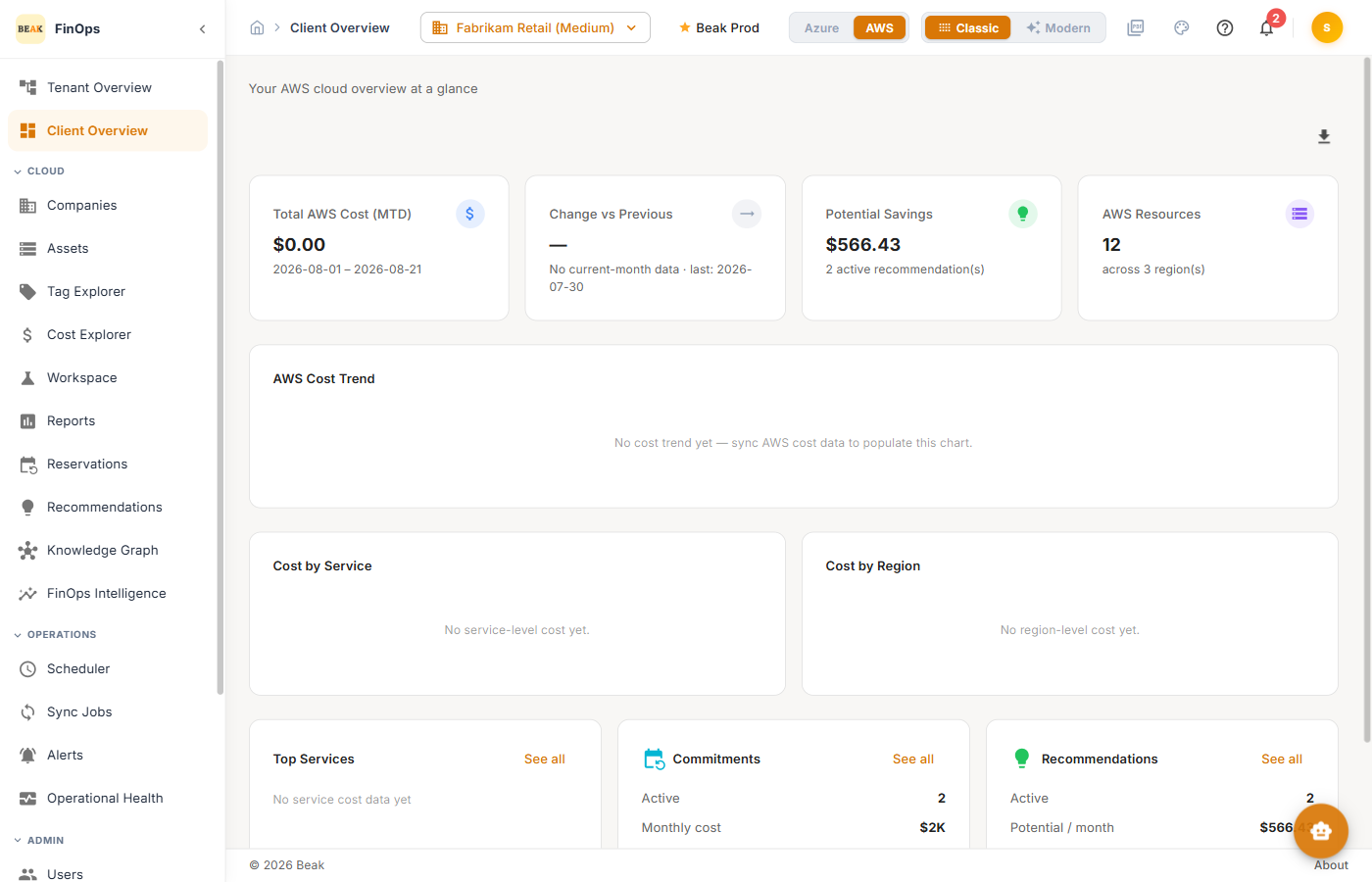
- Cost Trend and Cost by Service — Daily spend and service breakdown; the AWS view adds Cost by Region
AWS view
Switching the cloud toggle to AWS re-renders the overview with AWS-native metrics — total AWS cost, resources across regions, cost by service and region, and commitments.
Modern view
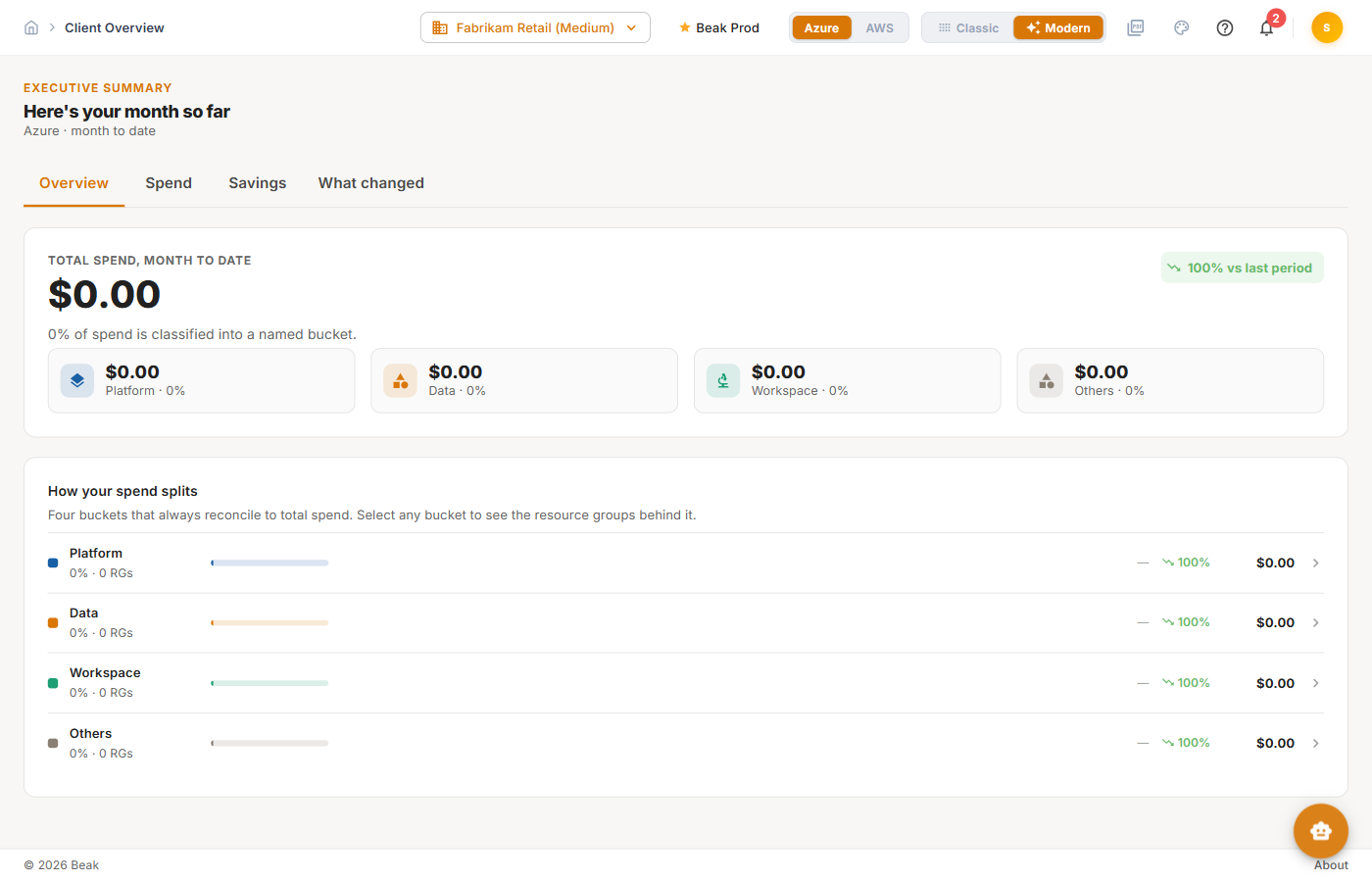
The Modern toggle presents the same data as an executive summary — headline spend, where money is going, and what changed — for a narrative, presentation-ready read.
Navigation Structure
Beak FinOps groups its features into the left sidebar.
FinOps
| Module | Description |
|---|---|
| Tenant Overview | Tenant-wide cost, savings, and recommendation rollup |
| Client Overview | Per-company real-time dashboard (this page) |
Cloud
| Module | Description |
|---|---|
| Companies | Organization and cloud credential management |
| Assets | Resource inventory with categorization and distribution |
| Tag Explorer | Tag management and spend-by-tag analysis |
| Cost Explorer | Cost trend, breakdowns, comparison, and workspaces |
| Reports | Prebuilt cost, usage, savings, and inventory reports |
| Reservations | Reservation, Savings Plan, and Commitment tracking |
| Recommendations | AI- and advisor-sourced optimization recommendations |
| Knowledge Graph | Topology view of the cloud inventory |
| FinOps Intelligence | ML-driven analyses over the knowledge graph |
Operations
| Module | Description |
|---|---|
| Scheduler | Automated data collection and recommendation scheduling |
| Sync Jobs | Pipeline run tracking |
| Alerts | Cost-spike and budget alerting |
| Operational Health | Fleet-wide sync freshness and data quality |
Admin
| Module | Description |
|---|---|
| Users | User accounts and role assignments |
| Roles | Role-based access control |
| API Keys | Long-lived credentials for the Beak FinOps API |
| Audit History | Configuration and setting change log |
| Tenants | Tenant organization management |
| Settings | SSO, integration, AI, alerts, and thresholds |
| AI Assistant | Conversational cloud-cost analytics |
Getting Started
- Create a Company — In Companies, create a company for your organizational entity.
- Add Cloud Credentials — Add Azure service principal and/or AWS credentials in the company's details.
- Configure the Scheduler — Set up recurring data collection and recommendation generation per cloud.
- Run an Initial Sync — Trigger a full collection to import assets, costs, and advisor data.
- Review the Overview — Check the KPI cards, resource visibility, and cost trend.
- Evaluate Recommendations — Review AI- and advisor-sourced savings with per-resource impact.
- Track Commitments — Monitor reservation and commitment utilization and expirations.
Related Pages
- Tenant Overview — Tenant-wide rollup
- Companies — Organizations and cloud credentials
- Cost Explorer — Cost analysis
- Recommendations — Optimization opportunities
- Reservations — Commitment management
- Users and Roles — Access control