Predictions & Intelligence
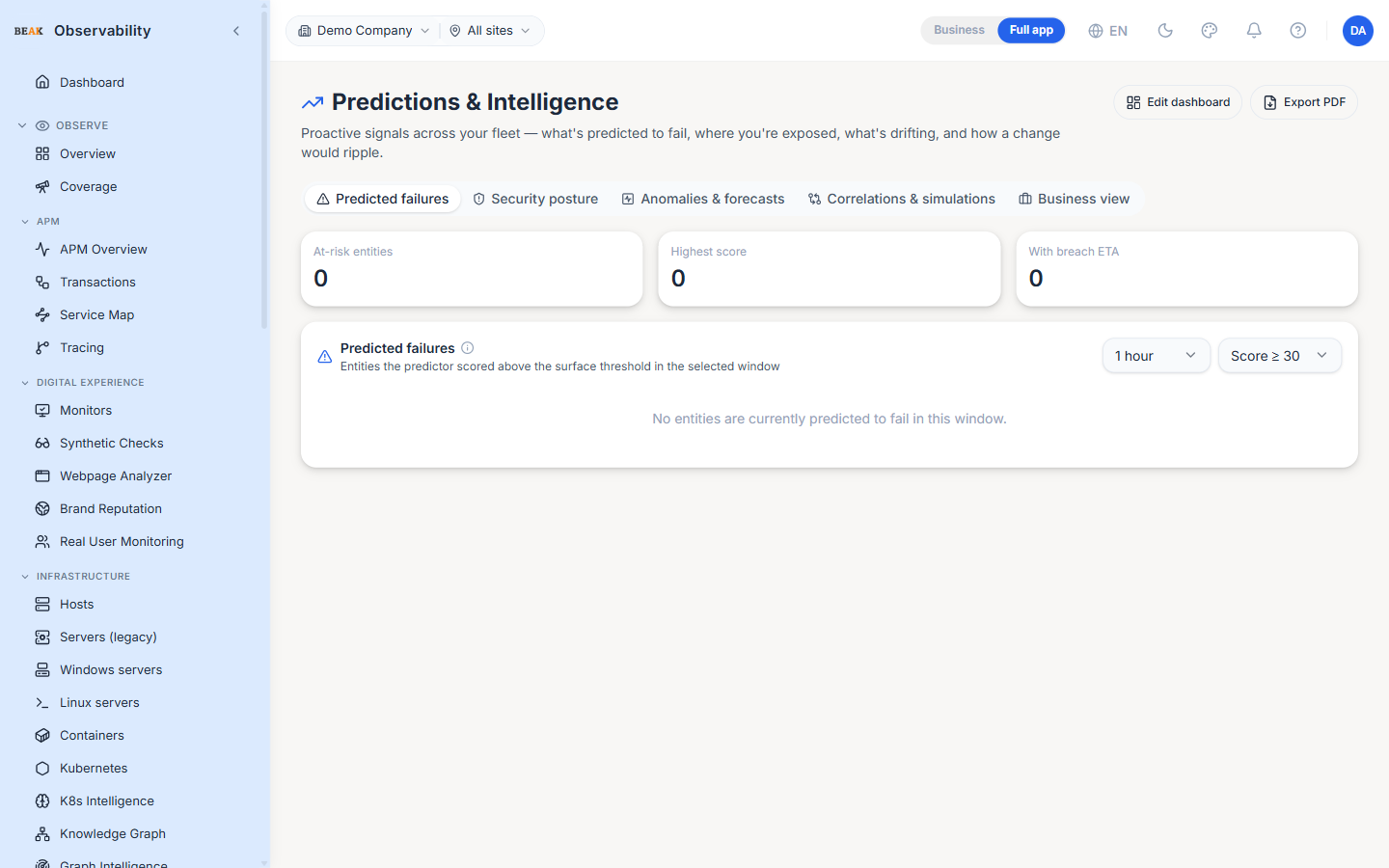
The Predictions & Intelligence page is the platform's proactive-signals hub — it answers what's predicted to fail, where you're exposed, what's drifting, and how a change would ripple, all from one screen. Signals are derived from the knowledge graph, the alert pipeline, and the platform's scoring models. The header carries two global actions — Edit dashboard and Export PDF — that apply to whichever view is open.
Views
The page is organised into five tabbed views:
- Predicted failures — Entities the predictor has scored above the surface threshold in the selected window
- Security posture — Reachability, RBAC and compliance findings; a summary of the dedicated Security Posture page
- Anomalies & forecasts — Metrics drifting from baseline and their short-term forecasts
- Correlations & simulations — How a change to one entity would ripple across dependent services
- Business view — The same signals rolled up to a business-impact lens
Predicted failures
The default view. Three counters summarise the current window:
- At-risk entities — Count of entities currently scored above the threshold
- Highest score — The single highest risk score across the fleet
- With breach ETA — How many at-risk entities have a projected time-to-failure
Two controls shape the table:
- Window — The look-back window for scoring (e.g.
1 hour) - Score threshold — Only entities scoring at or above this value are listed (e.g.
Score ≥ 30)
Each row scores one entity:
| Column | Description |
|---|---|
| Entity | The scored resource (pod, host, monitor, …) |
| Score | Composite risk score |
| Top reason | The dominant contributing factor (e.g. 5054 restarts) |
| ETA | Projected time to failure, when one can be computed |
| Contributing signals | The weighted signals that fed the score — e.g. Restart Signal, K8s Event Signal, Alert Signal, each with its own contribution |
Note: Scores are composite — a single high-weight signal, such as a pod restart storm, can push an entity above the surface threshold on its own.
Best Practices
- Open this page at the start of a shift — it surfaces what's likely to break before an alert fires.
- Lower the score threshold to widen the net during a fragile change window; raise it to focus only on the highest-risk entities.
- Use the Security posture tab for a quick read, then open the dedicated Security Posture page when you need to trace an exposure.
Export PDFproduces a shareable snapshot of the active view for standups and reviews.
Related Pages
- Graph Intelligence — Sibling graph-powered capability grid
- Security Posture — The full reachability, RBAC and compliance view
- Knowledge Graph — The graph these signals are built on
- K8s Intelligence — The same proactive lens scoped to Kubernetes
- Incidents — The unified incident feed