Cluster Map
The Cluster Map page (nav label Health Map, /kubernetes/map, under the Infrastructure group) is a plain-language health map of a single cluster — it shows at a glance where a problem is and what it affects, without needing to read raw Kubernetes objects. It pairs a written "needs attention" summary with an interactive topology graph.
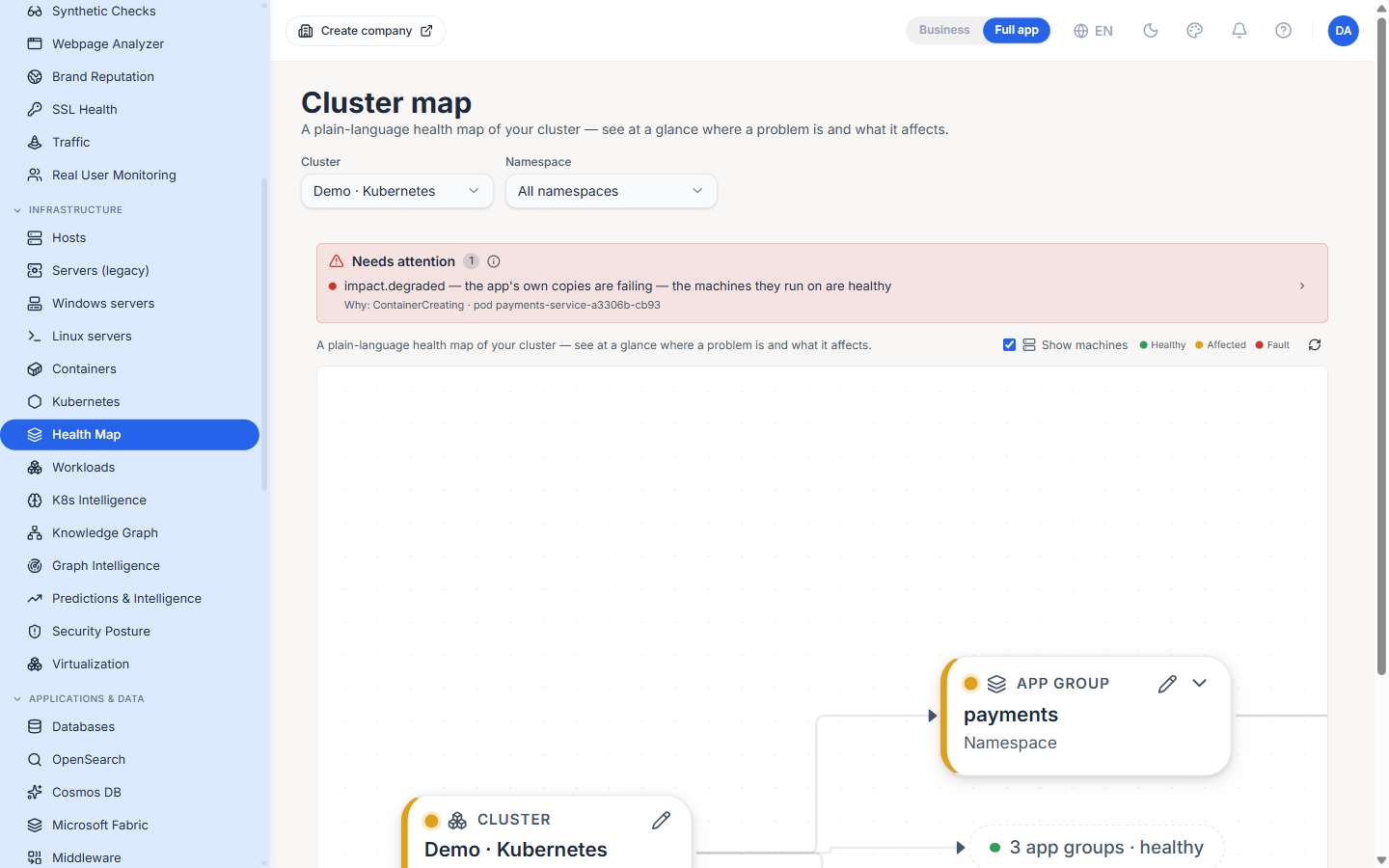
Cluster and namespace selectors
Two selectors at the top scope the map: Cluster picks one registered cluster, and Namespace narrows to a single namespace or All namespaces.
Needs attention
A highlighted panel lists the current problems in plain English rather than status codes — for example, impact.degraded — the app's own copies are failing — the machines they run on are healthy, with a Why: line naming the underlying cause (e.g. ContainerCreating · pod payments-service-…). The count in the panel header tells you how many issues are open, and each entry expands to the affected object.
The map
Below the panel is an interactive graph. The Show machines toggle adds the underlying nodes, and a legend marks each object Healthy, Affected or Fault. The graph drills through the cluster's structure:
- Cluster — The whole cluster, with its rolled-up health.
- App group — A namespace, shown as a group of applications.
- Application — A workload, with its running-replica count and an "app problem" badge when impaired.
- Instance — An individual pod, with its phase (e.g.
ContainerCreating). - Nodes — The machines the workloads run on, so you can tell an application fault from a machine fault.
Following the chain from a red application down to a healthy machine is what makes the "the app's copies are failing, the machines are fine" story obvious at a glance.
Best Practices
- Read the Needs attention panel first, then use the map to confirm the blast radius — the panel tells you what, the graph tells you how far.
- Turn on Show machines when an application looks unhealthy but you can't tell why; a shared node fault often explains several sick applications at once.
- Narrow the Namespace selector on a busy cluster — the all-namespaces view is comprehensive but dense when you already know which team is affected.
Related Pages
- Kubernetes — Cluster registration and per-cluster resource tabs
- Workloads — The ranked, cross-cluster health table
- K8s Intelligence — Current, past and predicted Kubernetes problems