Real User Monitoring
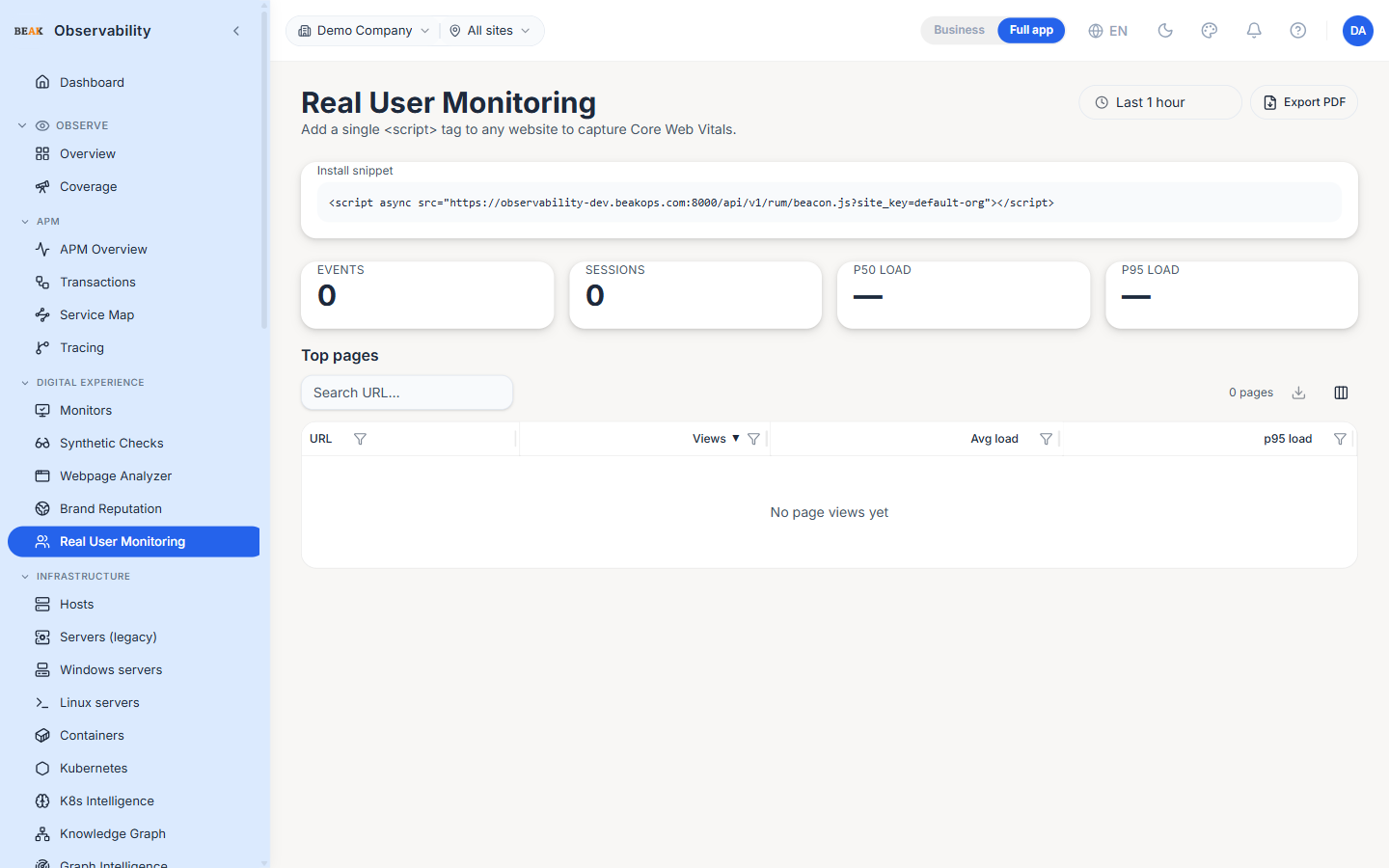
The Real User Monitoring (RUM) page captures Core Web Vitals from end-user browsers via a single <script> tag. Once the beacon is installed the page shows event and session counts, p50 / p95 page-load percentiles, and a top-pages leaderboard for the last hour.
Install Snippet
The page renders the install snippet at the top with the tenant's site key already filled in. Drop the snippet into the <head> of any HTML page to start collecting Core Web Vitals:
<script async src="…/api/v1/rum/beacon.js?site_key=default-org"></script>
The beacon is loaded asynchronously so it never blocks page rendering.
KPI Tiles
The four headline metrics summarise the last hour of beacon events:
- Events — Total beacon events received
- Sessions — Distinct user sessions
- p50 load — Median page-load duration in milliseconds
- p95 load — 95th-percentile page-load duration in milliseconds
Top Pages
A searchable, sortable table ranks pages by view count for the last hour:
| Column | Description |
|---|---|
| URL | Page URL — wrapped and ellipsised for long URLs |
| Views | View count in the last hour |
| Avg load | Average page-load time in milliseconds |
| p95 load | 95th-percentile page-load time in milliseconds |
Use the global search box to slice by URL substring (e.g. /checkout); click any column to sort.
Best Practices
- Install the beacon on every public page — the per-page table is only useful with full coverage.
- A p95 above two seconds usually indicates an asset or third-party-script issue rather than a server-side problem; correlate with the trace data from Tracing to confirm.
- Compare the
Sessionscount here against backend traffic in Tracing to validate that the beacon is firing — a large drop means the snippet wasn't deployed. - Watch the URL column for unexpected entries (preview environments, internal admin pages) and exclude them at the snippet level if needed.