Ingested Alerts
The Ingested Alerts page (/ingested-alerts, under the OPERATE group) is the dedicated home for alerts pushed into the platform from external monitoring systems — Datadog, Splunk, PagerDuty, New Relic, ManageEngine, Opsgenie and any other source that posts to the alert-ingest API. It is a focused companion to the Alerts page: where Alerts blends rule-fired and ingested signals into one unified feed, this page shows only the ingested side, with the filters and setup shortcuts that external sources need.
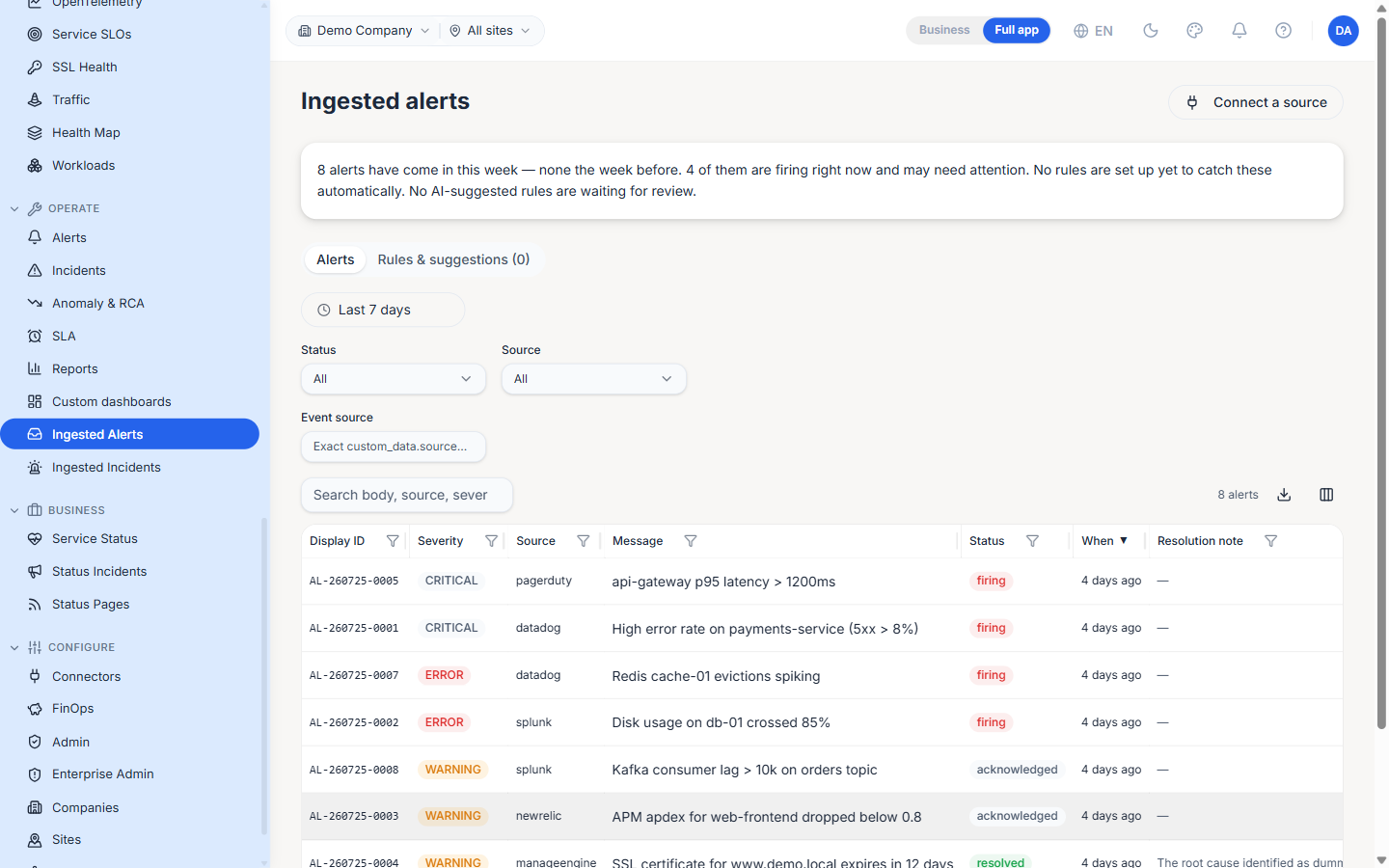
Plain-language summary
A summary banner at the top of the page describes the current state in one sentence — how many alerts arrived this week versus the week before, how many are firing right now, and whether any promotion rules or AI-suggested rules are waiting. It is written for readers who don't live in the alerting internals, so a manager can scan it without decoding the table.
Tabs
The page is organised into two tabs:
- Alerts — The ingested-alert feed (the default).
- Rules & suggestions — Promotion rules that turn ingested alerts into incidents, plus any AI-suggested rules the platform has inferred from observed patterns. The tab label carries a count of pending suggestions.
Filters
The toolbar narrows the feed:
- Time window —
Last 7 daysby default; drives the server-sidestarted_atfilter. - Status — All / firing / acknowledged / resolved.
- Source — The Beak provider channel the alert arrived on (e.g.
datadog,splunk,pagerduty). - Event source — An exact match against the upstream system id embedded in the alert's
custom_data.source. Use it when many upstream systems funnel through one channel — the real system id is stashed incustom_dataand filtered here. - Search — Free-text over the body, source and severity.
Columns
| Column | Description |
|---|---|
| Display ID | Human-friendly alert id (AL-…) |
| Severity | critical / error / warning / info |
| Source | The provider channel the alert came in on |
| Message | The alert summary as sent by the source |
| Status | firing / acknowledged / resolved |
| When | Relative time since the alert arrived |
| Resolution note | Why a resolved alert was closed — empty while it is still firing |
| Details | Inline action to open the full captured payload |
Connect a source
The Connect a source action (top-right) opens the setup guidance for pointing an external system at the alert-ingest endpoint. The ingest API keys themselves are created and scoped under Settings → Alert Ingest; an org-scoped key can attribute each pushed alert to the right company (and site) via the X-Company-ID / X-Site-ID headers.
Note: Ingested alerts also appear in the unified feed on the Alerts page. This page is the source-scoped view — it never shows rule-fired alerts, so it is the quickest way to answer "what is upstream paging us on?".
Best Practices
- Set up a promotion rule for the sources that matter (e.g. any
criticalfrom PagerDuty) so recurring ingested alerts become incidents automatically instead of living only on this feed. - Use the Event source filter, not just Source, when one channel carries many upstream systems — it is the only way to isolate a single upstream system's noise.
- Resolve with a note. The resolution note is required on transition to
resolvedand is what a reviewer sees later; a blank close is rejected.
Related Pages
- Alerts — The unified feed that blends rule-fired and ingested alerts
- Ingested Incidents — The incident-side equivalent of this page
- Settings — Alert-ingest API keys, org-scoped keys and outbound agent webhooks