Employee Directory
The Employee Directory tab is the read-only roster of every employee synced into Beak ELM from Azure AD Sync, CMDB, or M365. Use this directory to drive department rollups in Cost Management and Usage Analytics, and to bind users to license assignments.
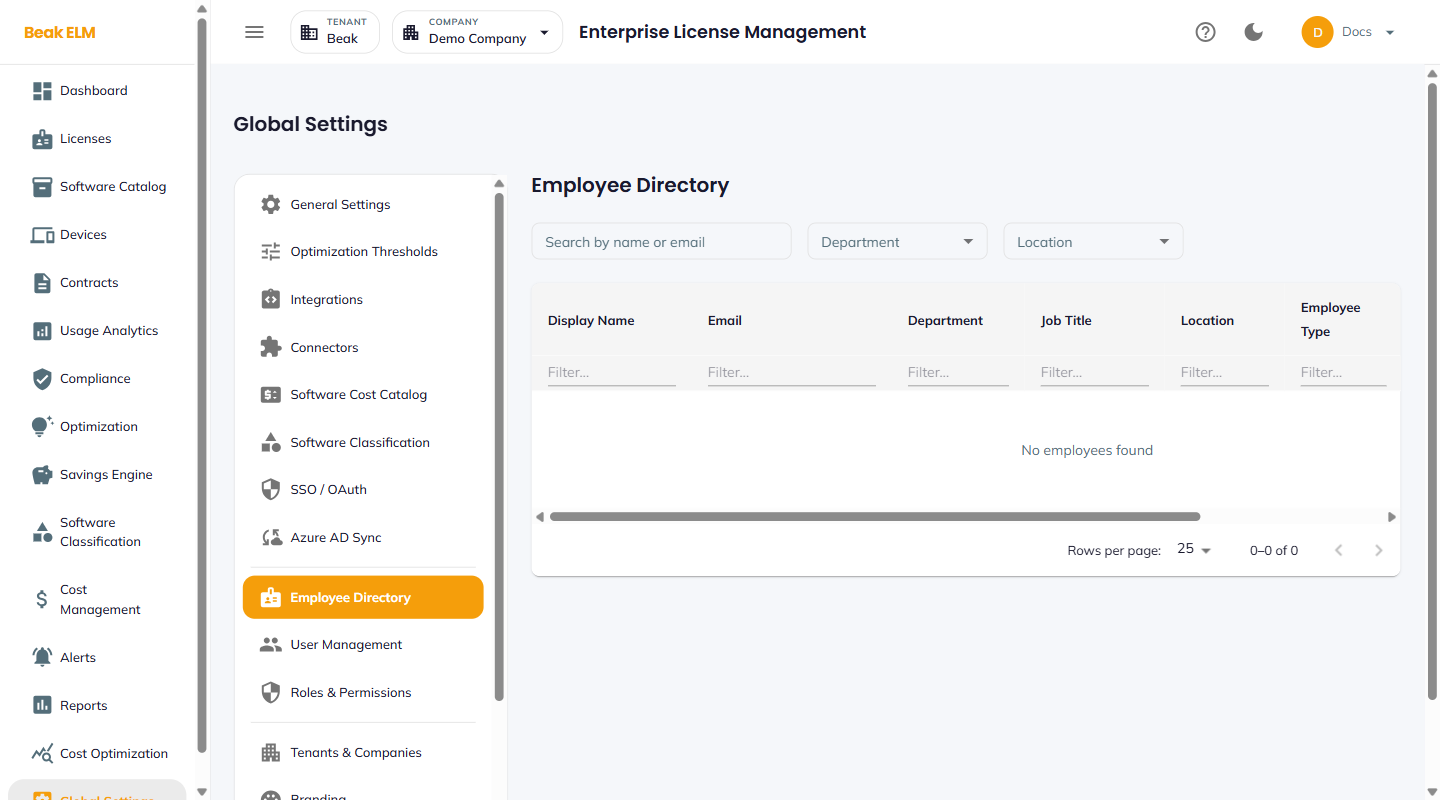
Filters
- Search by name or email — Free-text match
- Department — Filter by a department from the synced data
- Location — Filter by office / city / country
Table Columns
| Column | Description |
|---|---|
| Display Name | Full name from Entra |
| Primary email address | |
| Department | Department from Entra department attribute |
| Job Title | From the Entra jobTitle attribute |
| Location | From the Entra officeLocation or city attribute |
| Employee Type | Employee, Contractor, Vendor, etc. |
| Sync Source | Which integration produced the record (Azure AD, CMDB, M365) |
| Last Synced | Timestamp of the record's most recent sync |
The directory paginates at 25 rows per page.
Best Practices
- If the directory shows
No employees found, run Azure AD Sync → Import Employees — directory data only populates from a configured sync. - Standardize the Entra
departmentfield organization-wide — inconsistent values (e.g.EngineeringvsEng) split rollups in Cost Management → By Department. - Treat the directory as read-only — corrections should go upstream to Entra so the next sync brings them back into ELM.
- Use
Employee Type = Contractorto scope inactive-user reports differently from full-time employees in Optimization.
Related Pages
- Azure AD Sync — Source of directory data
- User Management — ELM application users (subset of employees)
- Usage Analytics — Department / user rollups consume this data