Azure AD Sync
The Azure AD Sync tab configures bulk user provisioning from Microsoft Entra (Azure AD) into Beak ELM. Beyond authenticating a session — that's SSO / OAuth — sync ingests department, manager, group membership, and employee type so usage and cost rollups have accurate department dimensions.
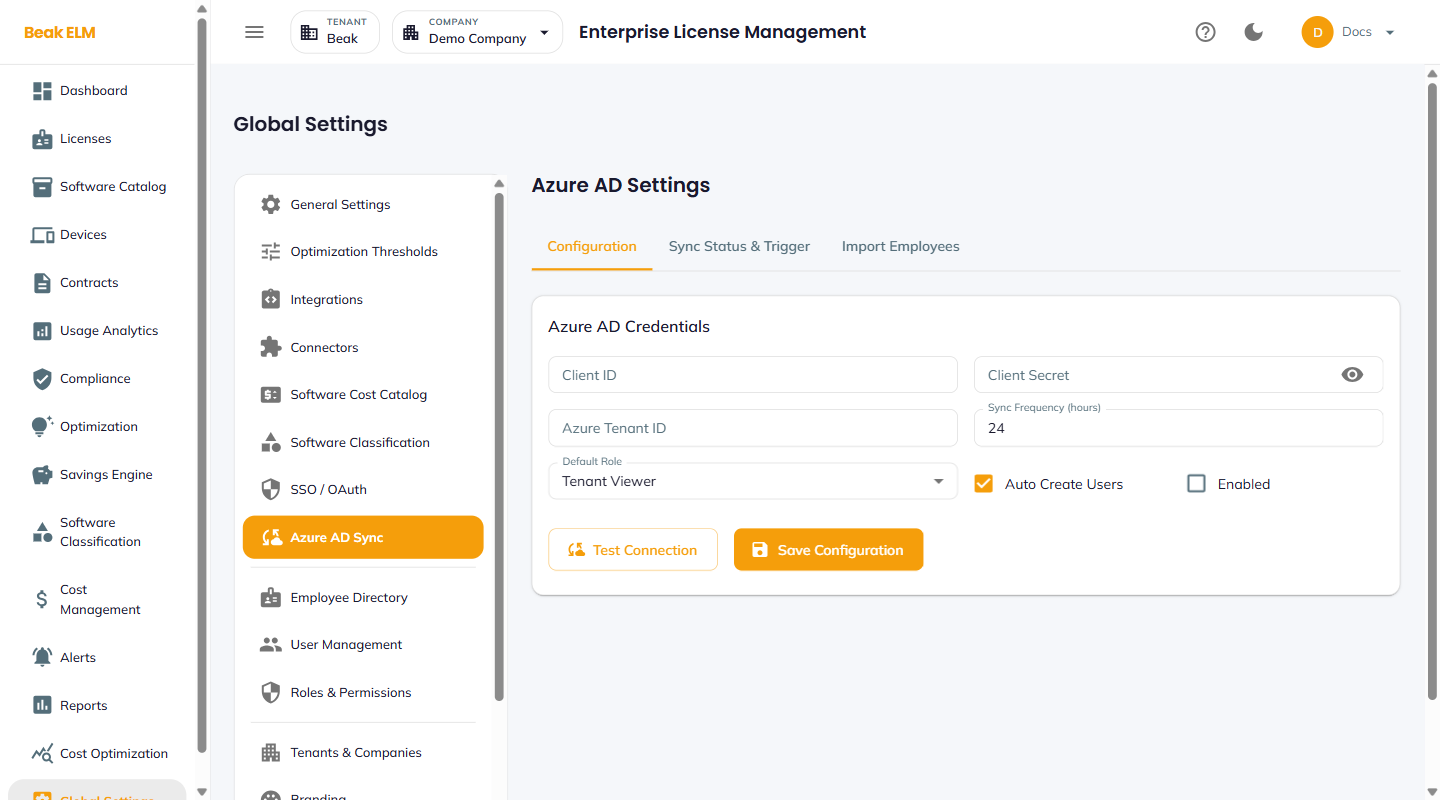
Tabs
- Configuration — Credentials and sync schedule
- Sync Status & Trigger — Last sync timestamp, manual trigger, error log
- Import Employees — Preview and selectively import users before enabling automated sync
Configuration
| Field | Description |
|---|---|
| Client ID | Application ID of the Azure AD App Registration |
| Client Secret | Secret credential for the App Registration |
| Azure Tenant ID | Directory ID of the Entra tenant |
| Sync Frequency (hours) | How often to pull (default 24) |
| Default Role | Role assigned to newly-imported users (e.g. Tenant Viewer) |
| Auto Create Users | Provision new Entra users automatically |
| Enabled | Master toggle for the sync |
Actions: Test Connection, Save Configuration.
Required Azure AD Permissions
The App Registration needs Microsoft Graph permissions to read users and group memberships. At minimum: User.Read.All, Group.Read.All, and Directory.Read.All. Admin consent is required.
Best Practices
- Set
Sync Frequencyto24hours for stable orgs and6hours for high-churn orgs (frequent hires / departures) — sub-hour syncs can hit Graph rate limits. - Use
Import Employeesto do a dry-run before flippingEnabled— review the user list and verify department assignments before going live. - Pair Azure AD Sync with SSO / OAuth → Microsoft — sync provisions the user record, SSO authenticates the session.
- Disable
Auto Create Usersif your security policy requires explicit user provisioning — the sync still updates department / manager fields for existing users.
Related Pages
- SSO / OAuth — Authenticate sessions for synced users
- Employee Directory — Synced employee records
- User Management — Per-user role assignment