Audit Log
The Audit Log tab is the chronological record of every user action in Beak ELM — license edits, contract changes, recommendation approvals, role assignments, integration changes, and authentication events. Use it for compliance evidence, root-cause analysis, and security investigations.
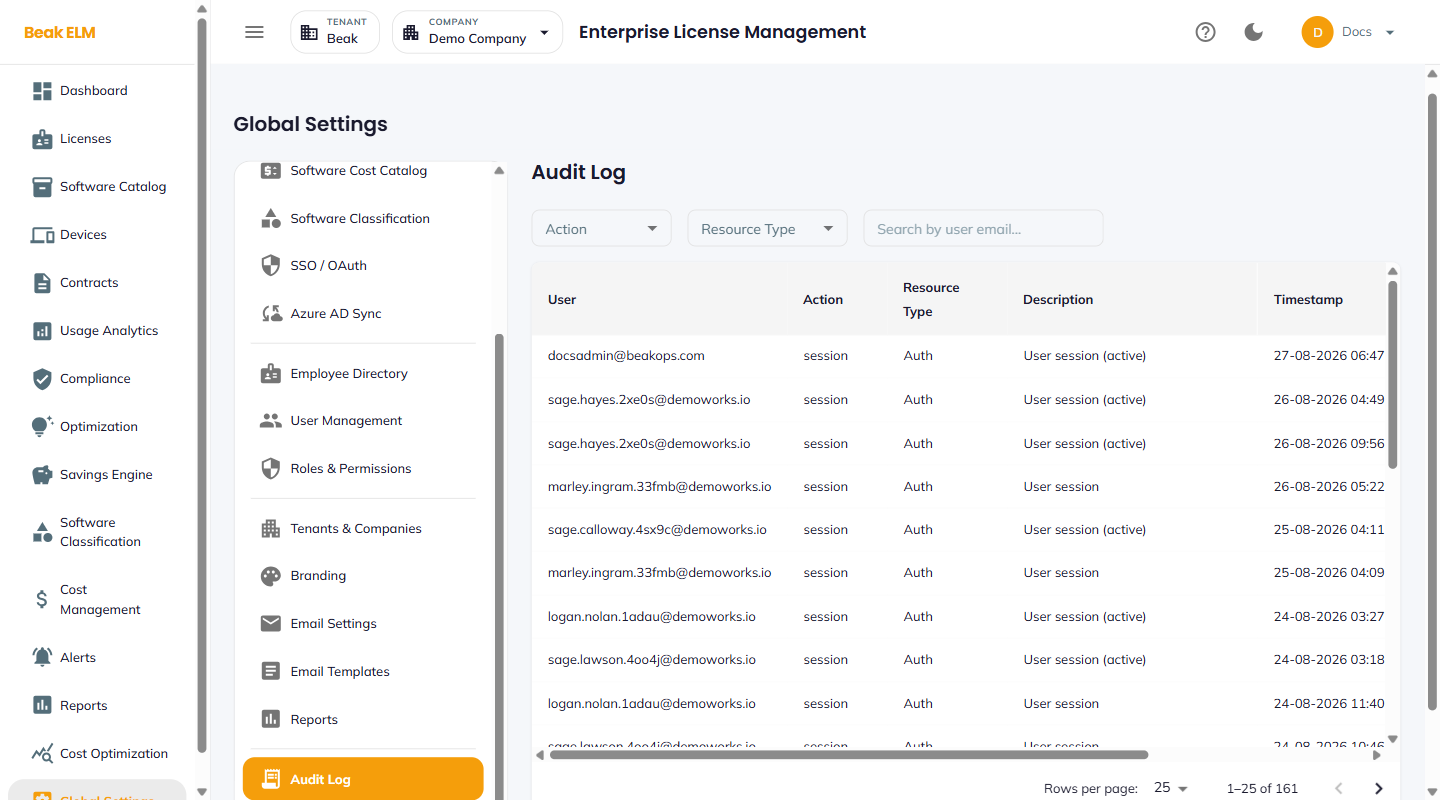
Table Columns
| Column | Description |
|---|---|
| User | Email of the actor |
| Action | The action taken (e.g. created, updated, deleted, approved, dismissed) |
| Resource Type | Resource type (e.g. license, contract, recommendation, role, user) |
| Resource ID | Unique identifier of the affected resource |
| Description | Human-readable summary of what changed |
| Timestamp | UTC timestamp when the action occurred |
The log paginates at 25 rows per page. New tenants will see No data found until the first user actions are recorded.
What Gets Logged
- License create / update / delete / import
- Contract create / update / delete
- Recommendation approve / dismiss / re-evaluate
- User create / update / deactivate / role change
- Role create / update / delete
- Integration enable / disable / configure / sync
- Connector connect / disconnect / configure
- Tenant / company create / update / delete
- Authentication success / failure / SSO callback
Best Practices
- Pull the audit log monthly into your compliance evidence package — most license audits will ask for a record of who-did-what during the audit period.
- For security investigations, filter by user email to reconstruct a single user's session history.
- Pair the audit log with the Notification History tab on the Alerts page — together they give a full picture of system events and outbound notifications.
- The audit log is append-only; entries cannot be edited or deleted. If you need to redact an entry for a privacy request, contact the Beak support team.
Related Pages
- User Management — Per-user activity record
- Notification History — Outbound notification log