Scheduled Reports (Report Center)
The Reports tab inside Global Settings is the Report Center — a card-grid of every downloadable Excel report ELM offers. Some overlap with the dashboard tabs on the Reports page; others (Contract Renewals, Connector Status) are exclusive to the Report Center.
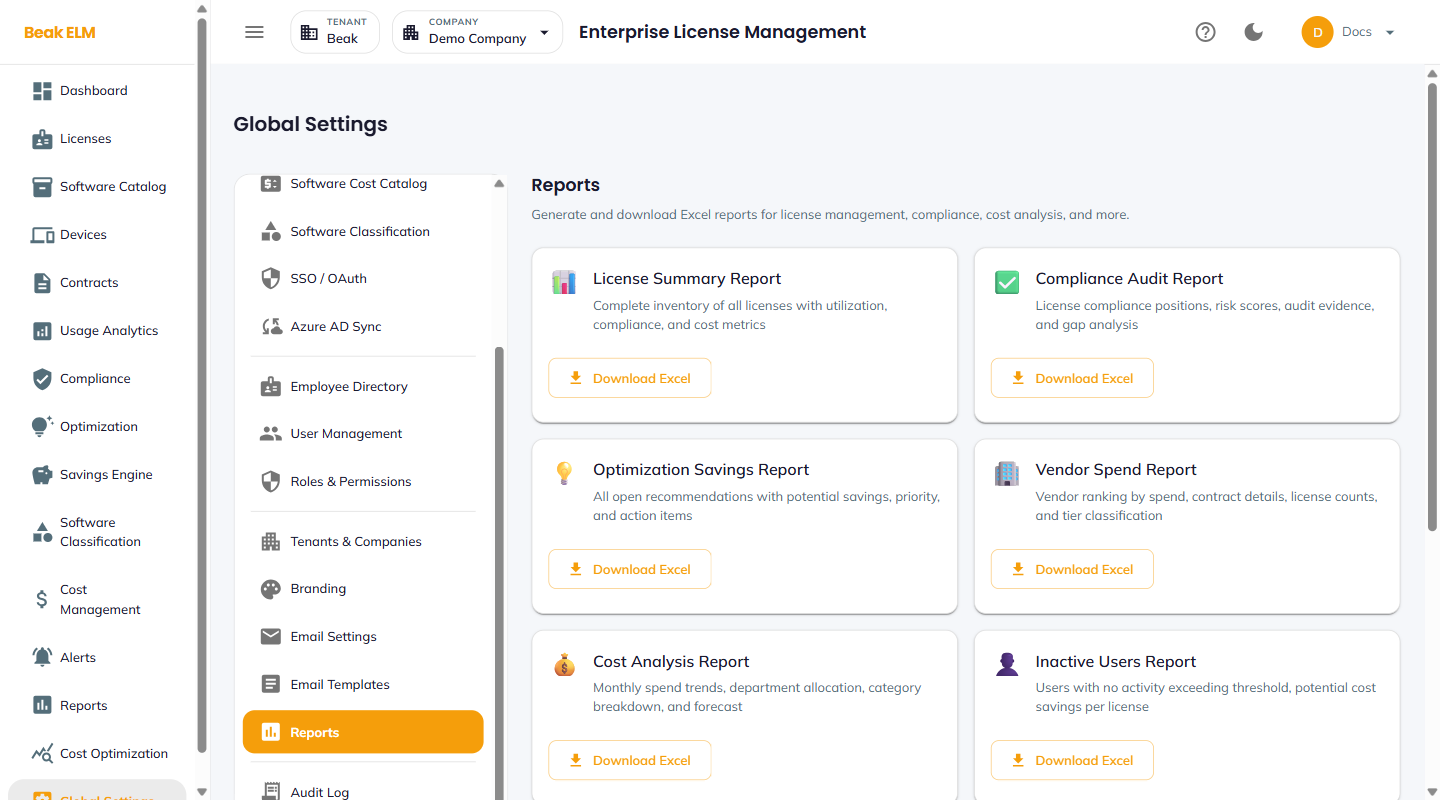
Available Reports
Each card has a title, description, and a Download Excel action.
| Report | Description |
|---|---|
| License Summary | All licenses with type, entitlement, consumption, utilization, and cost (also on Reports → License Summary) |
| Compliance Audit | License compliance snapshot — compliant / over-licensed / under-licensed and gap analysis (also on Reports → Compliance Audit) |
| Optimization Savings | All open recommendations with potential savings, priority, and action items |
| Vendor Spend | Vendor ranking by spend, contract details, license counts, and tier classification |
| Cost Analysis | Monthly spend trends, department allocation, category breakdown, and forecast |
| Inactive Users | Users with no activity exceeding the threshold, with potential cost savings per license |
| Contract Renewals | Upcoming contract and license renewals within 30 / 60 / 90 days |
| SaaS Inventory | Complete SaaS application catalog — publisher, category, approval status, risk |
| Department Usage | License assignments and usage metrics broken down by department |
| Connector Status | Status of all configured connectors — sync history and error logs |
Download Excel
Click Download Excel on any card to fetch a .xlsx snapshot at the current moment. The file contains KPIs, chart data, and a full data table — formatted for offline distribution.
Best Practices
- Use the
Contract Renewalsreport 90 days before each fiscal quarter to drive the renewal-planning cycle — the dashboard view does not group renewals by 30 / 60 / 90 day windows the way this report does. - The
Connector Statusreport is the fastest way to spot stale syncs across the fleet — schedule it weekly to your platform team. - Pair
Inactive UserswithDepartment Usagefor quarterly chargeback / reclaim reviews — together they answer "who's not using what" by department. - The Report Center reports are point-in-time snapshots — no scheduled email delivery yet; download manually and distribute via your usual channels.
Related Pages
- Reports — Live dashboard reports with charts
- Email Settings — Future scheduled-delivery configuration