Tenants & Companies
The Tenants & Companies entry opens the Tenant & Company Management screen — a two-tab view (Tenants and Companies) over the multi-tenant model. A tenant is the database-schema-level container; a company is the inventory-level scope users switch between in the top-bar selector.
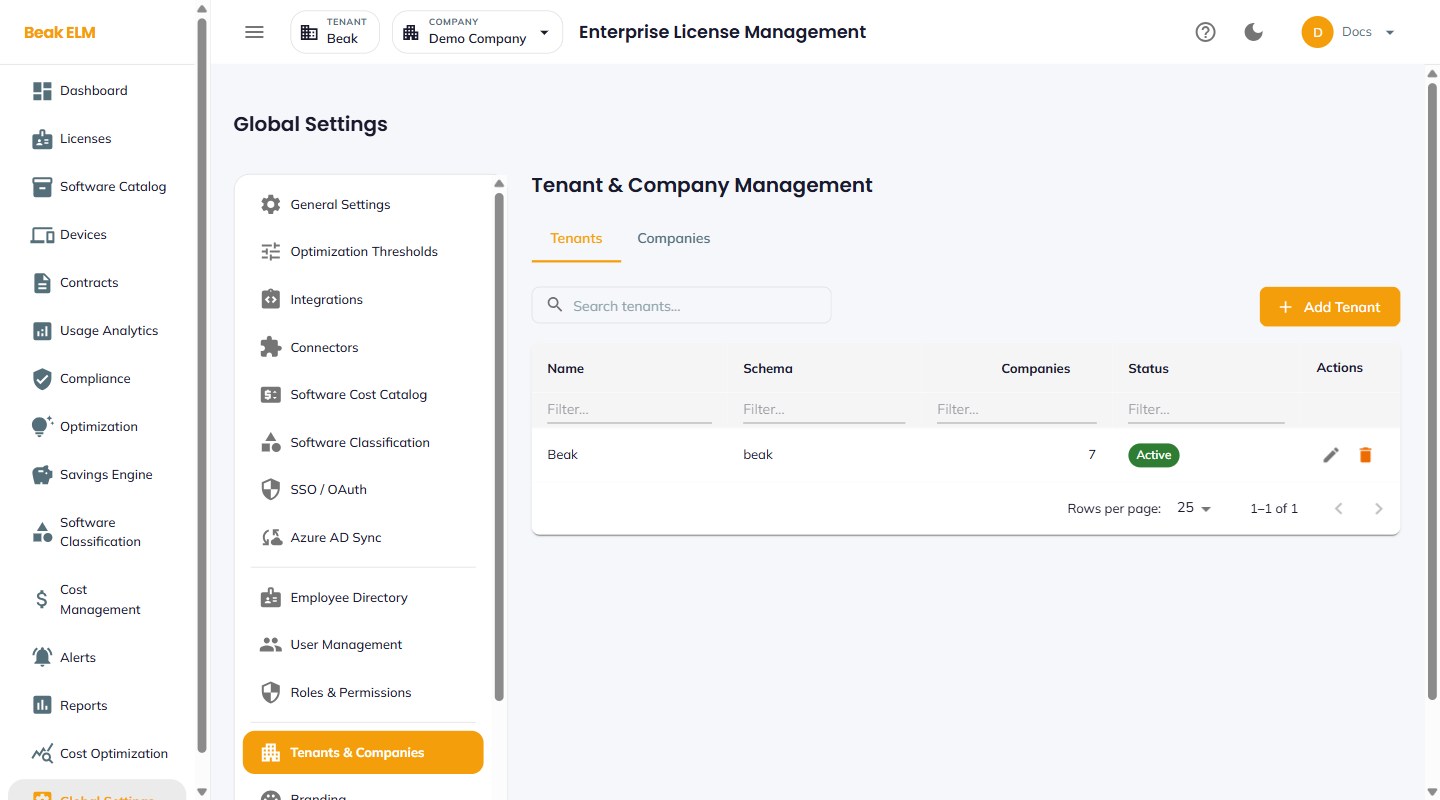
Tenants Tab
The default tab. One row per tenant.
| Column | Description |
|---|---|
| Name | Display name of the tenant (e.g. BeakELM) |
| Schema | Postgres schema name backing the tenant (e.g. elm_tenant_default) |
| Companies | Count of companies under this tenant |
| Status | Active or Inactive |
| Actions | Edit, Delete |
The + Add Tenant button creates a new tenant with its own schema. Tenant creation provisions the database schema — it is a heavy operation and typically run once per customer org.
Companies Tab
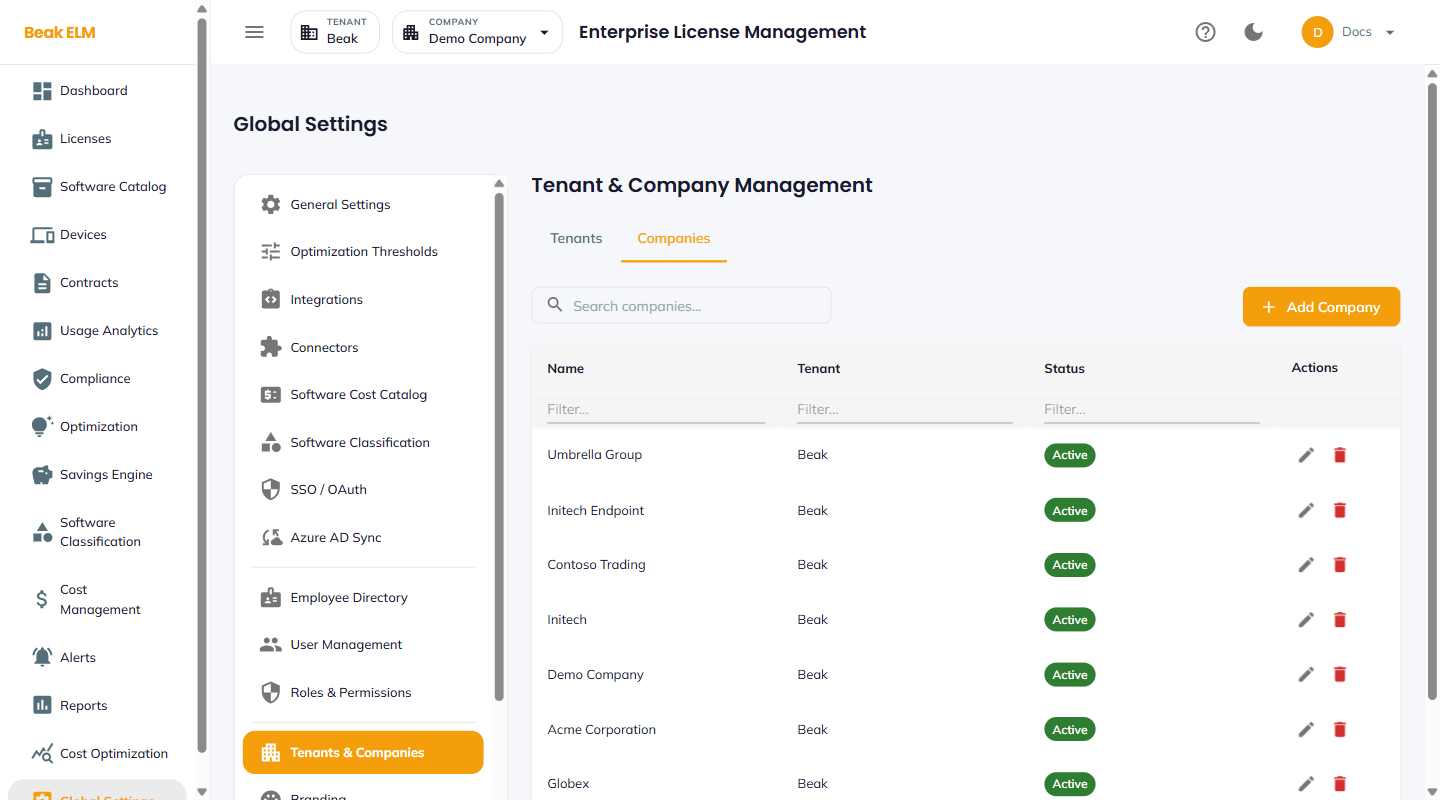
One row per company. A company is the scope toggle in the top-bar selector — switching companies changes which licenses, contracts, and dashboards a user sees, while keeping the tenant-level user / role configuration in place.
A typical multi-company use case: an MSP managing several end-customer organizations under one tenant, with each end-customer as a company.
Best Practices
- Use a single tenant for most deployments — multi-tenant is for MSP / aggregator scenarios where customer data must be physically isolated at the schema level.
- Use multiple companies under one tenant when separate divisions share governance but need independent inventories — e.g.
Acme USAandAcme EUunder the parentAcmetenant. - The seeded
Demo Companyis useful for training new admins without touching production data — keep it around as a sandbox. - Active tenants and companies are visible to all users; inactive entries hide from the company selector but retain their data for audit.
Related Pages
- User Management — Users sit at the tenant level
- Roles & Permissions — Roles are scoped to the tenant
- Demo Data — Seed and reset demo company data