Email Templates
The Email Templates tab manages the per-event email content sent through the provider configured in Email Settings. Each template binds to an event (e.g. License Expiring, Password Reset, Welcome) and supports HTML body, subject line, and template variables.
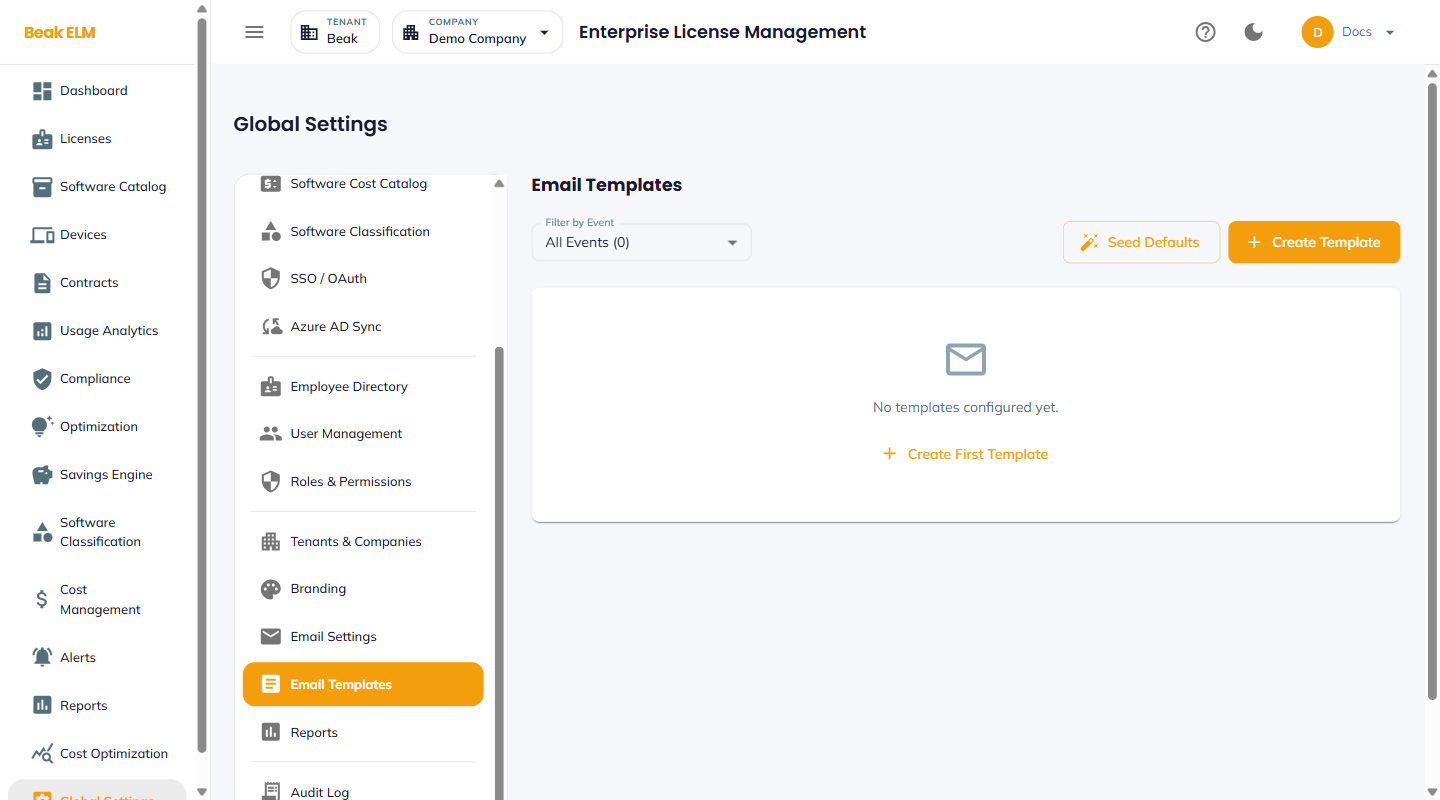
Filter & Actions
The action bar at the top of the page exposes filtering and creation actions.
- Filter by Event — Drop-down listing every event with at least one template. The badge in the dropdown (e.g.
All Events (0)) shows the total template count. - Seed Defaults — Resets the template library to the shipped defaults; useful when starting from scratch or recovering from a bad edit
- + Create Template — Author a new template for a specific event with a custom subject and body
Empty State
A fresh tenant or company with no templates yet shows an empty-state card with a + Create First Template link. Click Seed Defaults first to populate the library with curated defaults for every supported event, then customize as needed.
Template Anatomy
Each template carries:
- Event — The trigger that fires it (e.g.
license_expiring,password_reset,welcome) - Subject — Email subject line, with template variables (e.g.
License {{license_name}} expires in {{days_until_expiry}} days) - Body — HTML body with template variables and brand assets
- Active — Whether this template is the currently-used template for the event (one per event can be active at a time)
Best Practices
- Always click
Seed Defaultsonce on a new install — without seeded defaults, alerts can't fire for new event types until a template exists. The empty-state card's+ Create First Templateis fine for one-off authoring butSeed Defaultscovers the entire event taxonomy in one click. - Keep template variables consistent with the Branding settings — e.g. use
{{platform_name}}rather than hard-codingBeak ELMso a rebrand propagates automatically. - Test edits by triggering the event in a non-prod environment first — a malformed template can suppress alerts silently.
- Maintain a separate template per locale if your org spans multiple regions — duplicate the default and translate the subject + body.
Related Pages
- Email Settings — Provider configuration (SMTP or Microsoft 365)
- Alerts — Alert events fed by these templates
- Branding — Variables for platform name and brand assets