Integrations
The Integrations tab configures the foundational data sources that feed Beak ELM beyond CSV import — the BeakITSM CMDB for software configuration items, the M365Lite service for Microsoft 365 license, assignment, usage, and recommendation data, and a FinOps platform connection for cost recommendations.
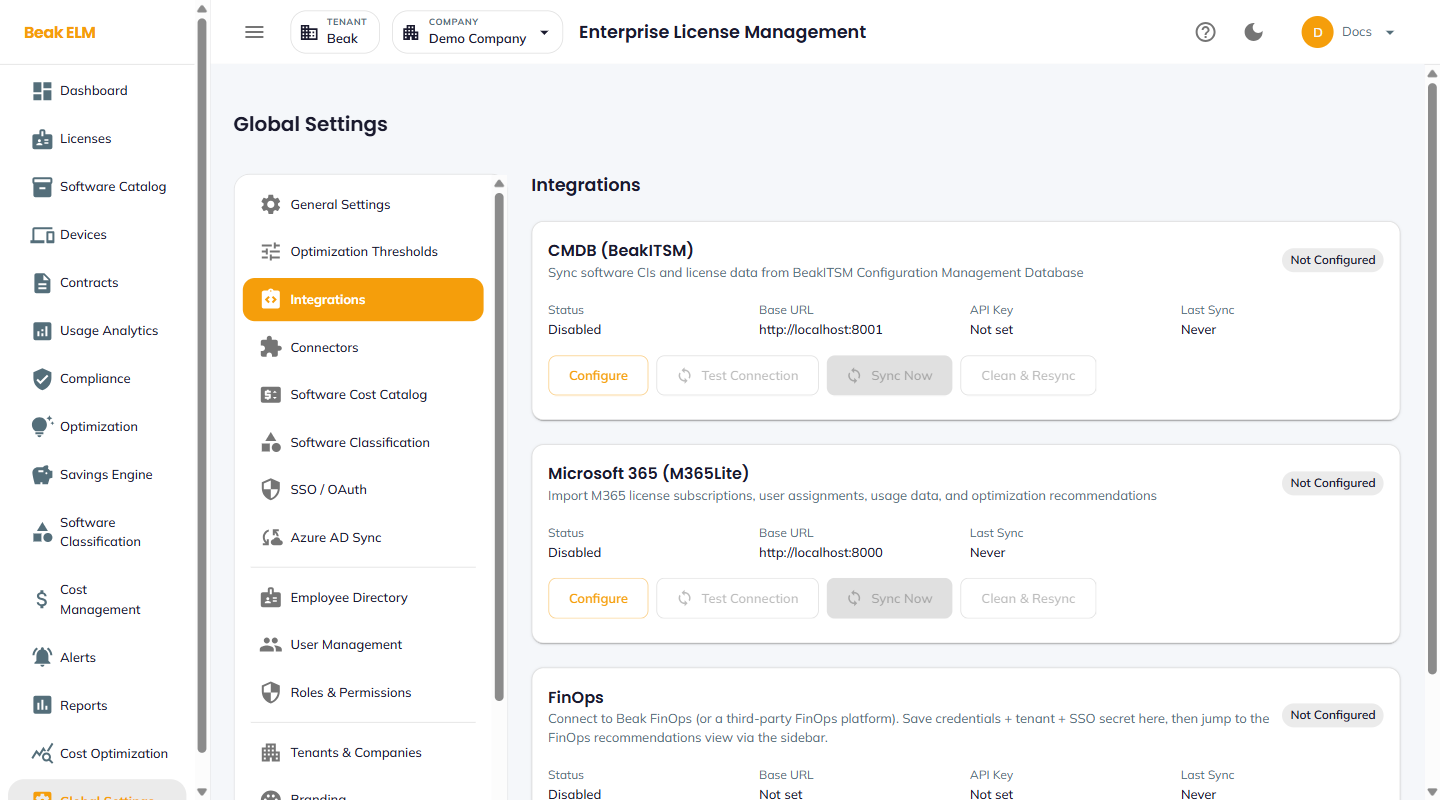
CMDB (BeakITSM)
Sync software configuration items and license data from a BeakITSM Configuration Management Database instance.
| Field | Description |
|---|---|
| Status | Disabled or Enabled |
| Base URL | Backend URL of the BeakITSM instance |
| API Key | Bearer credential for the BeakITSM API |
| Last Sync | Timestamp of the most recent successful sync, or Never |
Actions: Configure, Test Connection, Sync Now, Clean & Resync (drops local CMDB-sourced data and re-imports).
Microsoft 365 (M365Lite)
Import M365 license subscriptions, user assignments, usage data, and optimization recommendations from the M365Lite service.
| Field | Description |
|---|---|
| Status | Disabled or Enabled |
| Base URL | Backend URL of the M365Lite service |
| API Key | Bearer credential for the M365Lite API |
| Last Sync | Timestamp of the most recent successful sync, or Never |
Actions: Configure, Test Connection, Sync Now, Clean & Resync.
Note: The
Usage Analytics → Microsoft 365andOptimization → Microsoft 365tabs also require the SSO Signing Secret configured on this card — use the same value on the M365Lite side.
FinOps
Connect to Beak FinOps (or a third-party FinOps platform). Save credentials, tenant, and SSO secret here, then jump to the FinOps recommendations view via the sidebar.
| Field | Description |
|---|---|
| Status | Disabled or Enabled |
| Base URL | Backend URL of the FinOps platform |
| API Key | Bearer credential for the FinOps API |
| Last Sync | Timestamp of the most recent successful sync, or Never |
Actions: Configure, Test Connection, Sync Now, Clean & Resync.
Best Practices
- Always run
Test Connectionafter aConfigurechange — the integration cards stayDisableduntil the connection succeeds. - Schedule a daily
Sync Nowfor both integrations so the inventory never lags more than 24 hours behind the source of truth. - Use
Clean & Resynconly after a structural change (renamed tenant, schema migration) — it drops local data and re-imports, which can take time on a large inventory. - Pair the CMDB integration with Connectors — CMDB tracks installed software; connectors track licensed seats. Both are needed for accurate compliance.
Related Pages
- Connectors — 100+ vendor-specific data sources
- General Settings — Platform overview that surfaces these statuses