User Management
The User Management tab is the access-control roster for Beak ELM. Each row is a user with sign-in privileges to the platform — distinct from the broader Employee Directory, which holds every employee whether or not they have ELM access. Users are tenant-level: each carries a role plus the set of companies they can access.
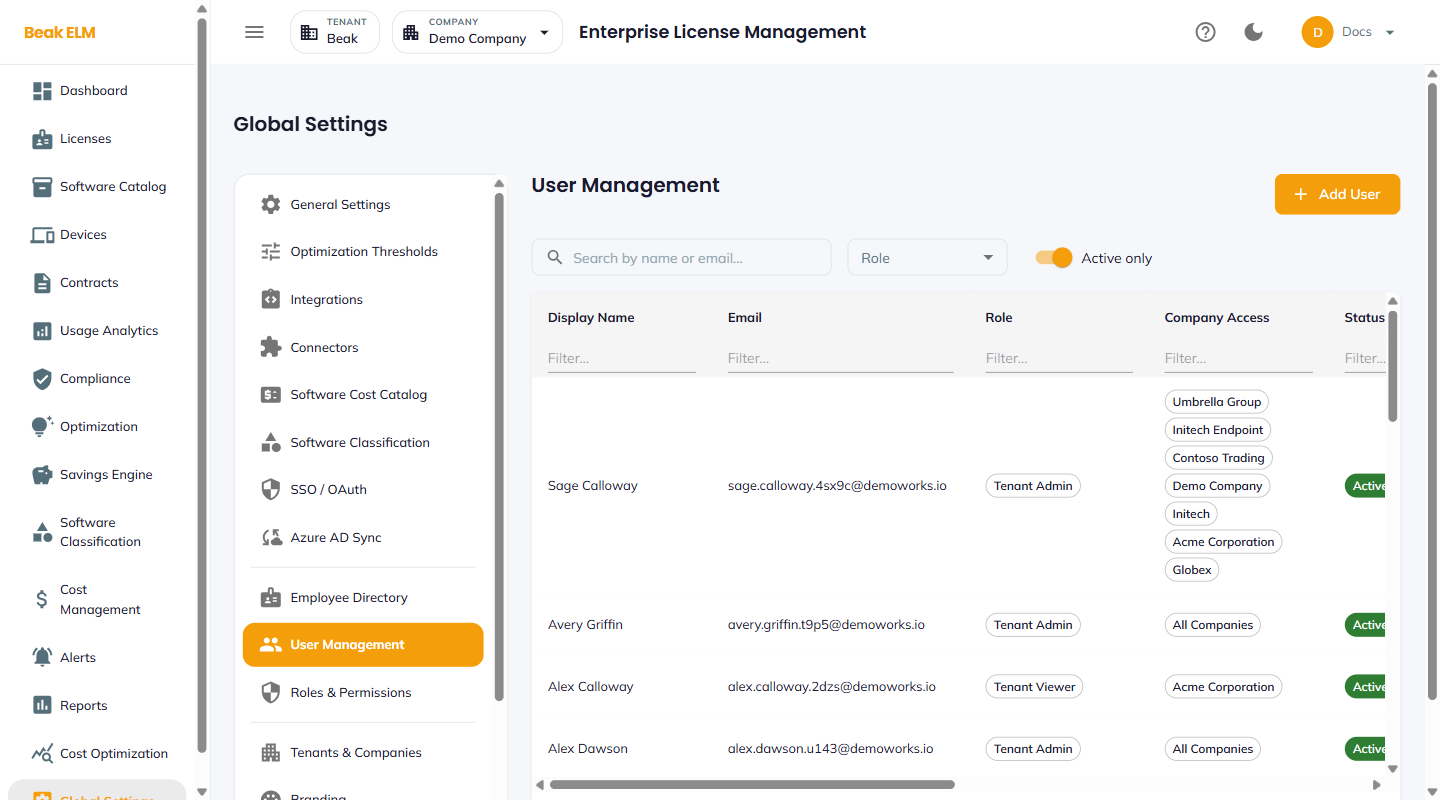
Filters
- Search by name or email — Free-text match
- Role — Filter by role from Roles & Permissions (e.g.
Tenant Admin,Tenant Viewer) - Active only — Toggle to hide deactivated users
Table Columns
| Column | Description |
|---|---|
| Display Name | Full name |
| Sign-in email | |
| Role | Role from Roles & Permissions |
| Company Access | Companies the user can switch to — specific companies or All Companies |
| Status | Active or Inactive |
| Created By / Created | Who created the account and when |
| Modified By / Modified At | Who last changed the account and when |
| Actions | Edit, Deactivate, Reset Password (local only) |
Add User
The Add User button opens an Add User dialog with display name, email, role, company access, and (for local users) initial password. SSO users are typically auto-created on first login — see SSO / OAuth.
Best Practices
- Prefer SSO users over local users — local accounts are useful for break-glass scenarios but sit outside your password rotation policy.
- Scope
Company Accessto the minimum set of companies each user needs —All Companiesshould be reserved for tenant administrators. - Deactivate users instead of deleting them — deletion loses the audit trail of past actions in Audit Log.
- Assign the minimum role that covers each user's responsibilities — start with
Tenant Viewerand elevate only when justified by a workflow gap.
Related Pages
- Roles & Permissions — Role definitions
- SSO / OAuth — SSO provisioning
- Azure AD Sync — Bulk Entra provisioning
- Audit Log — Per-user activity record