Network Discovery
The Network Discovery module automatically finds, identifies, and classifies every device on your network. It uses a multi-phase scanning pipeline combining ARP, Ping, TCP port scanning, mDNS, SNMP polling, and OS fingerprinting to build a complete and accurate device inventory — no manual device entry required.
Scan & Results
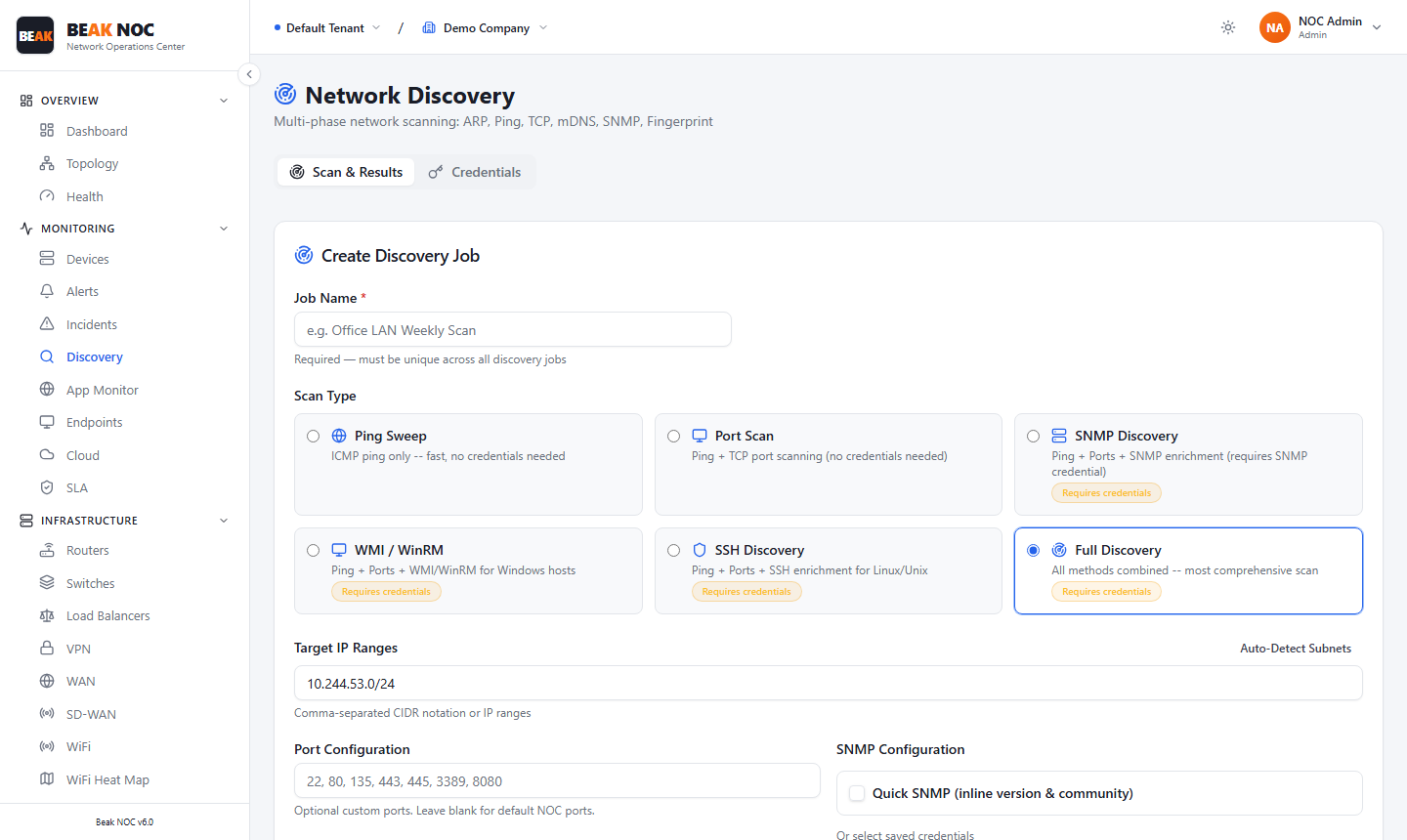
The Scan & Results tab is where you create and run discovery jobs.
Creating a Discovery Job
| Field | Description |
|---|---|
| Job Name | A unique name for this discovery job. Must be unique across all jobs |
| Scan Type | The scanning method to use (see below) |
| Target IP Ranges | One or more IP ranges in CIDR notation (e.g., 192.168.1.0/24). Use Auto-Detect Subnets to auto-populate with the server's local subnets |
| Port Configuration | Comma-separated list of TCP ports to scan. Leave blank to use default NOC ports (22, 80, 135, 443, 445, 3389, 8080) |
| SNMP Credentials | Select a stored SNMP credential for enrichment scans. Managed in the Credentials tab |
| Schedule | Cron expression for recurring runs, or leave blank for a one-time scan. Quick presets: Daily 2am, Weekly Mon 3am, Every 4h |
| Collector Assignment | Assign to a specific collector for distributed scanning. Defaults to Local (this server) |
Scan Types
Six scan modes are available, from fast and credential-free to comprehensive:
| Scan Type | Description | Credentials Required |
|---|---|---|
| Ping Sweep | ICMP ping only — identifies live hosts quickly | No |
| Port Scan | Ping + TCP port scanning — discovers open services | No |
| SNMP Discovery | Ping + Ports + SNMP enrichment — retrieves device details via SNMP | Yes — SNMP |
| WMI / WinRM | Ping + Ports + WMI/WinRM — enriches Windows hosts | Yes — WinRM |
| SSH Discovery | Ping + Ports + SSH enrichment — enriches Linux/Unix hosts | Yes — SSH |
| Full Discovery | All methods combined — most comprehensive scan available | Yes — SNMP + SSH/WinRM |
Note: Run Full Discovery for the most accurate topology and the richest device metadata. Use Ping Sweep for quick "is it alive" checks when credentials aren't available.
Job History & Discovery Results
After running a job, the Job History panel shows all past runs with their status, duration, and device counts found. Selecting a completed job populates the Discovery Results panel with the full list of discovered devices, their IPs, types, and enrichment status.
Credentials
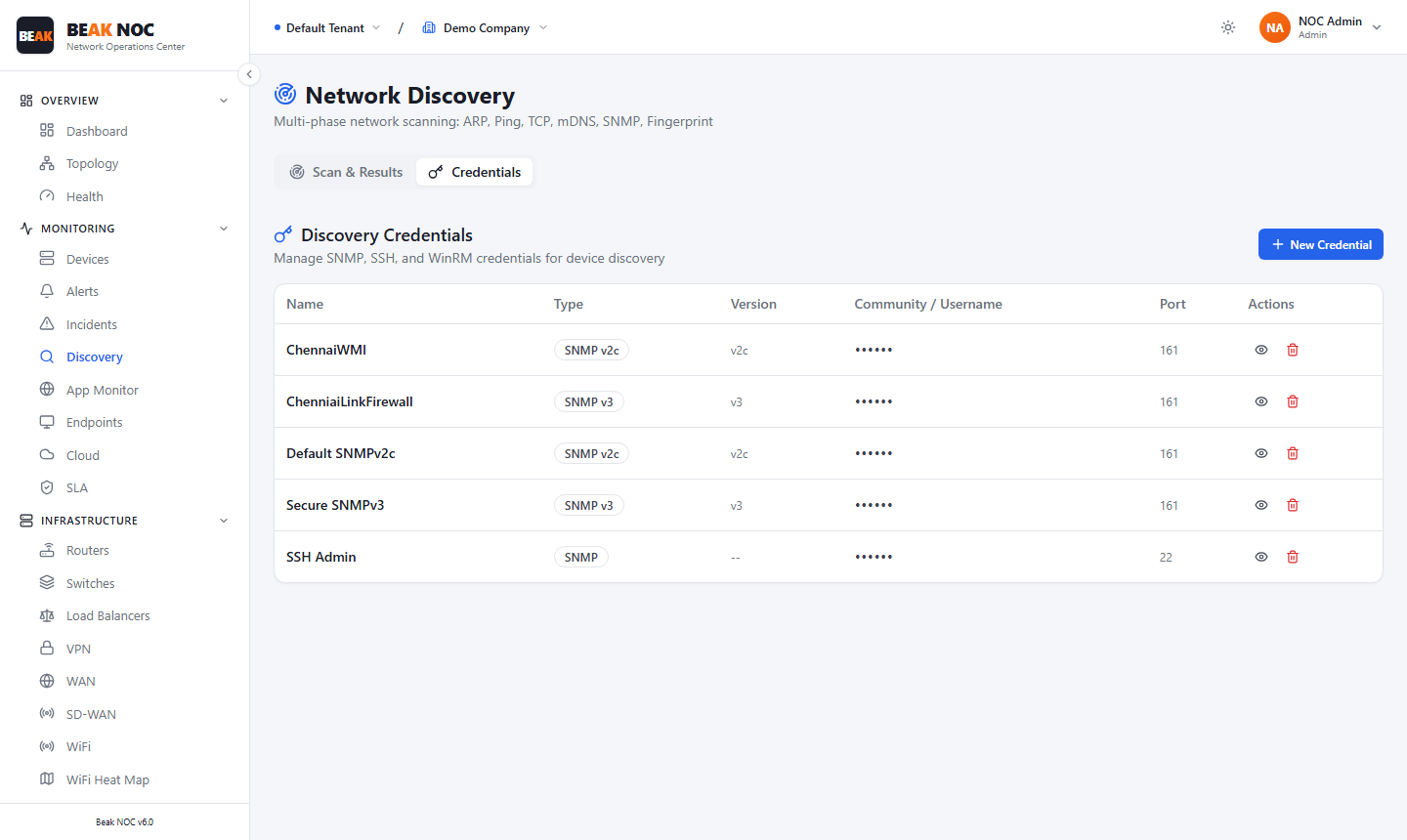
The Credentials tab centrally manages the authentication details used by SNMP Discovery, SSH Discovery, WMI/WinRM, and Full Discovery scans.
Adding a Credential
Click + New Credential and fill in the fields appropriate for the credential type:
| Credential Type | Fields |
|---|---|
| SNMP v1/v2c | Name, Community String, Port (default 161) |
| SNMP v3 | Name, Username, Auth Protocol, Auth Password, Privacy Protocol, Privacy Password |
| SSH | Name, Username, Password or Private Key |
| WinRM | Name, Username, Password, Port (default 5985/5986) |
The credential table shows each stored credential's Name, Type, Version, Community / Username, and Port, with edit and delete Actions.
Assigning Credentials to Scans
When creating a discovery job with a scan type that requires credentials, select the appropriate credential from the SNMP Credentials drop-down on the Scan form. The credential is then used automatically during the scan to authenticate and retrieve device data.
Related Pages
- Devices — View the device inventory populated by discovery
- Topology — Visual map built from discovery results
- Config Backup — Uses SSH credentials to retrieve configurations