VLAN Management
The VLAN Management page gives your team complete visibility into your switching infrastructure's VLAN configuration — including port assignments, traffic distribution across VLANs, and real-time trend analysis.
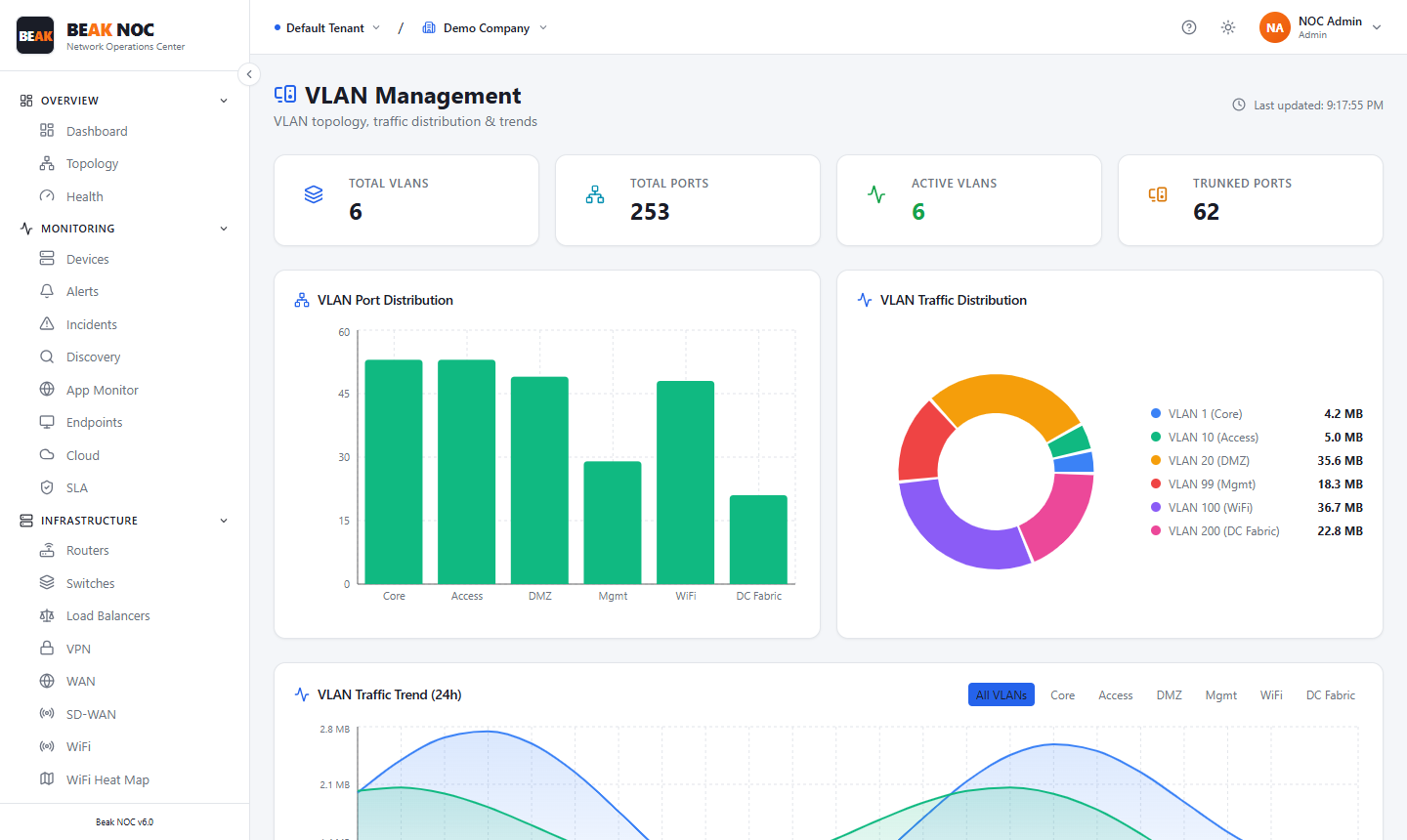
Summary Cards
| Card | Description |
|---|---|
| Total VLANs | Count of VLANs defined across all managed switches |
| Total Ports | Aggregate count of switch ports across all monitored devices |
| Active VLANs | VLANs that are currently carrying traffic |
| Trunked Ports | Ports configured as 802.1Q trunk ports |
VLAN Port Distribution
A bar chart showing the number of access ports assigned to each VLAN.
VLAN Traffic Distribution
A pie chart ranking VLANs by total traffic volume in the current monitoring period.
VLAN Traffic Trend (24h)
A multi-line time-series chart showing per-VLAN traffic volume over the last 24 hours. A VLAN selector above the chart lets you view all VLANs simultaneously or focus on individual ones.
Related Pages
- SPAN Sessions — Port mirroring for packet capture on specific VLANs
- Network Flows — Application-level traffic breakdown per VLAN
- Devices — Switch inventory and SNMP status
- Security — Port exposure and anomaly detection correlated with VLAN data