IP Address Management
Beak NOC's IP Address Management (IPAM) module gives your team a centralised view of every subnet in your network — how many addresses are allocated, how many are free, and which subnets are approaching exhaustion.
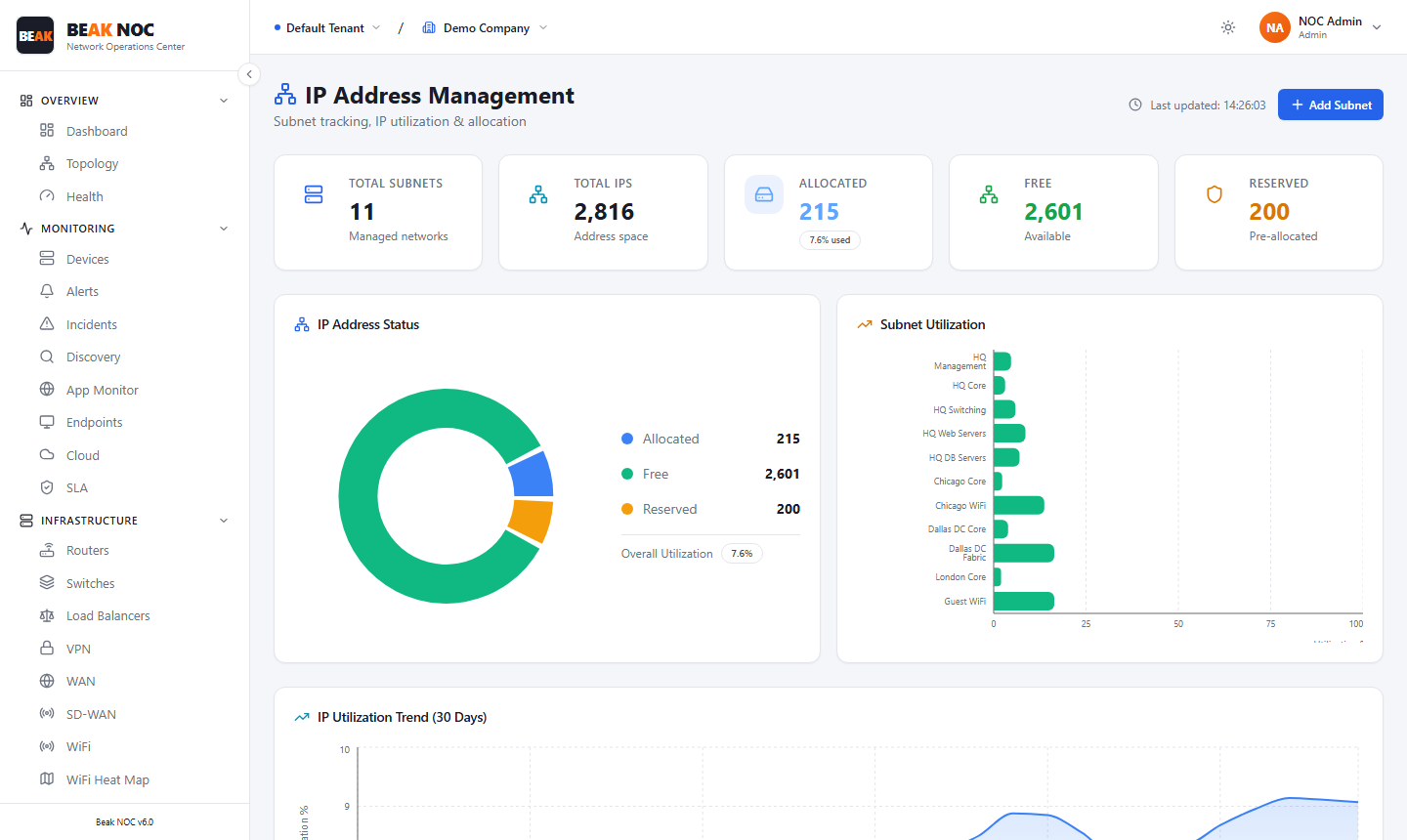
Summary Cards
| Card | Description |
|---|---|
| Total Subnets | Count of subnets being tracked in IPAM |
| Total IPs | Total IP address space under management |
| Allocated | Addresses currently assigned to devices |
| Free | Available, unallocated addresses |
| Reserved | Addresses set aside and not available for allocation |
IP Address Status
A donut chart breaks down the entire managed address space into three categories: Allocated, Free, and Reserved — with the overall utilization percentage shown beneath.
Subnet Utilization
A horizontal bar chart ranks each managed subnet by its current utilization percentage.
IP Utilization Trend (30 Days)
A time-series chart showing how IP utilization has changed over the last 30 days.
Adding a Subnet
Click Add Subnet to manually register a new subnet in IPAM.