System Administration
The System section of Beak NOC provides all configuration and administration capabilities for the platform — from initial setup through multi-tenant organisation management, user access control, and the remote collector infrastructure.
Setup Wizard
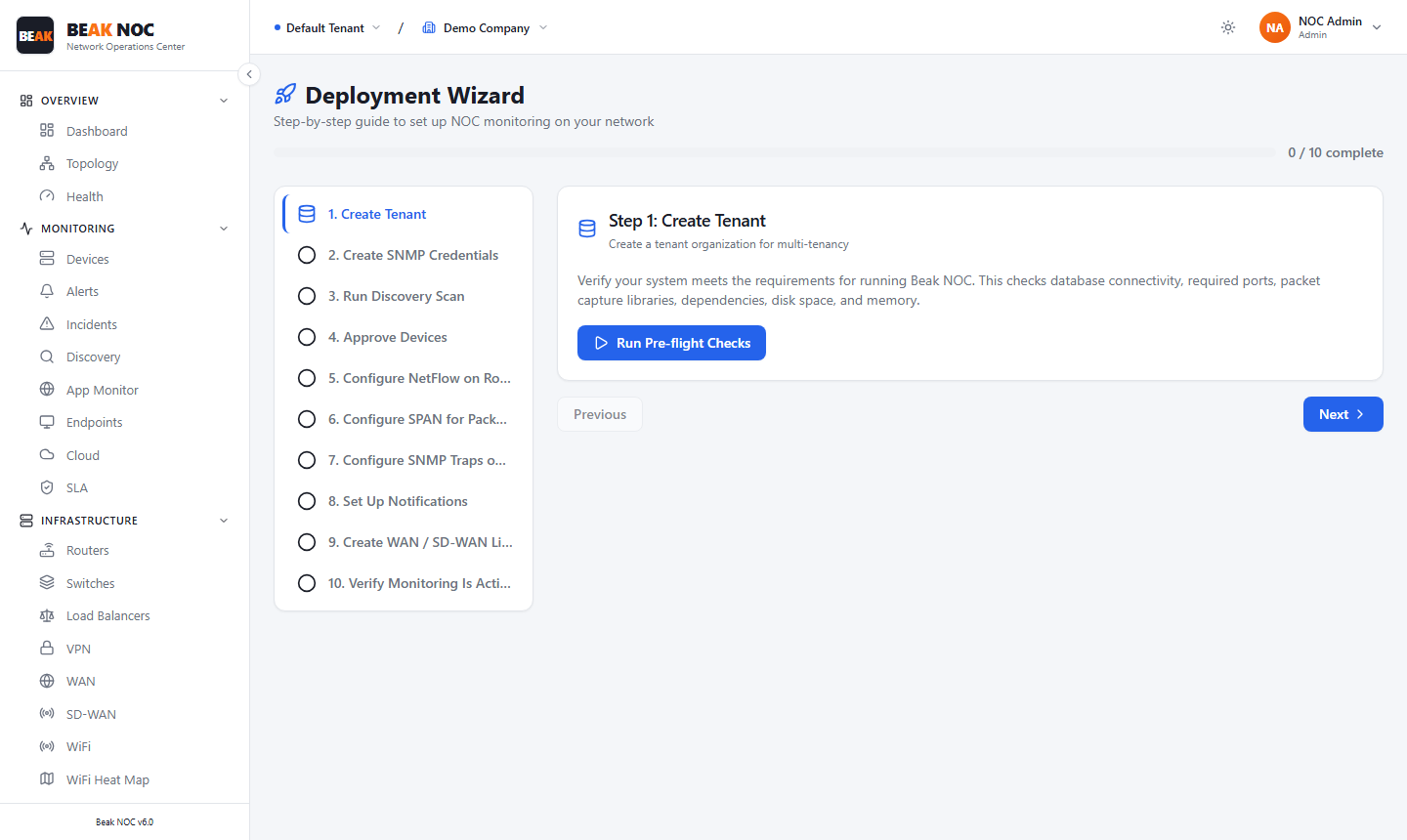
The Setup Wizard guides new Beak NOC deployments through the essential configuration steps. It is the recommended starting point for any new tenant or environment.
Tenant Management
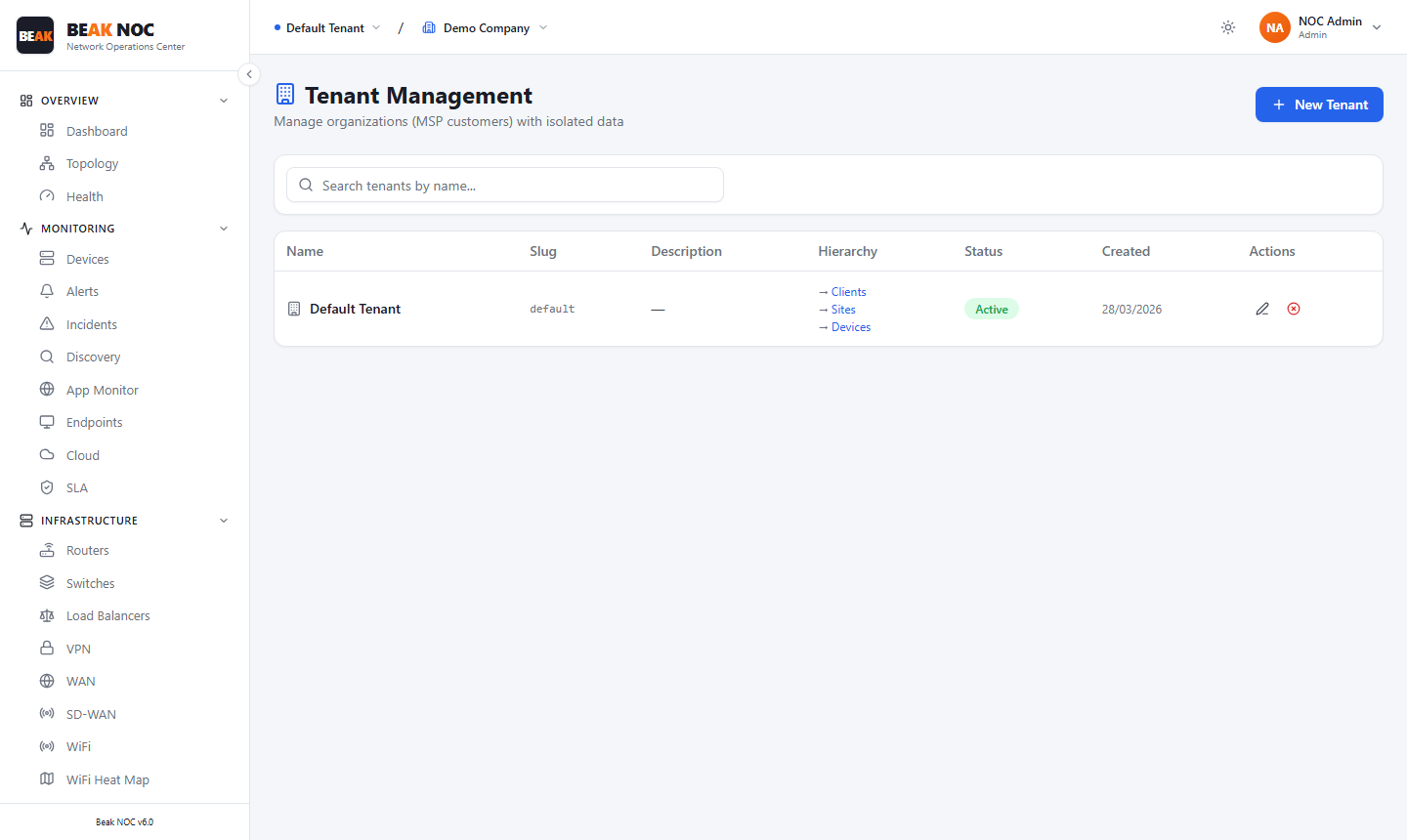
Tenants are the top-level organisational boundary in Beak NOC. All configuration, devices, users, and data are isolated within a tenant.
The Tenant Management page lists all tenants with the following columns:
| Column | Description |
|---|---|
| Name | The organisation name |
| Slug | URL-safe identifier for the tenant |
| Description | Optional tenant description |
| Hierarchy | Links to the tenant's Clients, Sites, and Devices |
| Status | Active or Suspended |
| Created | Tenant creation date |
| Actions | Edit or delete the tenant |
Click + New Tenant to create a new tenant.
Site Management
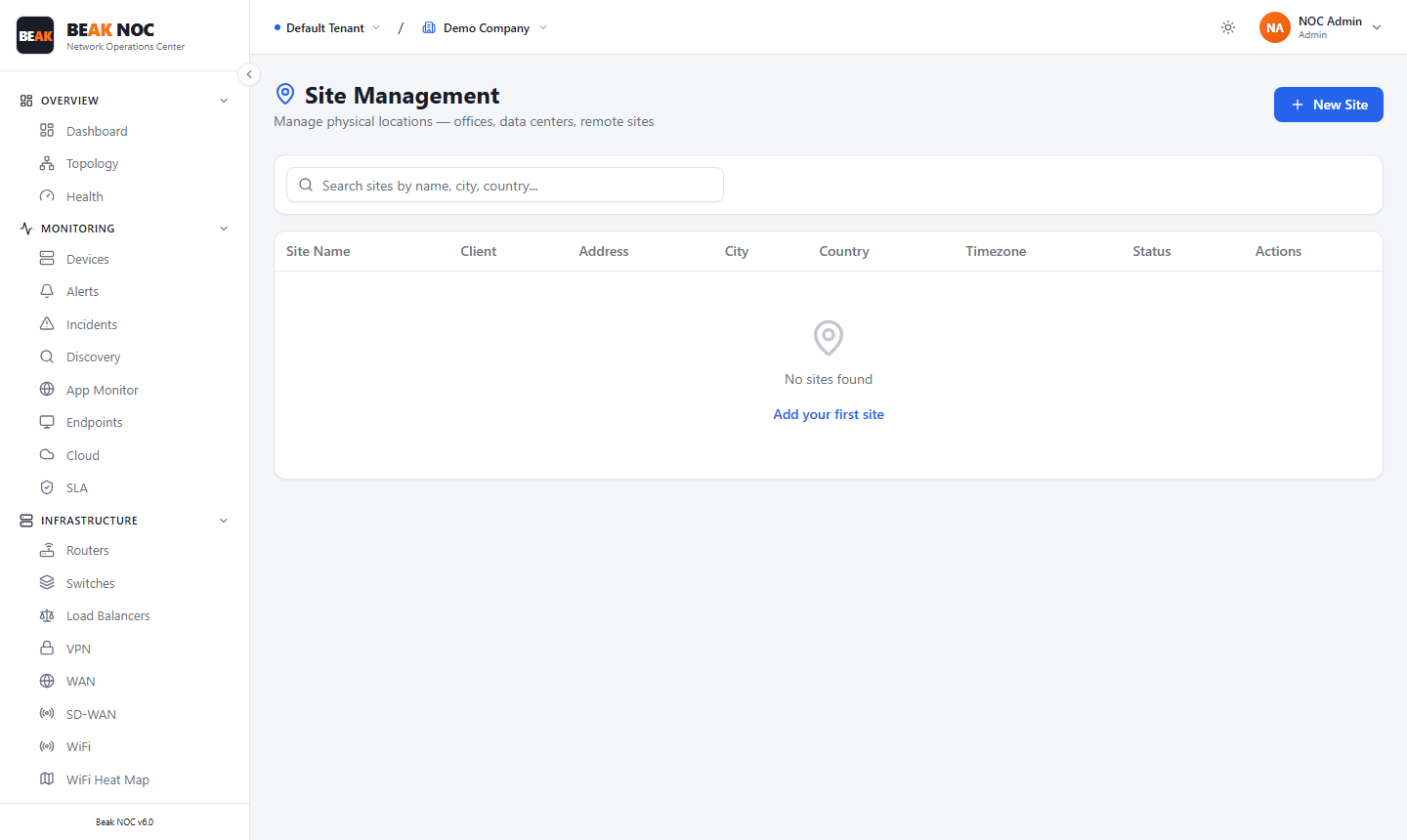
Sites represent physical or logical locations within a tenant — for example, branch offices or data centres. Every device in Beak NOC is assigned to a site, enabling site-specific filtering throughout the platform.
The Site Management table lists all configured sites with:
| Column | Description |
|---|---|
| Site Name | Descriptive location name |
| Client | The client this site is assigned to |
| Address | Physical street address |
| City | City |
| Country | Country |
| Timezone | Site timezone |
| Status | Active or Inactive |
| Actions | Edit or delete the site |
Click + New Site to create a new site.
Client Management
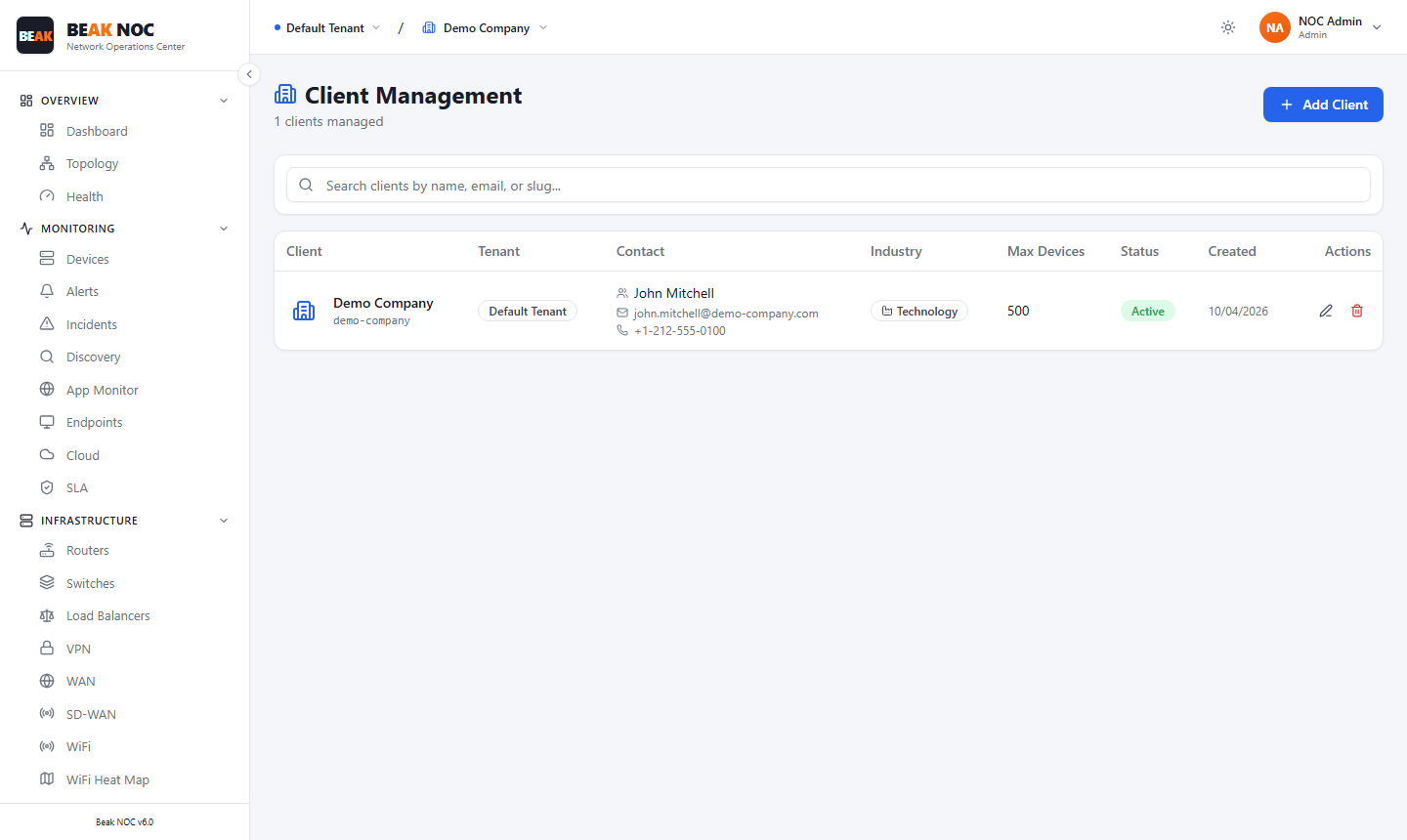
Clients represent individual customer accounts within a tenant. This layer is primarily used by Managed Service Providers managing multiple customer environments from a single Beak NOC tenant.
The Client Management table shows:
| Column | Description |
|---|---|
| Client | Customer name and slug |
| Tenant | The tenant this client belongs to |
| Contact | Primary contact name, email, and phone |
| Industry | Client's industry category |
| Max Devices | Device limit for this client |
| Status | Active or Inactive |
| Created | Creation date |
| Actions | Edit or delete the client |
Click + Add Client to create a new client.
User Management
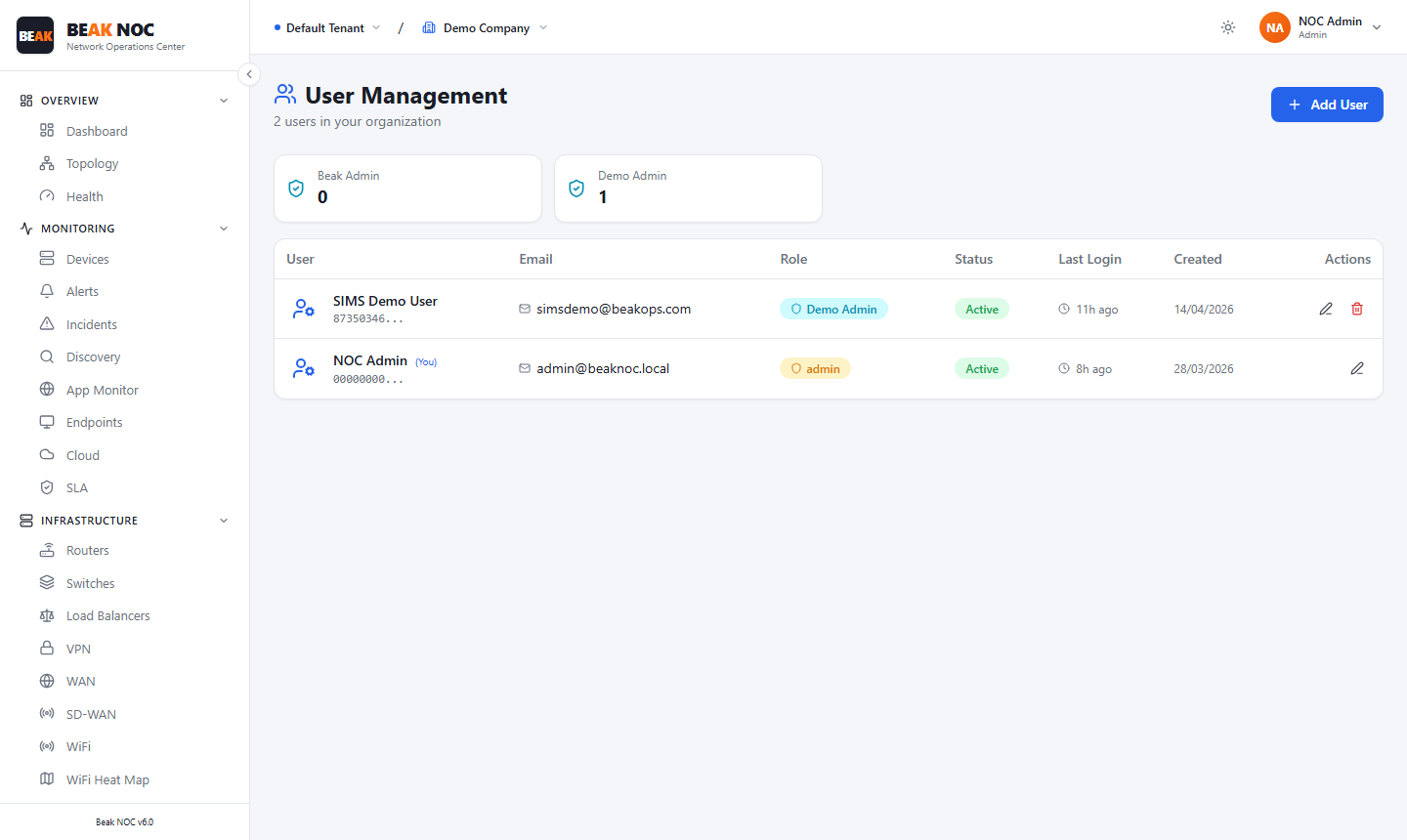
The User Management page manages all user accounts with access to the Beak NOC tenant.
Role Summary Cards
The top of the page shows the count of users in each role:
| Role | Description |
|---|---|
| MSP Admin | MSP-level administrator |
| Admin | Full access to all configuration and administration |
| Operator | Access to monitoring data, alerts, and incidents |
| Viewer | Read-only access |
User Table
| Column | Description |
|---|---|
| User | User's display name |
| Login email address | |
| Role | Assigned role |
| Status | Active or Disabled |
| Last Login | Most recent authentication timestamp |
| Created | Account creation date |
| Actions | Edit the user |
Click + Add User to create a new user account.
Collectors
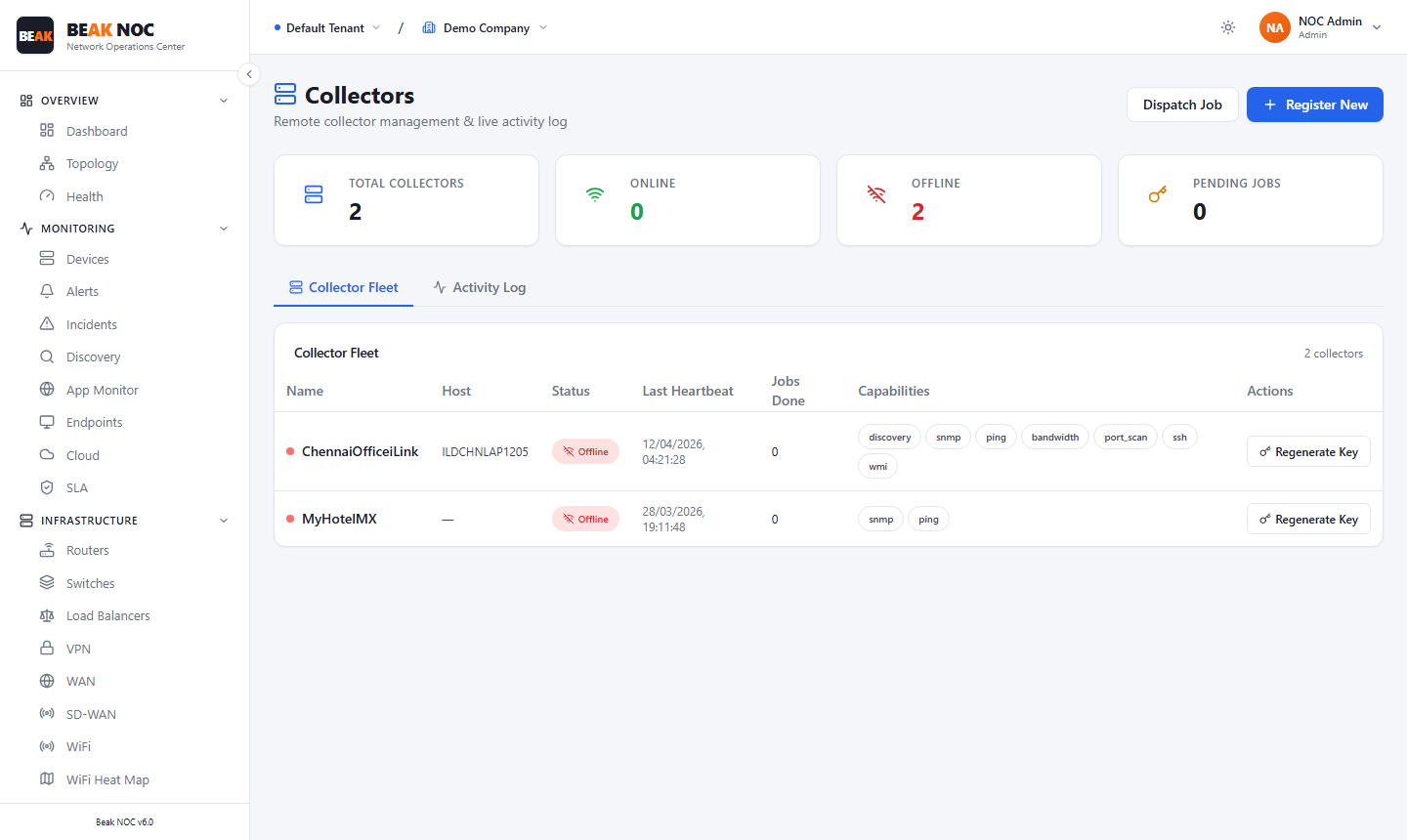
Collectors are lightweight agent processes deployed at remote sites to poll devices that are not directly reachable from the central Beak NOC platform.
Collector Status Cards
| Card | Description |
|---|---|
| Total Collectors | Count of registered collectors across all sites |
| Online | Collectors currently connected and sending heartbeats |
| Offline | Collectors that have missed recent heartbeats |
| Pending Jobs | Jobs queued for collector execution |
Collector Fleet Table
| Column | Description |
|---|---|
| Name | Collector identifier |
| Host | Hostname or IP of the server running the collector |
| Status | Online or Offline, based on last heartbeat |
| Last Heartbeat | Timestamp of the most recent check-in |
| Jobs Done | Total number of jobs completed by this collector |
| Capabilities | What protocols this collector supports |
| Actions | Regenerate Key |
Activity Log Tab
The Activity Log records all actions taken by each collector — discovery job starts and completions, heartbeat events, and errors.
Registering a New Collector
Click Register New to begin the collector registration workflow.