Network Devices
The Network Devices page is the authoritative inventory of every device Beak NOC is monitoring. Each row represents a single device and shows its current reachability status, classification, vendor, operating system, uptime, and when it was last polled.
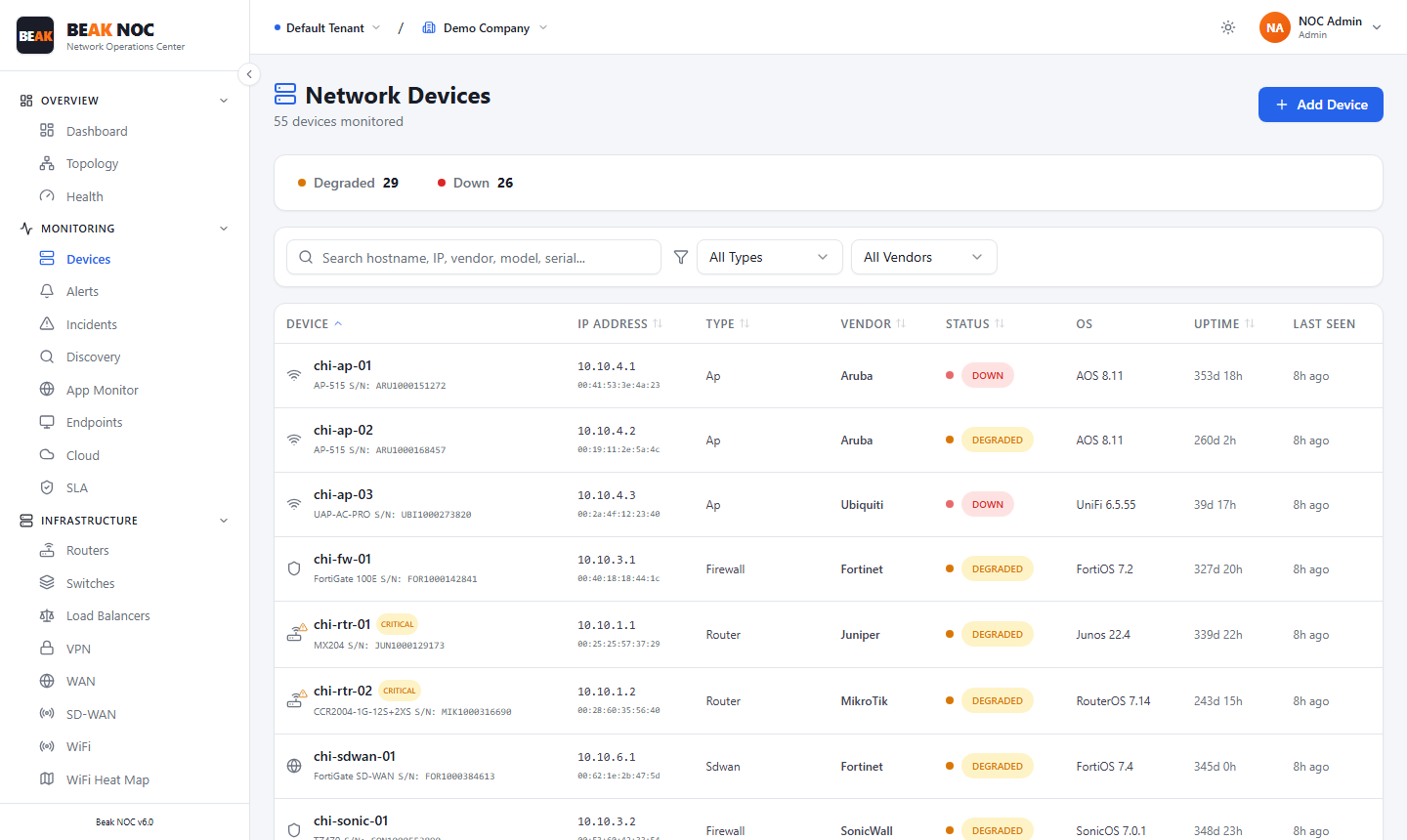
Device Table
The device list is displayed as a sortable, filterable table with the following columns:
| Column | Description |
|---|---|
| Device | Hostname or device name |
| IP Address | Primary management IP address of the device |
| Status | Current reachability — Online (green), Degraded (orange), or Down (red) |
| OS | Operating system detected during discovery |
| Uptime | Continuous uptime since last reboot |
| Last Seen | Timestamp of the most recent successful poll |
Search & Filter
- Search bar — Filter the table in real time by hostname, IP address, or vendor name.
- All Types — Drop-down to filter by device type.
- All Vendors — Drop-down to filter by vendor.
Adding Devices
Devices can be added to the inventory by running a Discovery scan or manually via the Add Device button in the top-right corner.
Related Pages
- Discovery — Add devices by running a network scan
- Topology — Visual map of all devices and connections
- Alerts — Alerts filtered to specific devices
- Config Backup — Configuration backup status per device