Validators
Validators are the atomic building blocks of Beak AI Security's enforcement stack. Each validator checks a specific condition against an AI agent's input or output and returns a pass/fail result with a reason. Validators are grouped into Guardrails, which are in turn combined into Policies.
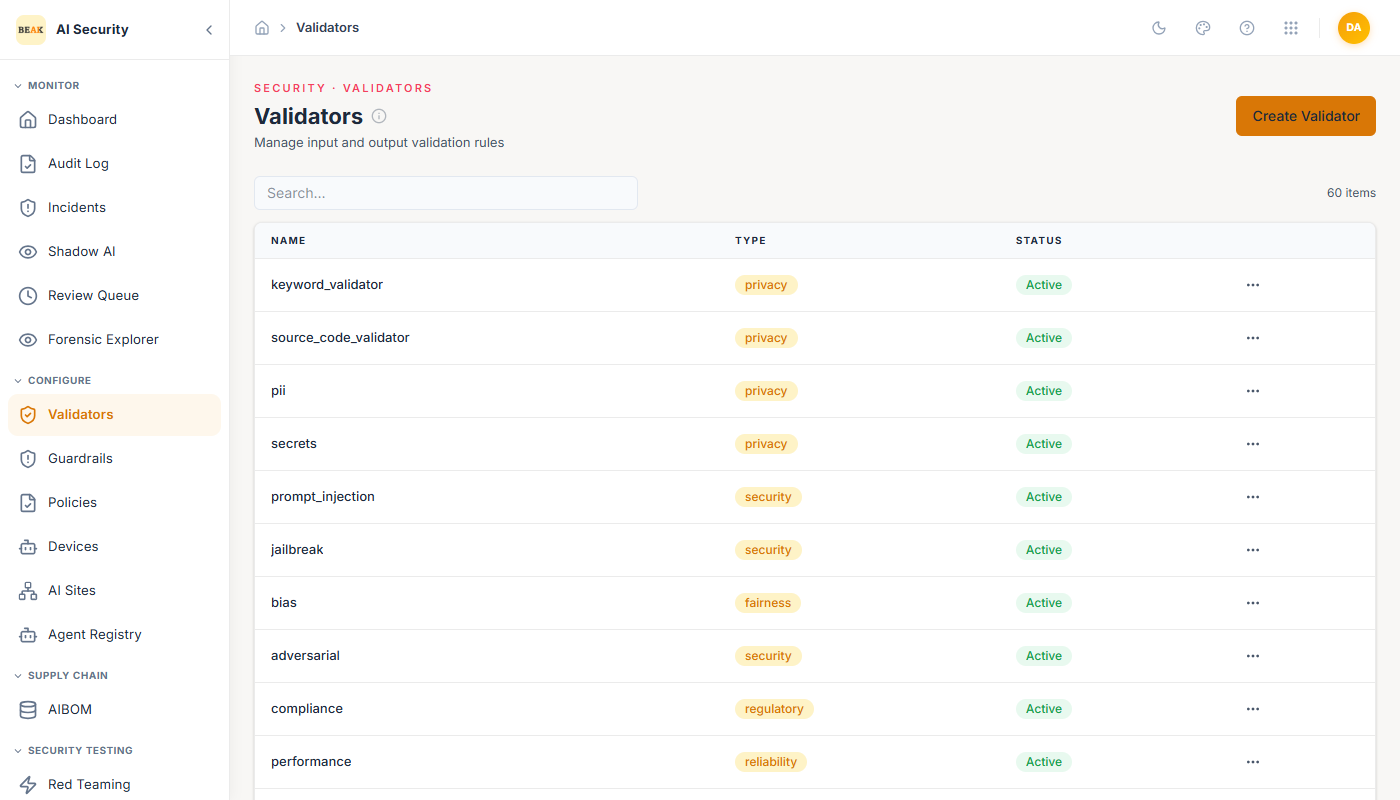
Validator List
The Validators page shows all configured validators with their name, type, and status. The platform ships with 59 pre-built validators covering the most common AI security scenarios.
Each validator has a Type that determines what category of risk it addresses:
security— Detects attack patterns such as SSRF, prompt injection, code execution attempts, and credential exfiltration.privacy— Identifies PII, sensitive data types, and confidential information in inputs or outputs.reliability— Checks response completeness, factual consistency, and output quality indicators.compliance— Enforces domain-specific rules such as regulated advice disclaimers, banned topics, and confidentiality requirements.
Active validators appear in the list with an Active status badge.
Creating a Validator
Click Create Validator to open the validator form. Fill in:
- Name — A descriptive identifier for the validator.
- Description — What the validator checks and why it exists.
- Type — Select from
security,privacy,reliability, orcompliance. - Active — Toggle to enable or disable enforcement without deleting the validator.
- Config — A JSON configuration object that defines the validator's behavior.
The Config field is where the detection logic lives. For example, an SSRF detector might specify a list of dangerous patterns to check for:
{
  "checks": ["cloud_metadata", "private_network", "localhost", "dangerous_scheme"]
}
Note: The exact structure of the Config JSON depends on the validator type. Refer to the inline placeholder text in the form for guidance on what each type expects.
Editing a Validator
Click any validator in the list to open its edit form. All fields are editable. Changes take effect immediately for all Guardrails and Policies that include this validator.
Toggling Active to off disables the validator across all guardrails without removing it from their configuration — useful for temporarily disabling a rule during testing or a planned maintenance window.
Validator Results in Practice
When a validator runs against an interaction, its result appears in two places:
- Review Queue — The per-validator breakdown shows each validator's pass/fail and reason text for flagged interactions.
- Forensic Explorer — The moderation step's Output JSON includes the full validator result array.
Understanding which validators fired and why is essential for tuning your enforcement configuration.
Best Practices
- Keep validator names descriptive and consistent — they appear directly in the Review Queue trigger tags and in forensic session outputs.
- Use the Type field consistently: it determines how validators are grouped and reported on in compliance views.
- Disable validators temporarily instead of deleting them when investigating false positives — deletion removes the rule from all dependent guardrails.
- Review validator results in the Forensic Explorer before deciding whether a false positive is a validator configuration issue or a genuine edge case.