Dashboard
The Beak AI Security Dashboard provides a role-scoped overview of your AI security posture. Four personas are available — each surfacing the metrics, widgets, and quick actions most relevant to that role. You can switch between views using the tabs at the top of the page.
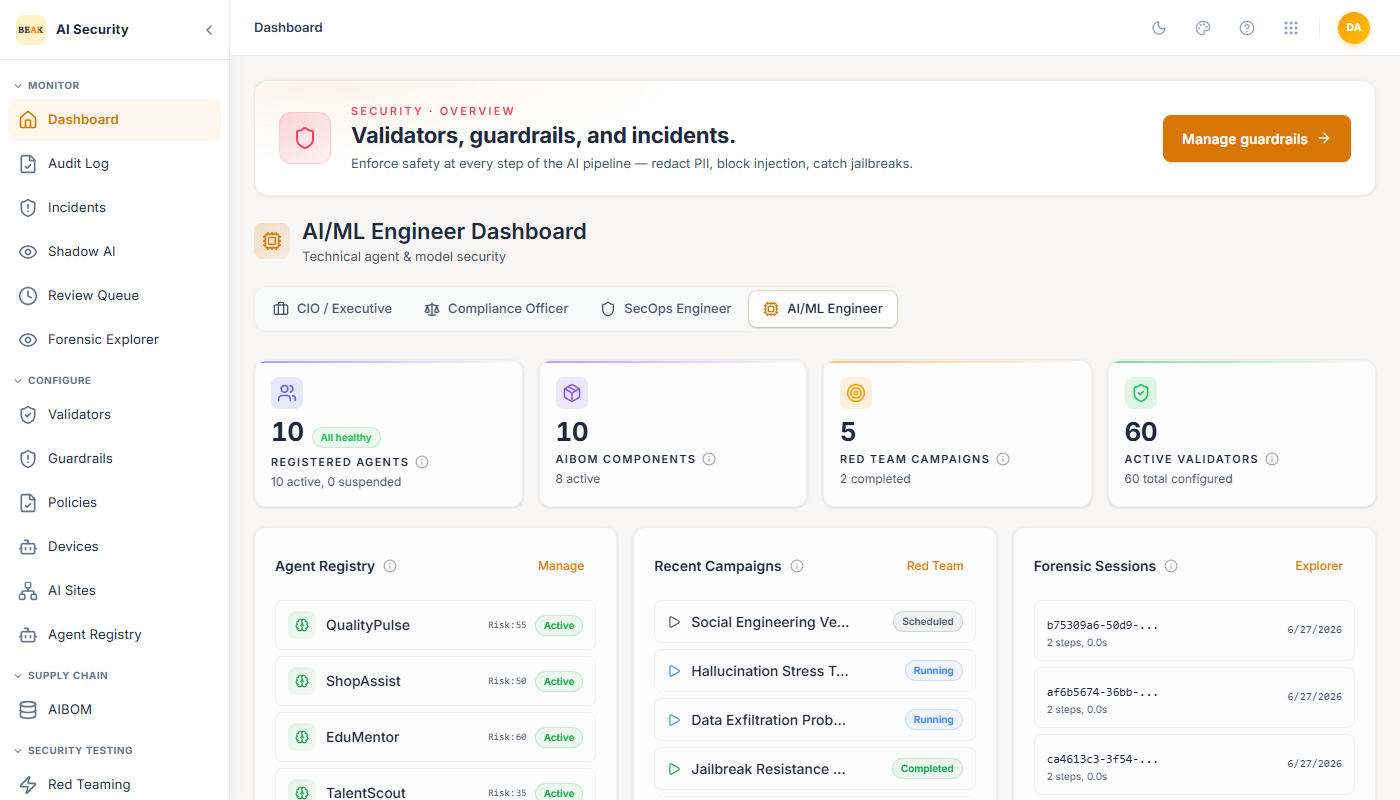
AI/ML Engineer
The AI/ML Engineer view focuses on the technical health of registered agents and the security testing pipeline.
Top metrics:
- Registered Agents — Total agents in the registry with active/suspended breakdown and health status.
- AIBOM Components — Number of AI systems tracked in the AI Bill of Materials.
- Red Team Campaigns — Total campaigns run, with completed count highlighted.
- Active Validators — Total configured validators across all policies.
Widgets:
- Agent Registry — Quick-view list of agents with their risk scores and active/suspended status. Links to the full Agent Registry.
- Recent Campaigns — Latest red team campaigns with their status (
Pending,Completed). Links to Red Teaming. - Forensic Sessions — Most recent interaction replay sessions. Highlights recent violations inline. Links to the Forensic Explorer.
- Technical Security Graph — Bar chart summarizing Agents, Validators, Campaigns, AIBOMs, ATLAS coverage percentage, average risk score, scan-ready systems, and session count.
CIO / Executive
The CIO / Executive view provides a high-level security posture summary for leadership.
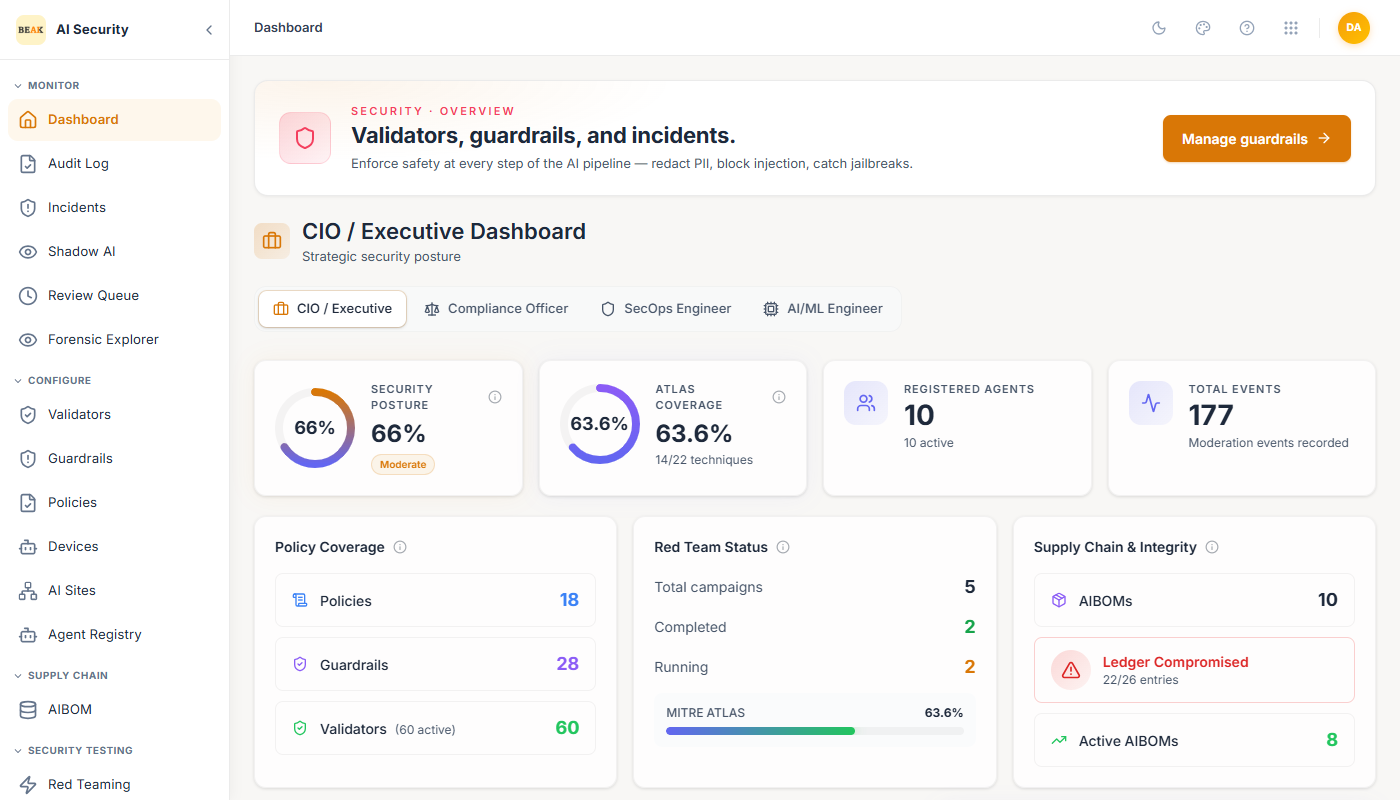
Top metrics:
- Security Posture — An aggregate score (e.g., 91% — Strong) combining policy coverage, ATLAS coverage, validator health, and chain integrity.
- ATLAS Coverage — Percentage of MITRE ATLAS techniques covered by the platform's defenses.
- Registered Agents — Total agent count.
- Total Events — Cumulative moderation events recorded in the ledger.
Widgets:
- Policy Coverage — Count of active policies, guardrails, and validators.
- Red Team Status — Breakdown of total, completed, and currently running campaigns.
- Supply Chain & Integrity — AIBOM count and ledger integrity verification status.
- Threat Mitigation Timeline — Stacked bar chart showing daily moderation outcomes over time.
- System Integrity Score — Composite score breaking down Chain Integrity, Policy Coverage, ATLAS Coverage, and Validator Health individually.
Compliance Officer
The Compliance Officer view centers on regulatory posture, review backlog, and ledger integrity.
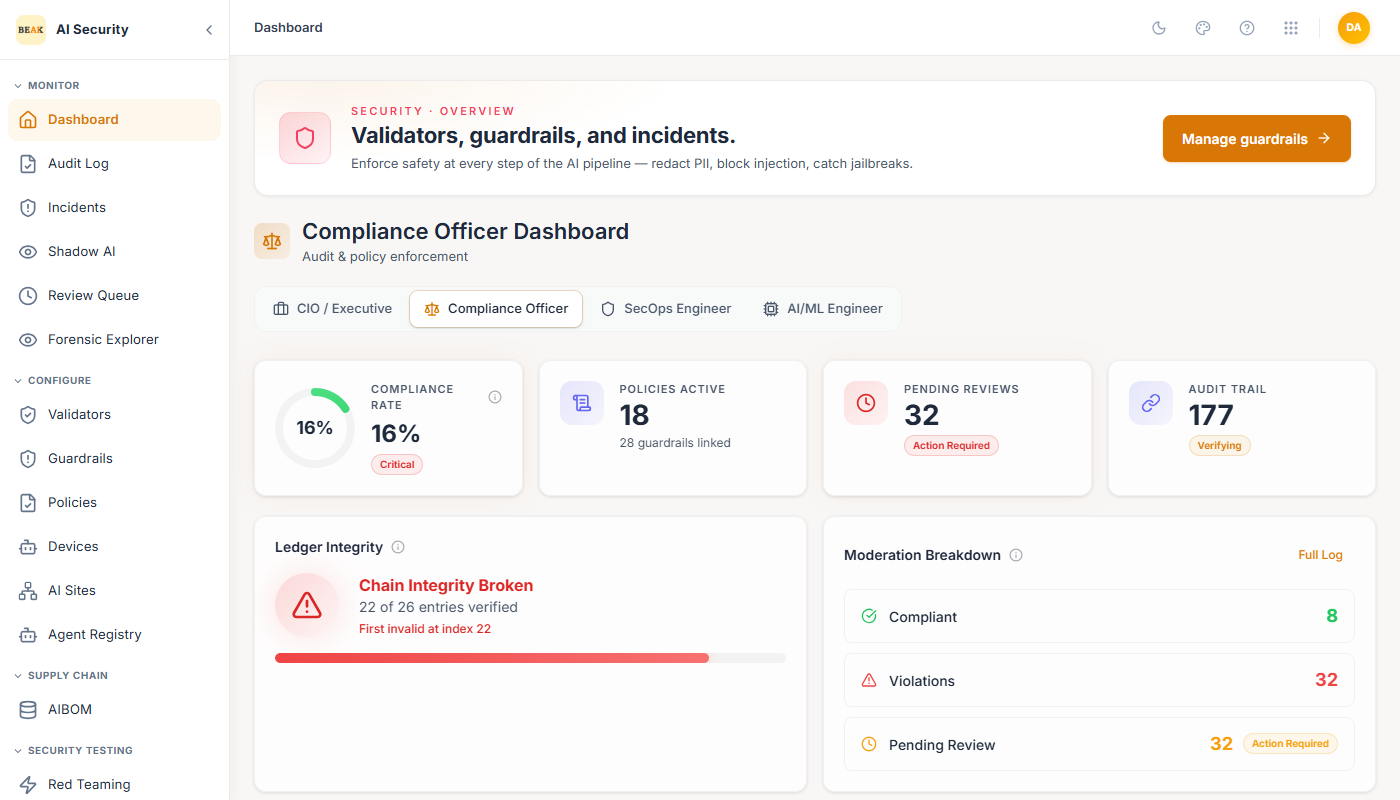
Top metrics:
- Compliance Rate — Overall percentage of compliant events. A
Criticalbadge appears when the rate falls below threshold. - Policies Active — Count of active policies with total guardrails linked.
- Pending Reviews — Number of interactions currently in the Review Queue awaiting human decision.
- Audit Trail — Total events in the tamper-proof ledger with chain verification status.
Widgets:
- Ledger Integrity — Real-time chain verification showing how many events have been verified against the hash chain.
- Moderation Breakdown — Donut breakdown of Compliant, Violation, and Pending Review event counts.
- Policy Enforcement Map — Full list of all active policies, each showing its guardrail count and enforcement status.
- AIBOM Inventory — List of AI systems tracked in the supply chain, with versions.
SecOps Engineer
The SecOps Engineer view is a live operational feed for the security operations team.
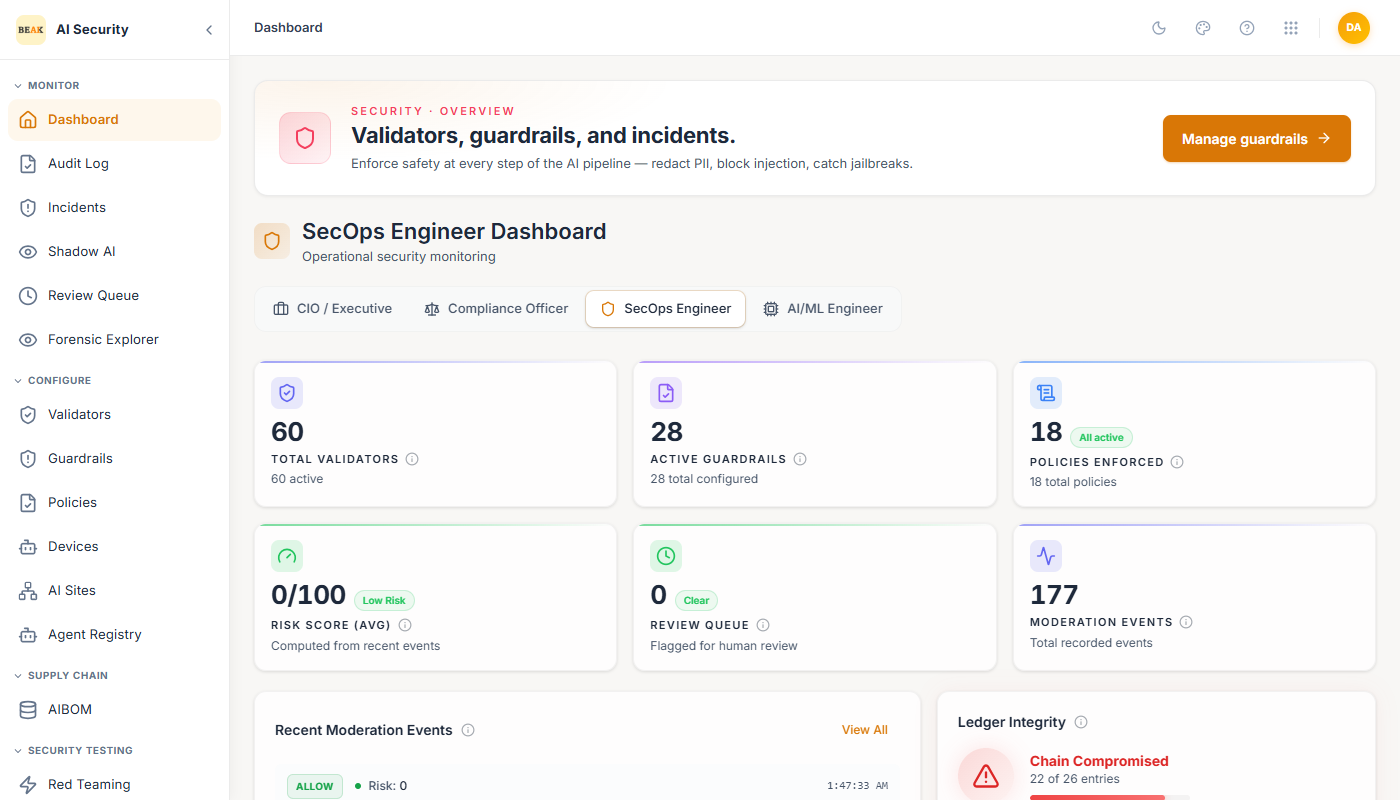
Top metrics:
- Total Validators — Number of configured validators.
- Active Guardrails — Number of active guardrails.
- Policies Enforced — Count of policies currently active.
- Risk Score Avg — Average risk score across all moderation events (0–100 scale).
- Review Queue — Current count of pending human reviews.
- Moderation Events — Total events processed.
Widgets:
- Recent Moderation Events — Live feed of the latest AI interactions showing the input prompt snippet,
AlloworReviewoutcome, risk score, and timestamp. - Ledger Integrity — Chain verification status with event count.
- Quick Actions — Direct links to the Review Queue, Audit Log, and Validator management.
Best Practices
- Use the CIO / Executive view for board-level or management reporting — the System Integrity Score provides a single exportable metric.
- Set a routine to check the Compliance Officer view for pending reviews — unreviewed items in the queue can affect your compliance rate.
- Keep the SecOps Engineer view open during active deployments to catch policy violations in real time.
- Use the AI/ML Engineer view when debugging agent behavior — the Forensic Sessions widget links directly to step-by-step replays of flagged interactions.