Policies
Policies are the top-level enforcement objects in Beak AI Security. A policy combines Guardrails into a named ruleset and defines the enforcement actions that determine what happens when an AI interaction triggers a violation, passes cleanly, or falls into a review-required state. Policies are then assigned to agents in the Agent Registry.
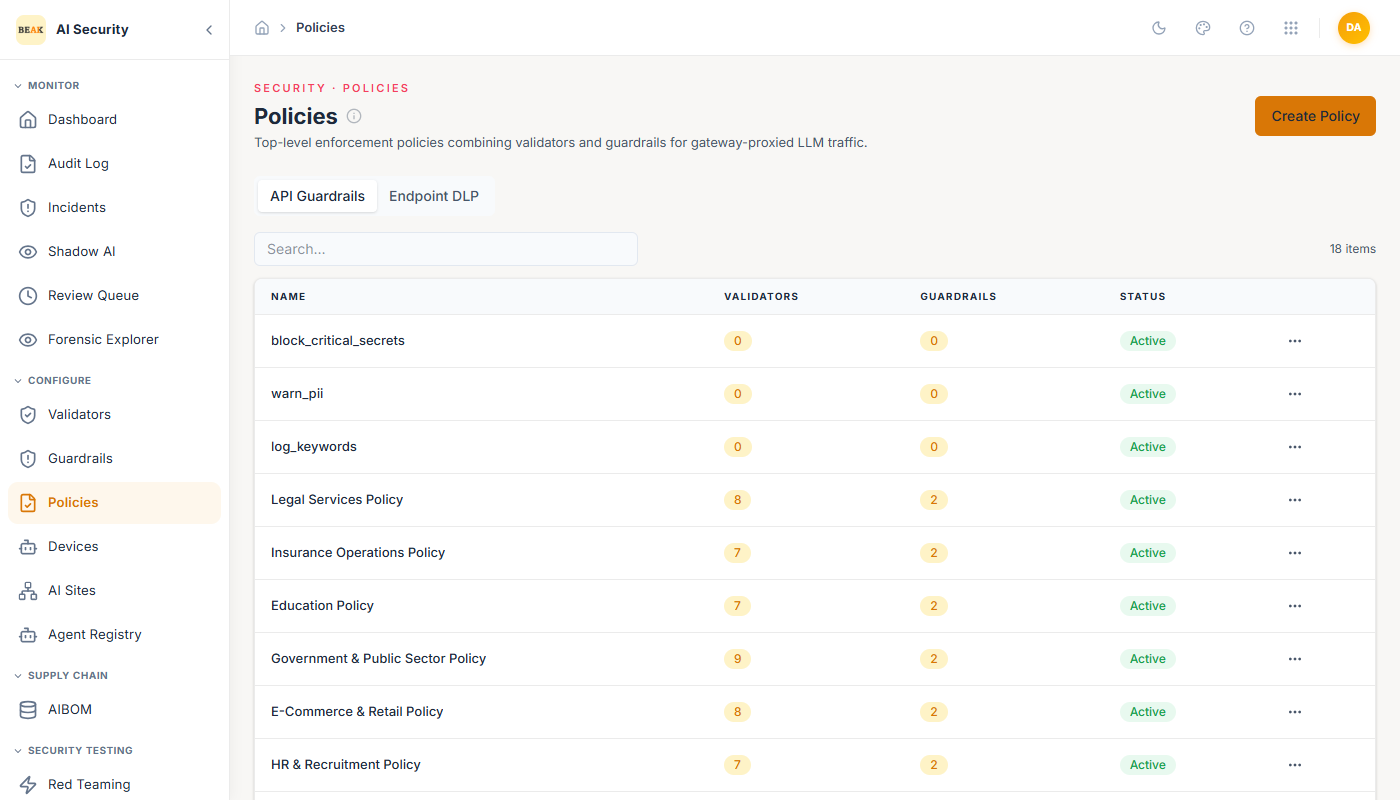
Policy List
The Policies page shows all configured policies with their name, the number of validators and guardrails they include, and their active status. The platform ships with 23 pre-built policies. Each policy row shows the aggregated counts — e.g., a policy with 3 guardrails selected might have 12 underlying validators.
Creating a Policy
Click Create Policy to open the policy form. Fill in:
- Name — A descriptive label for this enforcement ruleset.
- Description — The purpose of this policy and what it is designed to protect.
- Guardrails — A checklist of all available guardrails. Select the guardrails that should be active under this policy. Selected guardrails are highlighted. The number of currently selected guardrails is shown in the form.
- Active — Toggle to enable or disable enforcement without deleting the policy.
- Config — A JSON object defining enforcement behavior.
Policy Configuration
The Config field is where you define what happens at each enforcement outcome. The structure supports three enforcement actions:
{
  "domain": "healthcare",
  "actions": {
    "on_deny": "block_and_audit",
    "on_allow": "log",
    "on_review": "flag_and_escalate"
  }
}
on_deny— What happens when a validator returns a hard fail.block_and_auditstops the interaction and records it in the Audit Log.on_allow— What happens when all validators pass.logrecords the interaction without blocking it.on_review— What happens when validators return a borderline or uncertain result.flag_and_escalateroutes the interaction to the Review Queue for human decision.
The domain field provides context for compliance reporting (e.g., healthcare, finance, real-estate).
Editing a Policy
Click any policy in the list to open its edit form. The Guardrails checklist shows all available guardrails with currently selected ones highlighted in yellow. You can add or remove guardrails, modify the enforcement config, or toggle the policy active status. Changes apply immediately to all agents assigned to this policy.
Assigning Policies to Agents
Policies take effect when assigned to an agent in the Agent Registry. Each agent in the registry has a risk threshold and a set of allowed scopes, and is linked to one or more policies that govern its behavior at runtime.
Best Practices
- Use the
domainfield in Config consistently — it appears in compliance views and makes it easier to filter policy violations by business domain. - Set
on_reviewtoflag_and_escalaterather thanblock_and_auditfor new policies in staging — this lets you observe borderline cases before deciding whether to block them. - Review the guardrail count on each policy regularly. A policy with too many guardrails may generate excessive review queue volume; too few may leave gaps.
- Keep at least one policy as a baseline "default" policy for agents that don't have domain-specific rules yet.