Forensic Explorer
The Forensic Explorer provides a step-by-step replay of AI interaction chains. When an incident or violation occurs, the Forensic Explorer lets you reconstruct exactly what happened — the raw input, how the moderation layer evaluated it, and what decision was made — so you can understand the full context rather than just the outcome.
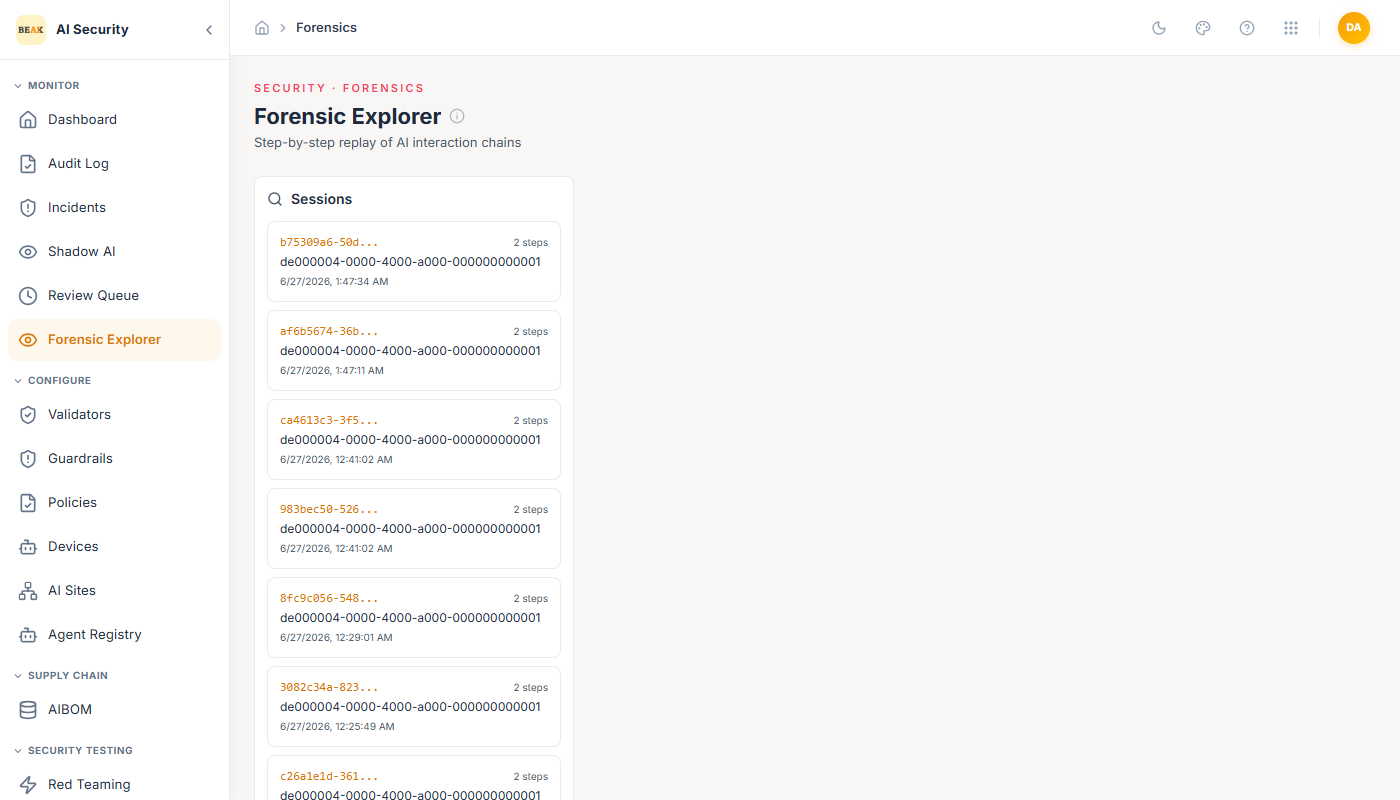
Session List
The left panel shows all recorded sessions. Each session is identified by a UUID and displays:
- Session ID — A unique identifier for the interaction chain.
- Step count — How many steps were recorded in this session.
- Date — When the session occurred.
Sessions are sorted by most recent first. Click any session to load it in the replay panel on the right.
Session Replay
The right panel shows the selected session as a sequence of steps, navigable with Previous and Next buttons.
Step 1 — User Input
Shows the raw input text that was submitted to the AI agent. This is the unmodified prompt before any processing.
Step 2 — Moderation
Shows three sub-sections:
- Input — The text as it entered the moderation layer.
- Output — The full JSON result from the validator chain, including the overall action taken (
allow,review, orblock), the compliant status, the risk score, and per-validator results. - Metadata — Summary of the moderation decision: action, compliant flag, and numeric risk score.
Note: Additional steps may appear for more complex agent workflows where multiple moderation checkpoints exist within a single session.
Exporting a Session
The Export button above the replay panel generates a downloadable record of the full session. Use this when preparing evidence for incident reports, compliance audits, or security reviews.
Violations Alert
On the AI/ML Engineer Dashboard, the Forensic Sessions widget shows a Recent Violations callout that links directly to sessions where violations were recorded. This is the fastest path from a dashboard alert to a full forensic replay.
Best Practices
- Use the Forensic Explorer immediately after a violation appears in the Review Queue or Audit Log to understand the full context of the interaction.
- Export sessions before they are archived for any incident that may require external reporting.
- Cross-reference the moderation Output JSON with your Validators configuration to understand exactly which rule triggered the flag.
- If sessions consistently show the same validator failing for legitimate inputs, use that signal to tune the validator's configuration rather than escalating the events manually.