Review Queue
The Review Queue surfaces AI interactions that your validators have flagged as requiring a human decision before the system can act on them. Rather than automatically blocking or allowing a borderline interaction, the enforcement policy routes it here for a reviewer to approve, reject, or escalate.
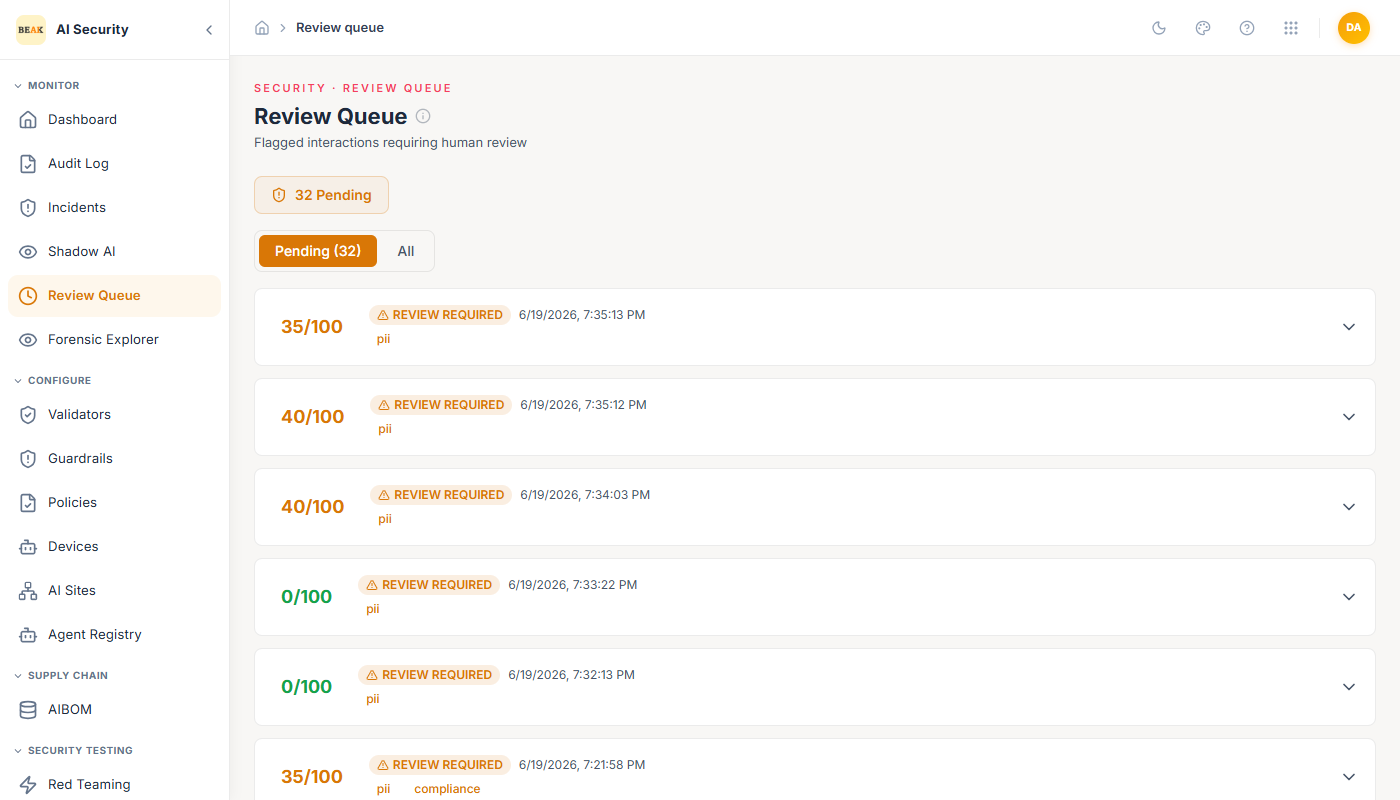
Queue Overview
The page header shows the current Pending count — the number of items awaiting a human decision. Items are presented in the Pending tab by default. The All tab shows the complete history including already-reviewed items.
Each item in the queue shows:
- Risk Score — A numeric score from 0–100 reflecting how many validators flagged the interaction and how severe those flags were.
- REVIEW REQUIRED badge — Indicates the item is still awaiting a decision, with the timestamp it entered the queue.
- Trigger Tags — Labels showing which validator categories fired on this interaction (e.g.,
pii,secrets,compliance,banned_topics,response_completeness).
Reviewing an Item
Expanding a queue item reveals the full context needed to make a decision:
- Input Message — The complete prompt or input sent to the AI agent.
- Validator Breakdown — A per-validator result list showing every validator that ran against this interaction, its pass/fail status, and the specific reason it passed or failed. This breakdown covers all validator types: security, privacy, reliability, and compliance validators.
After reviewing the context, three actions are available:
- Approve — The interaction is marked compliant and logged. The originating workflow may proceed.
- Reject — The interaction is blocked and logged as a violation.
- Escalate — The item is escalated to a higher-level reviewer or incident response workflow.
Note: All three decisions are recorded in the Audit Log with the reviewer's action and timestamp.
How Items Enter the Queue
Items appear in the Review Queue when a Policy's enforcement action for a borderline result is set to flag_and_escalate. This is configured per policy — see Policies for details on enforcement action configuration.
Best Practices
- Assign clear ownership for the Review Queue in your security operations process — pending items affect your compliance rate on the Compliance Dashboard.
- Use the trigger tags to triage quickly: items tagged
piiorsecretsare typically higher priority thanresponse_completeness. - If the same validator is generating a high volume of false positives, refine its configuration in Validators rather than approving items manually at scale.
- For items that reveal a pattern (e.g., a specific agent consistently triggering
banned_topics), address the root cause in the agent's policy or guardrail configuration.