Projects
Projects is the project catalog for the tenant. Every analytics view that filters or rolls up by project (Project Analytics, Trend, Application Analytics, etc.) reads from this directory.
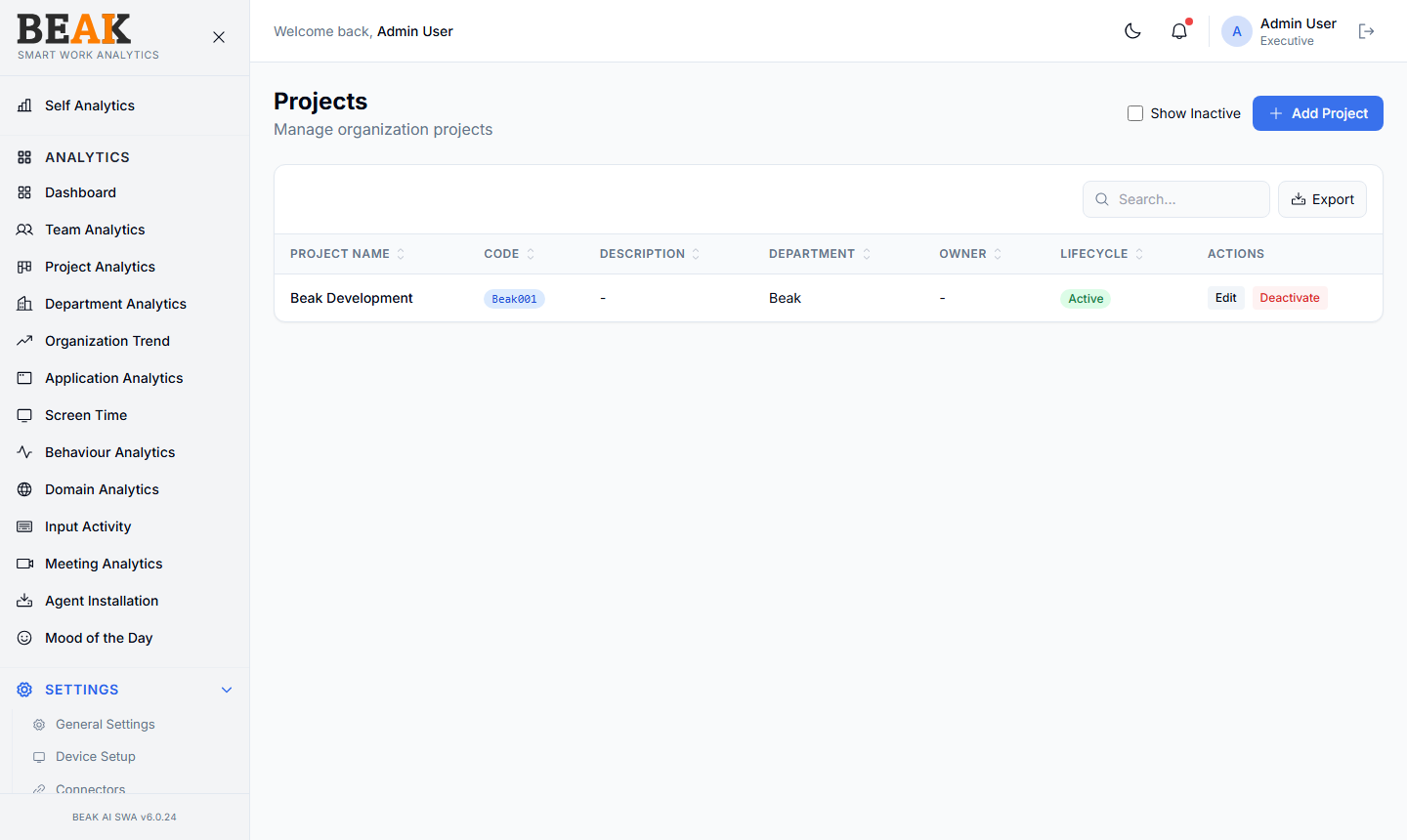
Project Table
A sortable, paginated table:
| Column | Description |
|---|---|
| Project Name | Display name |
| Code | Short code used in HRMS or PM systems |
| Description | Optional short description |
| Department | Owning department (links to Departments) |
| Owner | Project owner (a user from Users) |
| Lifecycle | Active, On Hold, Completed, Archived |
| Actions | Edit, Deactivate |
Use the Export button to download the project list.
Adding a Project
Click + Add Project to open the Add Project modal. Fill in:
- Project Name — Display name
- Code — Short identifier
- Description — Optional
- Department — Owning department
- Owner — Project owner
- Lifecycle — Defaults to
Active
Save to persist. The project becomes available as a filter in Project Analytics, Team Analytics, and other views.
Project Assignment & Shifts
A project can carry its own Shift assignment. When a user's project is assigned a shift, that shift takes precedence over the user's department shift but is overridden by an HRMS-synced override. See the Shifts → Shift Resolution Precedence for the full chain.
Lifecycle States
| State | Behavior |
|---|---|
Active | Visible everywhere; activity rolls up under the project |
On Hold | Visible but expected to have low activity — useful for paused work |
Completed | Historical activity preserved; project no longer accepts new shift assignments |
Archived | Hidden from default filters; activity remains for historical reporting |
Best Practices
- Keep project names concise (under 30 chars) — long names crowd out filter dropdowns in analytics views.
- Assign an owner to every project — owners drive the per-project SLA conversations and bind the project to a real person.
- Set
LifecycletoCompletedrather than deleting projects that have ended — historical analytics need the project to exist. - For sub-projects or workstreams, prefer a flat list with a naming convention (e.g.
Atlas / Frontend) over nested project records.
Related Pages
- Departments — Department directory
- Shifts — Project-level shift overrides
- Project Analytics — Project-level analytics
- Users — Assign project owners