Connectors
Connectors automate the most operationally-painful part of SWA deployment — mapping every device to the right user. Out of the box, SWA supports three connector types and a manual-mapping fallback for any device that doesn't fit a supported source.
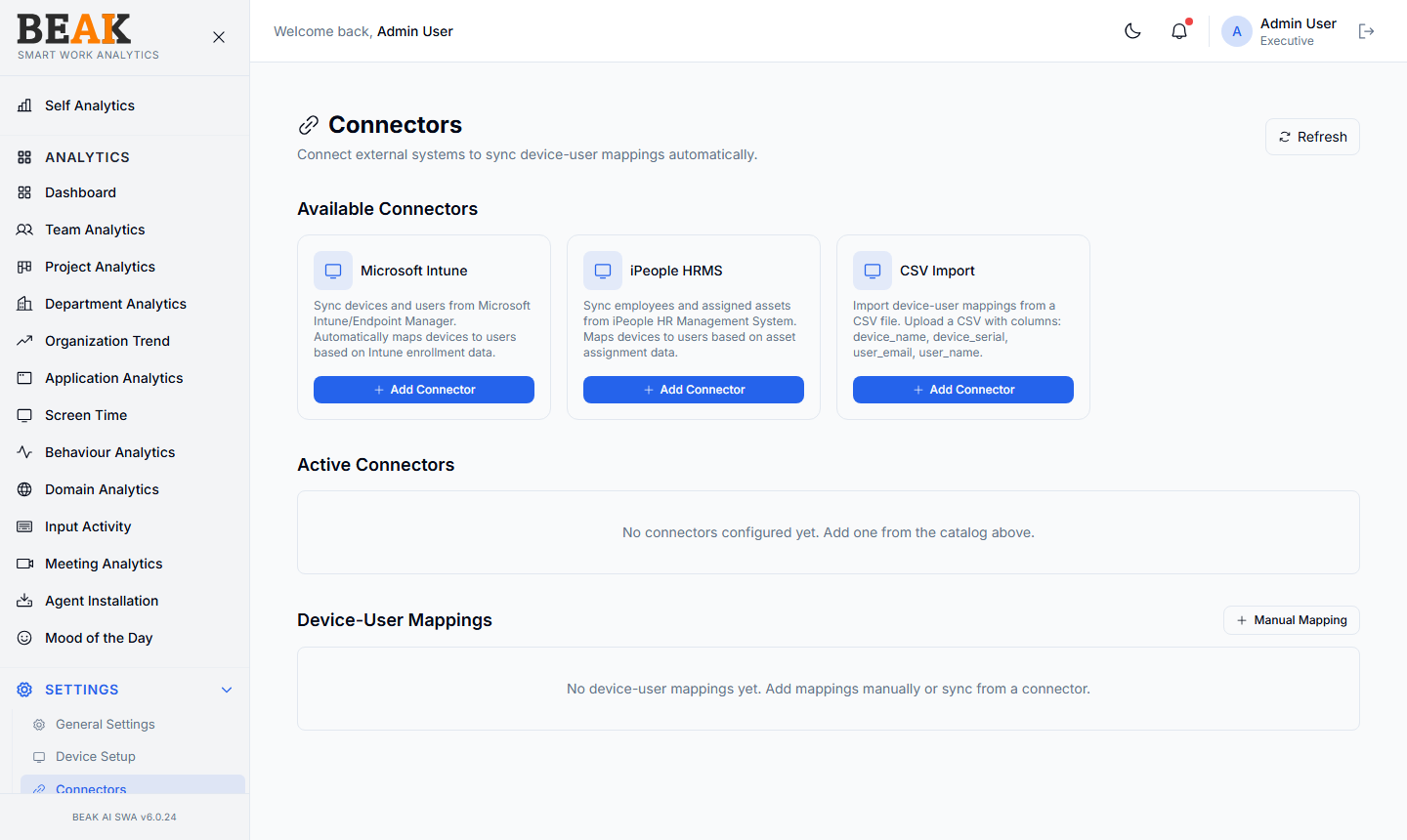
Available Connectors
The page surfaces a catalog of supported connector types:
Microsoft Intune
Sync devices and users from Microsoft Intune / Endpoint Manager. SWA automatically maps devices to users based on the primary user assignment in Intune enrollment data.
Best for: Organizations standardized on Intune for endpoint management.
iPeople HRMS
Sync employees and assigned assets from the iPeople HR Management System. SWA maps devices to users based on the device assignment field in HR.
Best for: Organizations where IT asset assignment lives in iPeople rather than the MDM.
CSV Import
Upload a CSV file with the following columns to import device-user mappings in bulk:
device_namedevice_serialuser_emailuser_name
Best for: One-time migrations, contractors, and ad-hoc imports — or any system not yet supported by a native connector.
Active Connectors
Below the catalog, the Active Connectors section lists every connector currently configured for the tenant — with sync schedule, last successful sync, and any error state. New tenants will see No connectors configured yet. Add one from the catalog above.
Use the Refresh button in the header to trigger a sync immediately rather than waiting for the next scheduled run.
Device-User Mappings
The Device-User Mappings section shows the resolved set of mappings — regardless of which connector produced them. This is the same data that flows into Agent Installation and Device Setup.
Manual Mapping
For devices that don't have a connector source, click + Manual Mapping to add a one-off device-user pair without setting up a full connector. Useful for:
- Contractors and vendors not in HR
- Test devices and demo machines
- Devices imported during a connector outage
Best Practices
- Set up at least one connector before deploying agents at scale — manual mapping doesn't scale beyond a few dozen devices.
- If you have both Intune and iPeople, prefer Intune for IT assets and iPeople as a fallback for non-IT devices. Avoid duplicate mappings for the same device.
- Use the
Refreshbutton after a major HR or MDM change (e.g. a hiring batch) so devices roll up to the right user before the next analytics run. - Audit
Device-User Mappingsquarterly to catch employees who changed devices or roles but whose mapping wasn't updated.
Related Pages
- Device Setup — Manual device management
- Agent Installation — Fleet status
- Users — User directory