Applications
Applications is the master catalog of every desktop application the SWA agent has ever captured. Each row maps a process name (e.g. chrome.exe) to a display name, a category, and a productivity flag — feeding every analytics view that distinguishes productive vs unproductive time.
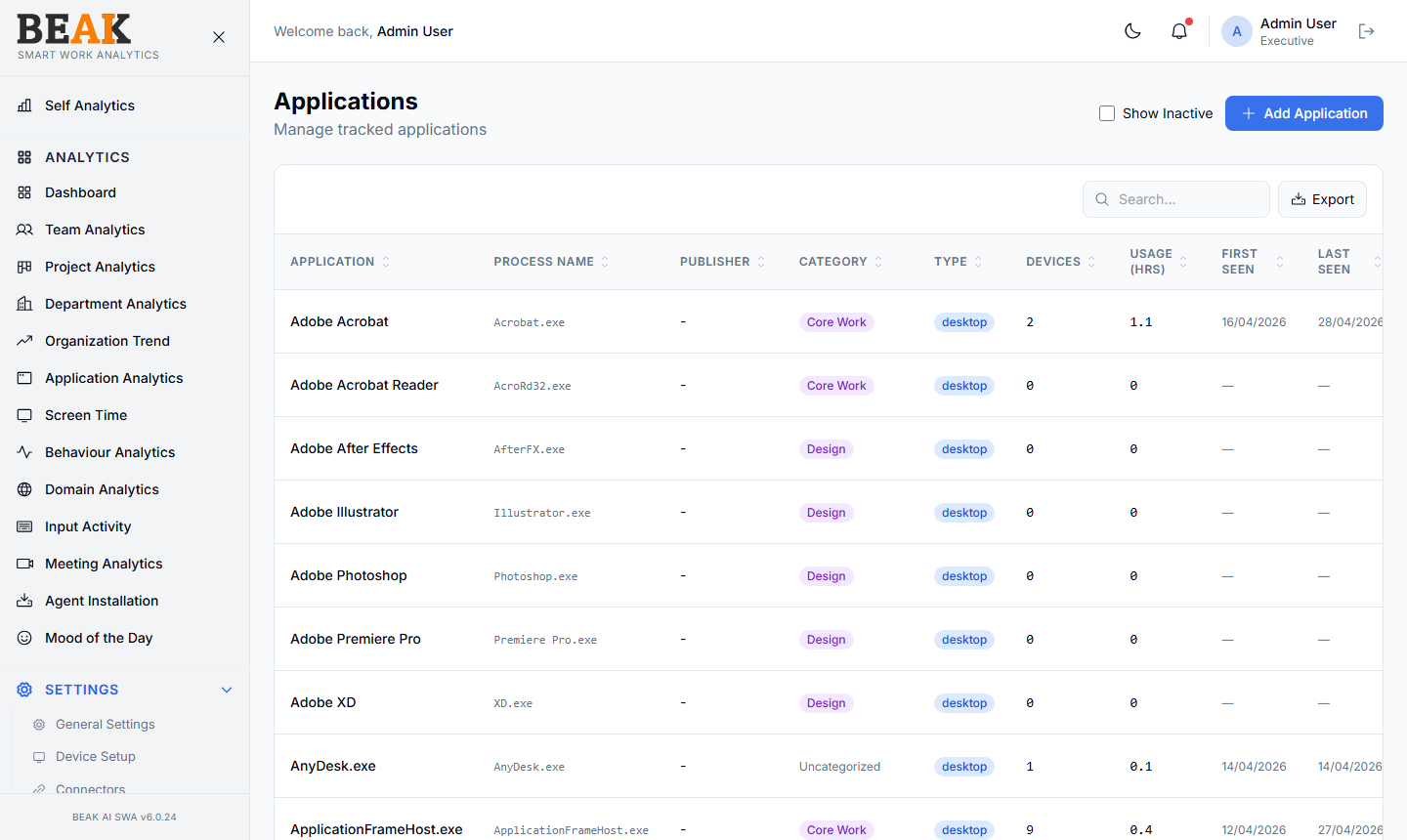
Application Table
A sortable, paginated table with one row per application:
| Column | Description |
|---|---|
| Application | Display name (e.g. Adobe Acrobat) |
| Process Name | Executable name (e.g. Acrobat.exe) |
| Publisher | Software vendor, when known |
| Category | Productivity category (e.g. Core Work, Design) |
| Type | Application type (e.g. desktop, web) |
| Devices | Distinct devices that have run this app |
| Usage (hrs) | Total hours of usage across the fleet |
| First Seen | Date the app was first captured |
| Last Seen | Date the app was last captured |
| Licensed | Licensing flag |
| Status | Active / Inactive |
| Actions | Edit, Map Category, Deactivate |
Use the Show Inactive checkbox to view deactivated apps alongside active ones. The Search field finds applications by name or process name.
Adding an Application
Click + Add Application to open the Add Application modal. Fill in:
- Application Name — Display name
- Process Name — Executable name (e.g.
chrome.exe) - Publisher — Optional vendor name
- Category — Select from Categories
- Type —
desktoporweb - Licensed — Toggle if license consumption should be tracked
Save to persist. The agent will start matching captured activity against the new entry from the next heartbeat.
Map Category (Bulk)
Use the Map Category action to bulk-update the category mapping for one or more applications. This is the fastest way to clean up Uncategorized rows after onboarding new devices.
Licensed Applications
The Licensed flag marks applications that consume a paid software license. Once flagged:
- Usage hours feed into license-utilization views
- Devices column tells you which devices are actually using the license — useful for license-rationalization conversations with procurement
Best Practices
- Run a monthly sweep of
Uncategorizedapplications and assign them to the right Categories. UseMap Categoryto bulk-update similar tools. - Mark all paid software as
Licensed: trueso SWA can produce useful utilization data for procurement. - Don't deactivate an application unless you're sure it should never appear in analytics — deactivation hides historical activity in many views.
- For applications with multiple processes (e.g. Microsoft Teams has
Teams.exeandms-teams.exe), maintain one entry per process and they'll roll up under the same display name automatically.
Related Pages
- Categories — Productivity categories
- Application Analytics — Application usage rollup
- Domain Categories — Website classification