Users
User Management is the user directory for the tenant. Every analytics view, RBAC check, and shift resolution starts from a user record — keep this catalog clean and the rest of the product works smoothly.
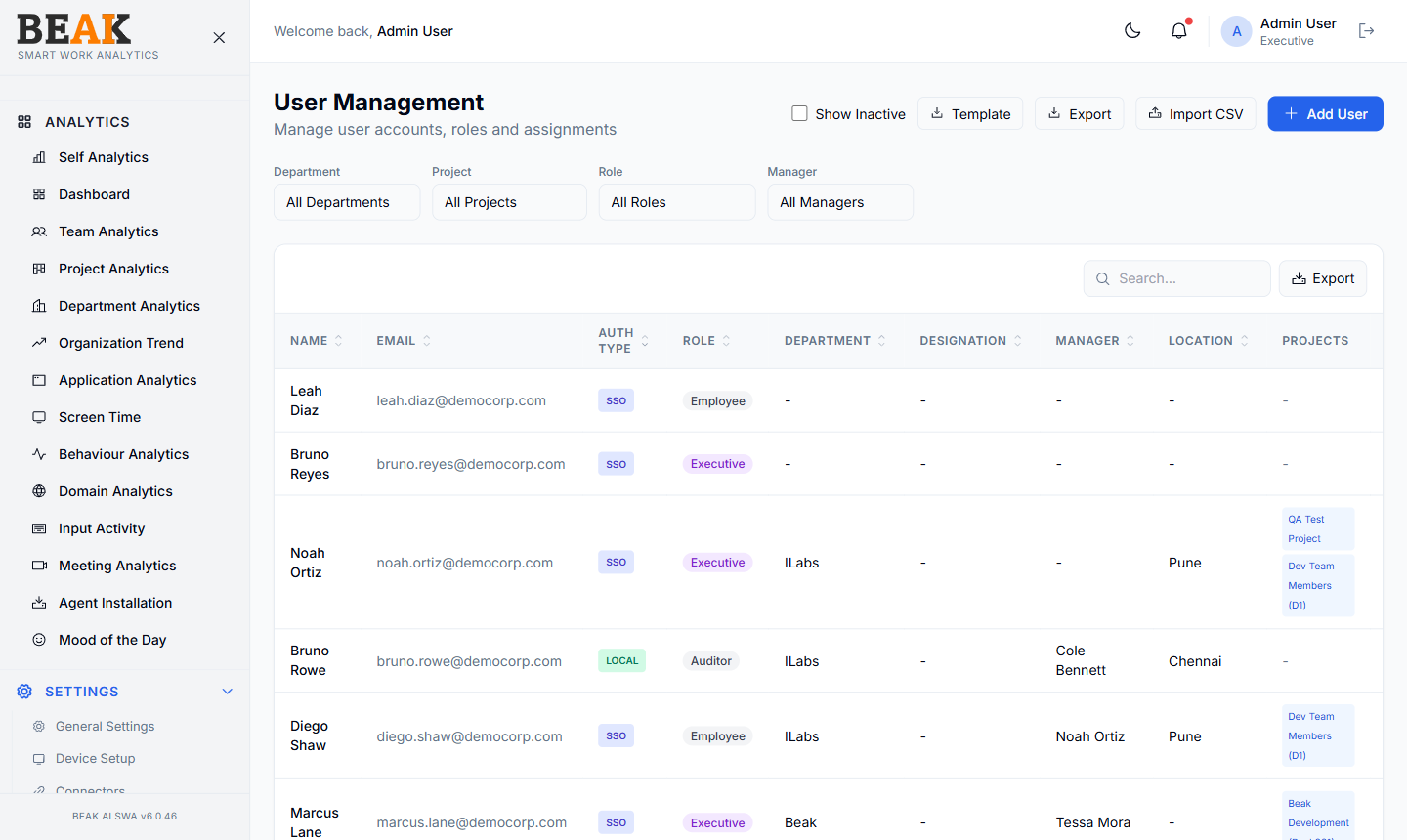
User Table
A sortable, paginated table:
| Column | Description |
|---|---|
| Name | Full name |
| Work email | |
| Auth Type | SSO or LOCAL |
| Role | Assigned Role |
| Department | Assigned Department |
| Designation | Assigned Designation |
| Manager | Reporting manager |
| Location | Office or remote location |
| Actions | Edit, Deactivate |
Use Show Inactive to include deactivated users. Export downloads the user list as CSV. The search box above the table searches name and email.
Adding a User
Click + Add User to open the Add User dialog.
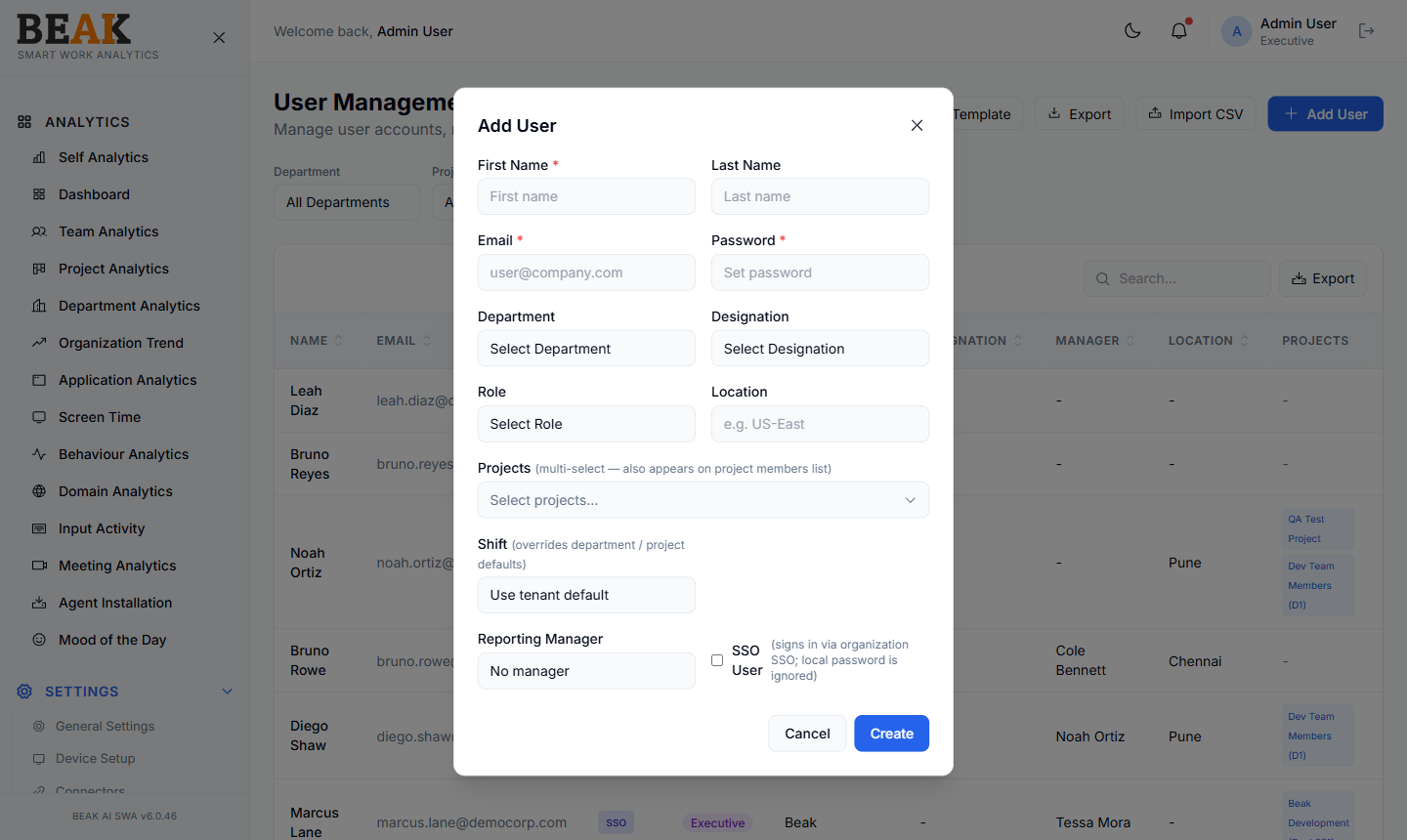
Fill in:
- First Name *
- Last Name
- Email *
- Password * (only required for
LOCALauth) - Department — Select from Departments
- Designation — Select from Designations
- Role — Select from Roles
- Location — Free-text (e.g.
US-East) - Reporting Manager — Pick from existing users
- SSO User — Toggle if the user signs in via organization SSO (local password is ignored)
Click Create to add the user. SSO users will sign in via the tenant's SSO provider; local users will use the password set here and may receive an OTP via the tenant SMTP.
Auth Types
| Auth Type | Behavior |
|---|---|
SSO | User signs in via the tenant's SSO provider (e.g. Microsoft Entra). Local password is ignored. |
LOCAL | User signs in with email + password set in this dialog. OTP via SMTP if enabled. |
Most enterprise tenants should use SSO for the bulk of users and reserve LOCAL for service or break-glass accounts.
Best Practices
- Use SSO for every employee where possible — local accounts don't pick up department/manager updates from HR.
- Keep
Manageraccurate — many analytics views rely on the manager hierarchy for rollups. - Deactivate (not delete) users who leave the company — historical analytics need the user record to exist for proper attribution.
- Pair
Userswith a Connector so device-user mappings stay current as people change roles. - Audit
Roleassignments after major reorgs — role drift is the most common cause of unexpected access issues.
Related Pages
- Roles — RBAC roles
- Departments — Department directory
- Designations — Job titles
- Connectors — HR-synced device-user mapping
- General Settings — SMTP and tenant identity