Domain Categories
Domain Categories is the website counterpart to Categories. Every domain captured by the SWA agent can be tagged with a productivity flag and a category — driving the Domain Analytics productivity rollups.
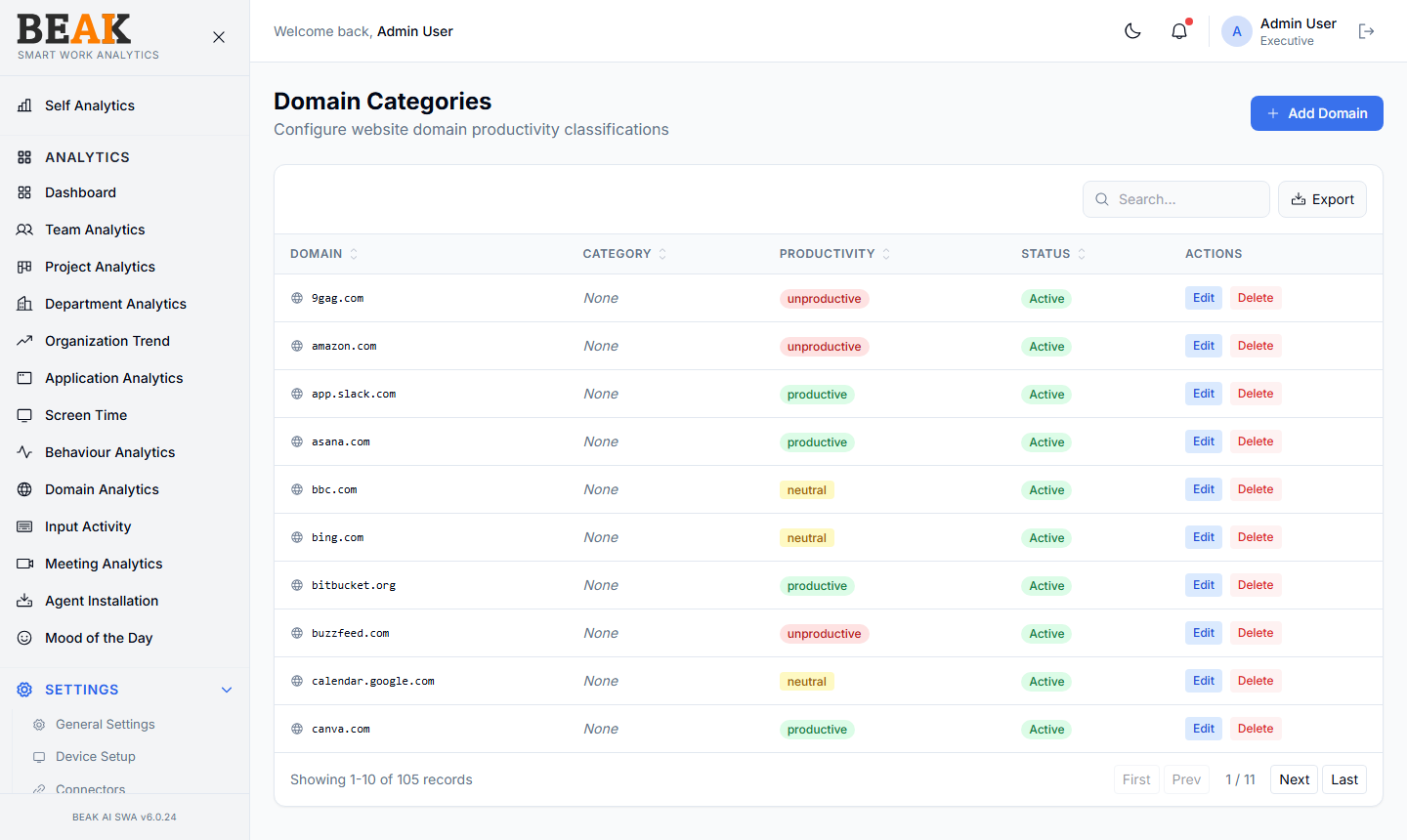
Domain Table
A sortable, paginated table:
| Column | Description |
|---|---|
| Domain | The domain name (e.g. github.com, youtube.com) |
| Category | The productivity category (links back to Categories) |
| Productivity | Productive / Neutral / Unproductive flag |
| Status | Active / Inactive |
| Actions | Edit, Delete |
Search above the table to find a domain in a large list. The Export button exports the visible domain table as CSV.
Adding a Domain
Click + Add Domain to open the Add Domain modal. Fill in:
- Domain — Domain name without protocol (e.g.
linkedin.com, nothttps://linkedin.com) - Category — Select from existing Categories
- Productivity —
Productive/Neutral/Unproductive - Status —
Activeby default
Save to persist. New activity captured by the agent for that domain will roll up under the new classification from the next data refresh.
Best Practices
- Start by classifying the top 50 domains from Domain Analytics — these typically cover 80%+ of total domain time.
- Be deliberate about subdomains —
meet.google.comanddocs.google.comshould usually be separate entries with different categories. - Don't classify domains with no captured time. The catalog is most useful when it reflects what your fleet actually browses.
- Run a quarterly sweep of
Uncategorizeddomains in Domain Analytics to keep classifications current as the team adopts new tools.
Related Pages
- Categories — Productivity categories
- Domain Analytics — Domain usage rollup
- Applications — Application catalog (the desktop counterpart)