Tenants
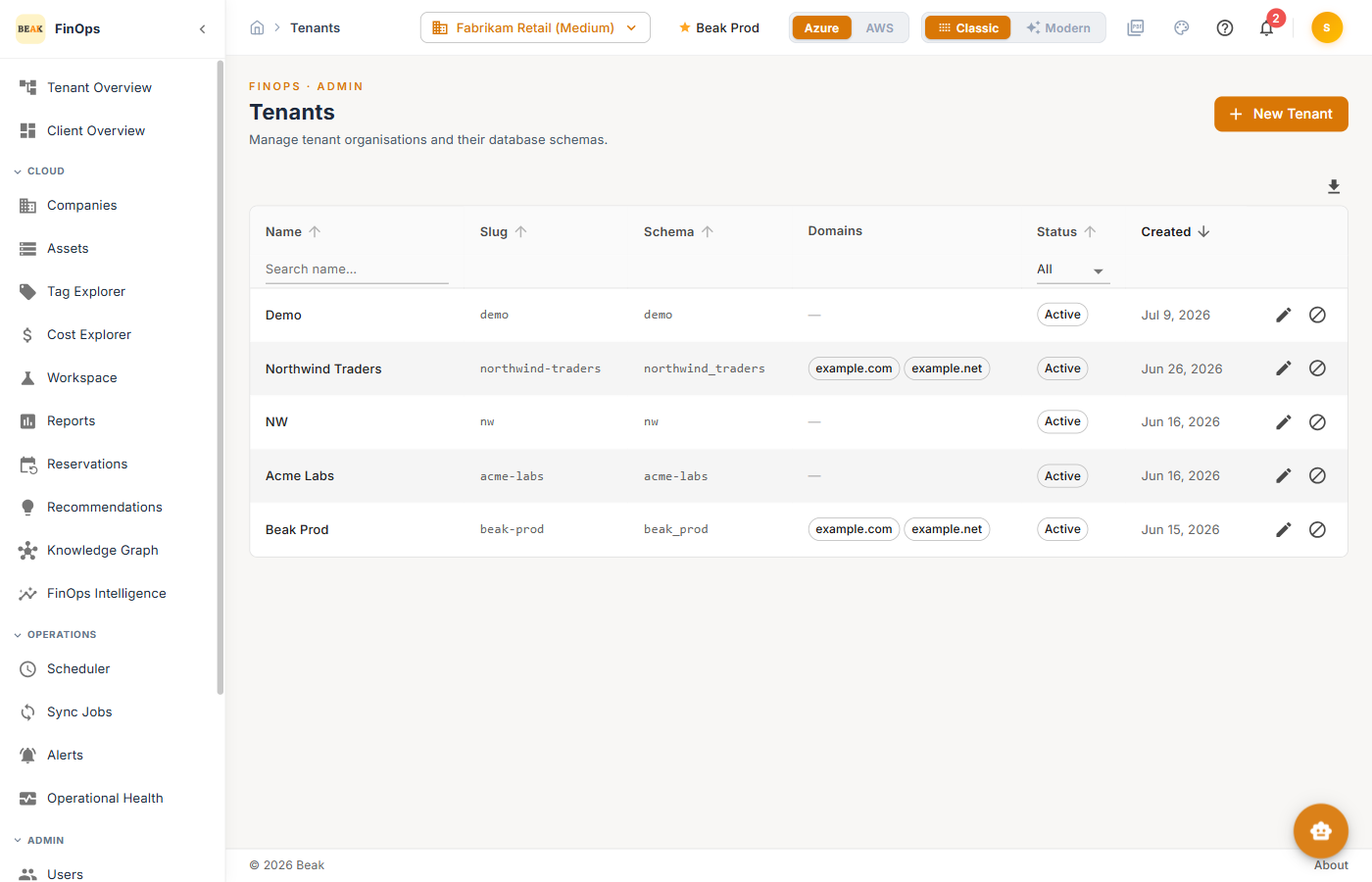
A tenant is a top-level organization in Beak FinOps. Each tenant is isolated in its own database schema and contains its own companies, users, roles, and data. The Tenants page is where administrators manage those organizations.
Note: Tenant management is a
Super Adminfunction. Most users work within a single tenant and never see this page.
Tenant Table
| Column | Description |
|---|---|
| Name | The tenant's display name |
| Slug | Short identifier used in the tenant's URL and configuration |
| Schema | The database schema that isolates the tenant's data |
| Domains | Email domains that map sign-ins to this tenant |
| Status | Active or inactive |
| Created | Date the tenant was created |
Use the Search box to filter by name.
Creating a Tenant
Click + New Tenant to open the Create Tenant dialog.
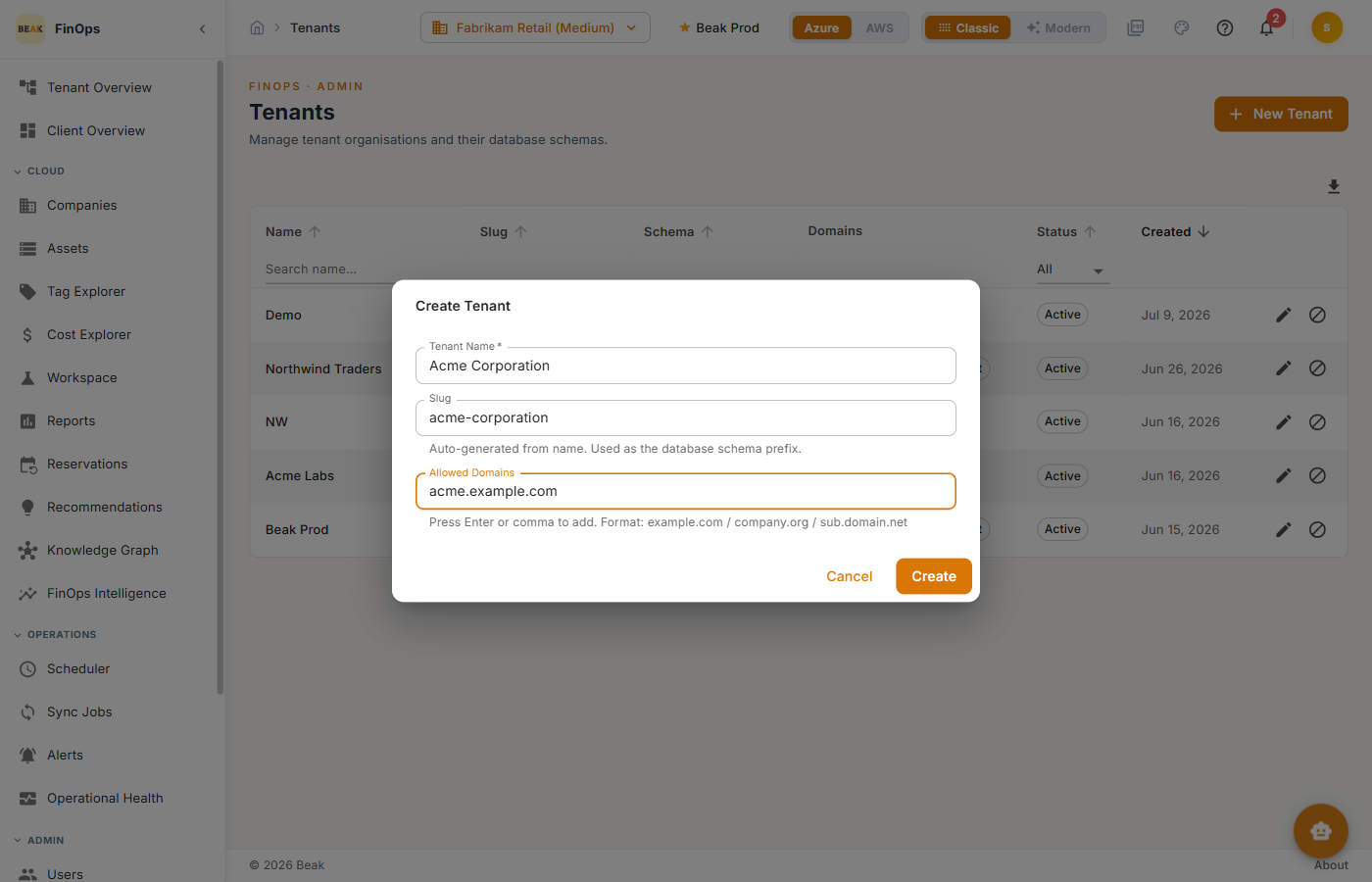
- Tenant Name — The organization's display name (required)
- Slug — Auto-generated from the name; used as the database schema prefix
- Allowed Domains — Email domains that route their users to this tenant (press Enter or comma to add each)
Click Create to provision the tenant and its schema.
Best Practices
- One tenant per organization — Keep separate customers or business units in separate tenants for clean data isolation
- Map domains carefully — Allowed domains determine which tenant a signing-in user lands in; avoid overlaps
- Restrict access — Only
Super Adminaccounts should manage tenants