Tag Explorer
Tag Explorer lets you manage the tags on your cloud resources and see spend grouped by tag. Tags are the backbone of cost allocation — use them to attribute spend to teams, environments, cost centers, or projects.
Tabs
- Tags — Browse and edit the tags on individual resources
- Cost by tag — Aggregate spend grouped by tag value
Tags
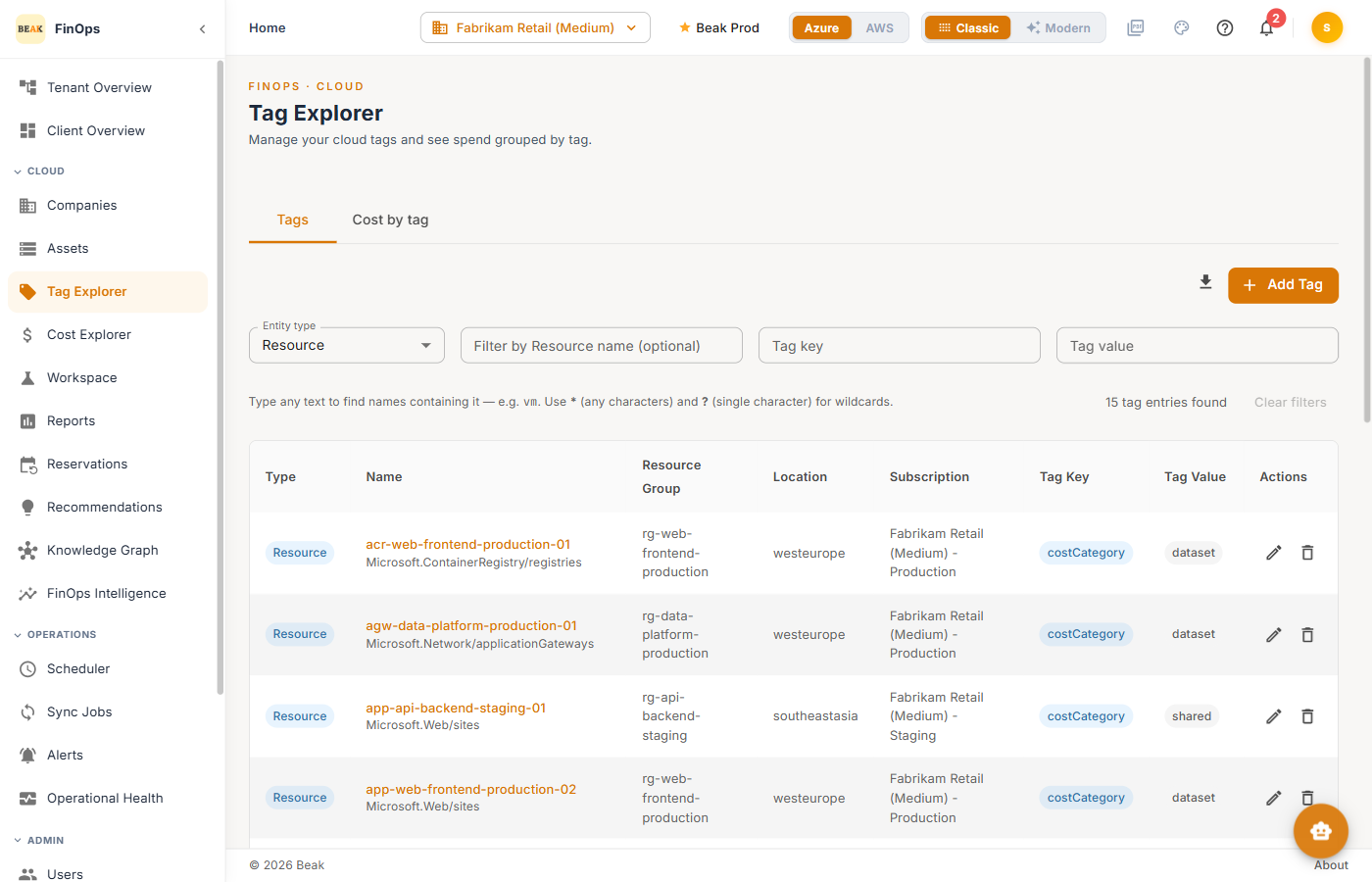
The Tags tab lists tagged resources with the following filters and columns.
Filters
- Entity type — Filter by resource, resource group, or subscription
- Resource name — Type any text to match names containing it; supports
*(any characters) and?(single character) wildcards - Tag key / Tag value — Narrow to a specific tag
Columns
| Column | Description |
|---|---|
| Type | The entity type (Resource, Resource Group, …) |
| Name | Resource name |
| Resource Group | Owning resource group |
| Location | Region |
| Subscription | Owning subscription or account |
| Tag Key / Tag Value | The tag applied |
| Actions | Edit or remove the tag |
Adding a Tag
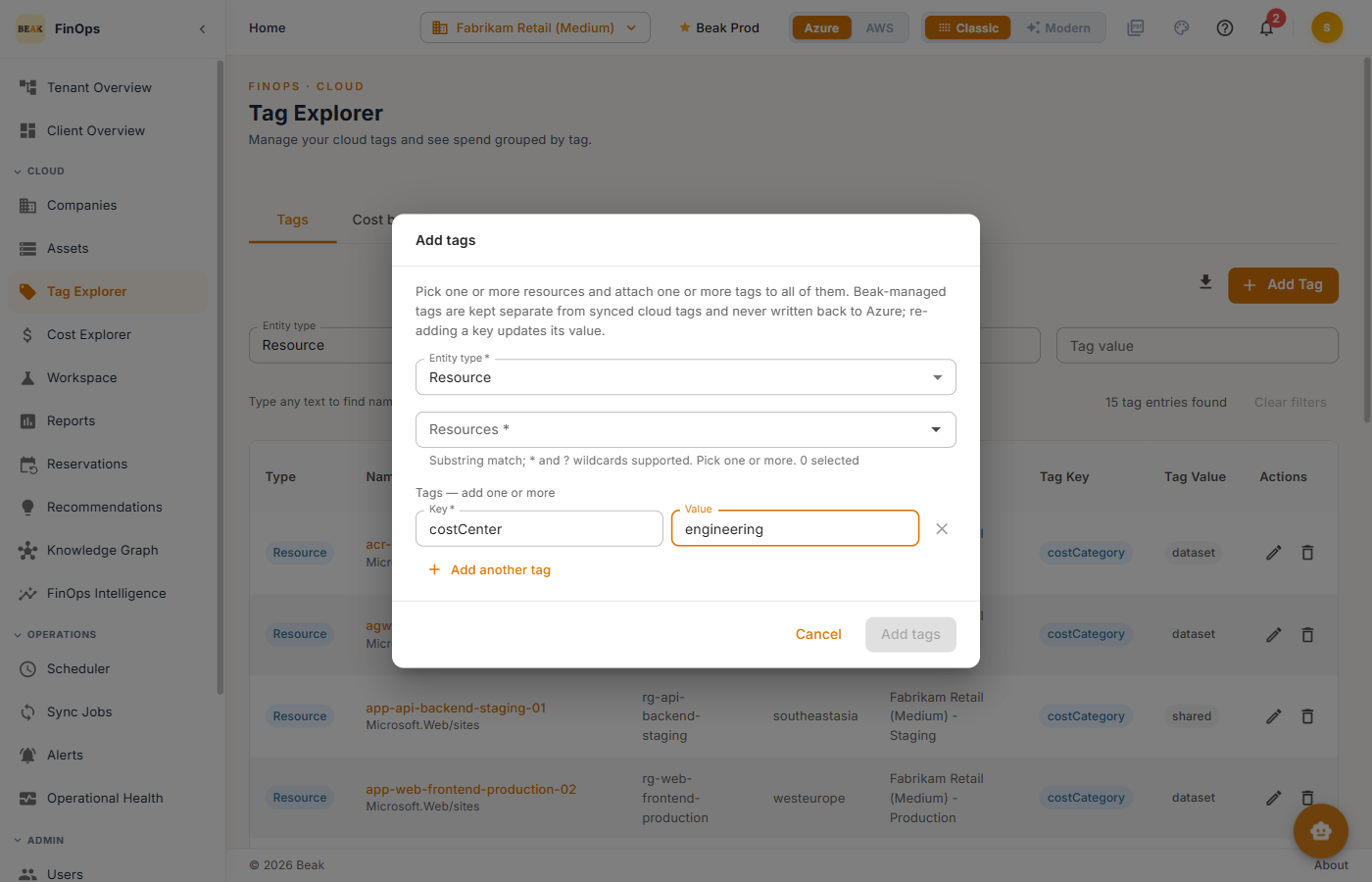
Click Add Tag to open the Add tags dialog. Choose the entity to tag, then supply a Tag key and Tag value. Use Add another tag to apply several at once.
Cost by Tag
The Cost by tag tab groups spend by tag value over the selected period (Last 7 / 30 / 90 days, MTD, or Previous month).
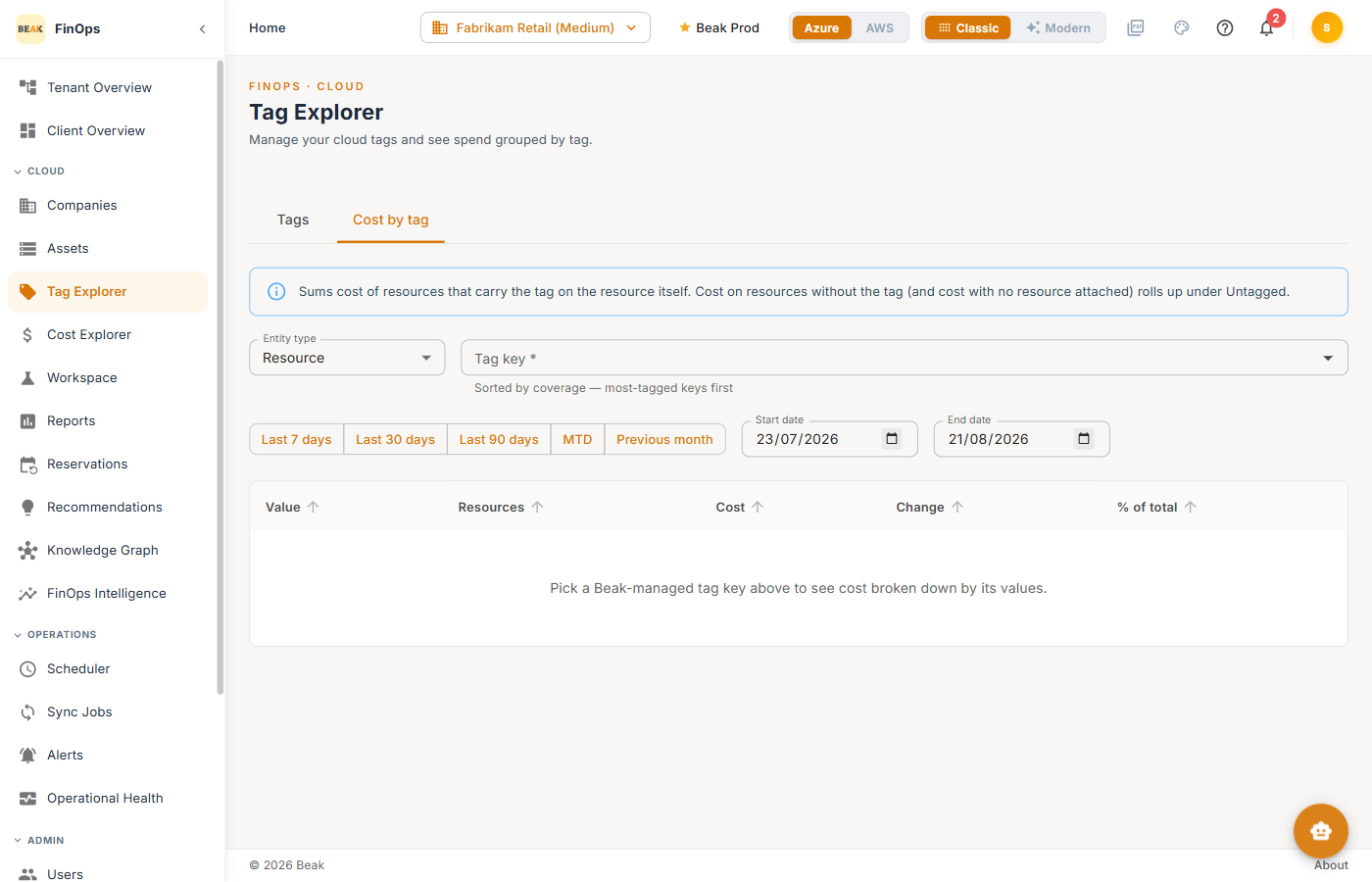
| Column | Description |
|---|---|
| Value | The tag value |
| Resources | Number of resources carrying that value |
| Cost | Spend attributed to the value |
| Change | Change vs. the previous period |
| % of total | Share of total spend |
Best Practices
- Standardize tag keys — Agree on a small set of keys (for example
costCenter,environment,team) and apply them consistently - Tag for allocation — Every resource that contributes meaningful spend should carry the tags you report on
- Review untagged spend — Resources with no allocation tag show up as unattributed cost; drive that number down over time
Related Pages
- Assets — Resource inventory
- Cost Explorer — Cost analysis and breakdowns
- Reports — Prebuilt cost and inventory reports