API Keys
API Keys mint long-lived credentials that let external platforms call the Beak FinOps API. Each key is bound to a single company and limited to the scopes you select, so integrations get exactly the access they need and nothing more.
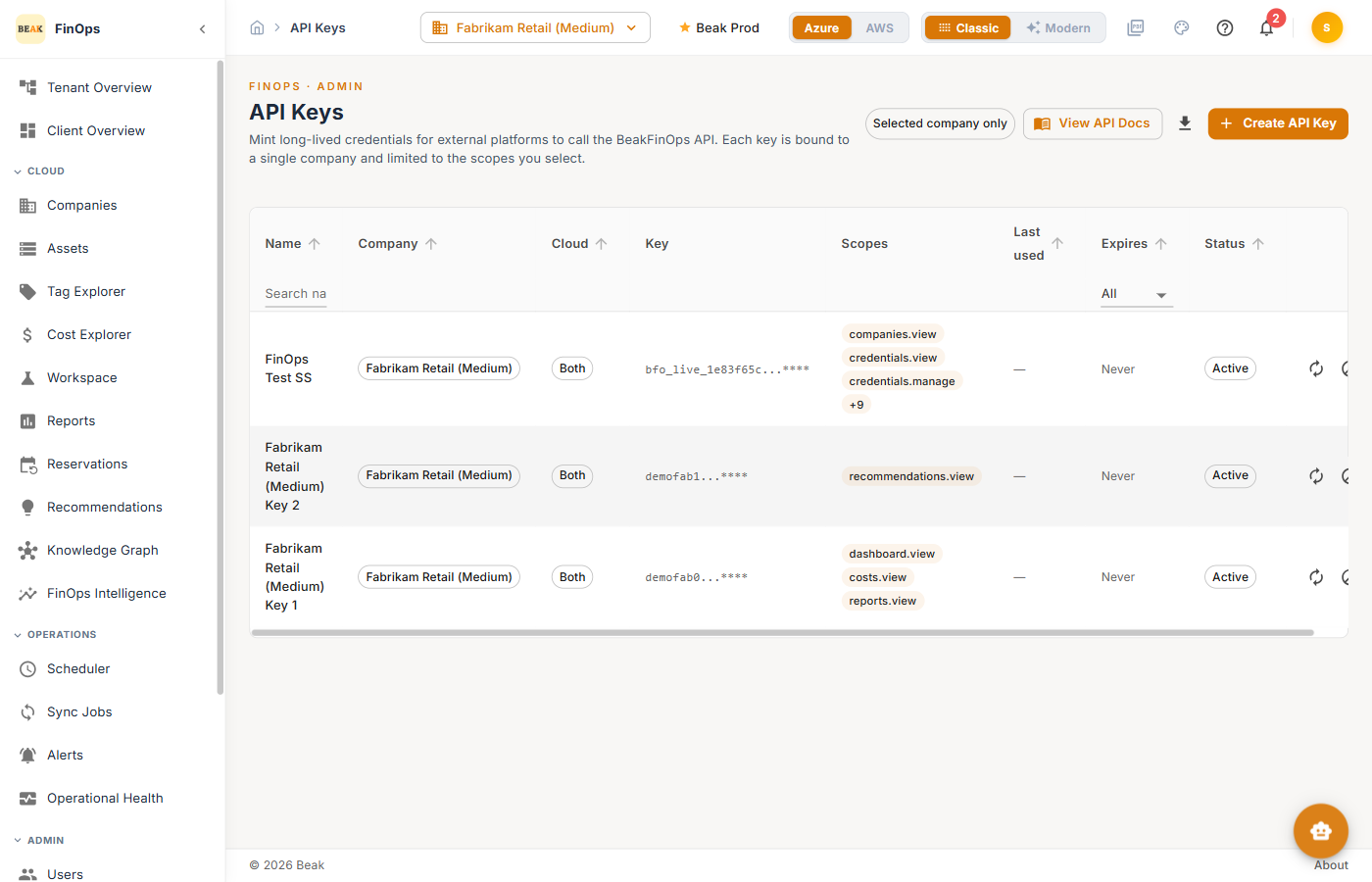
Key Table
| Column | Description |
|---|---|
| Name | A label for the key |
| Company | The company the key is bound to |
| Cloud | Azure, AWS, or Both |
| Key | The masked key value |
| Scopes | The permissions granted (for example dashboard.view, costs.view) |
| Last used | When the key last made a call |
| Expires | Expiration date, if set |
| Status | Active or revoked |
Use the Selected company only toggle to scope the list, and View API Docs for the API reference.
Creating a Key
Click Create API Key to open the dialog. Provide a Name, an optional Description, choose the cloud (Both clouds, Azure only, or AWS only), select the scopes, and optionally set an IP allowlist and rate limit.
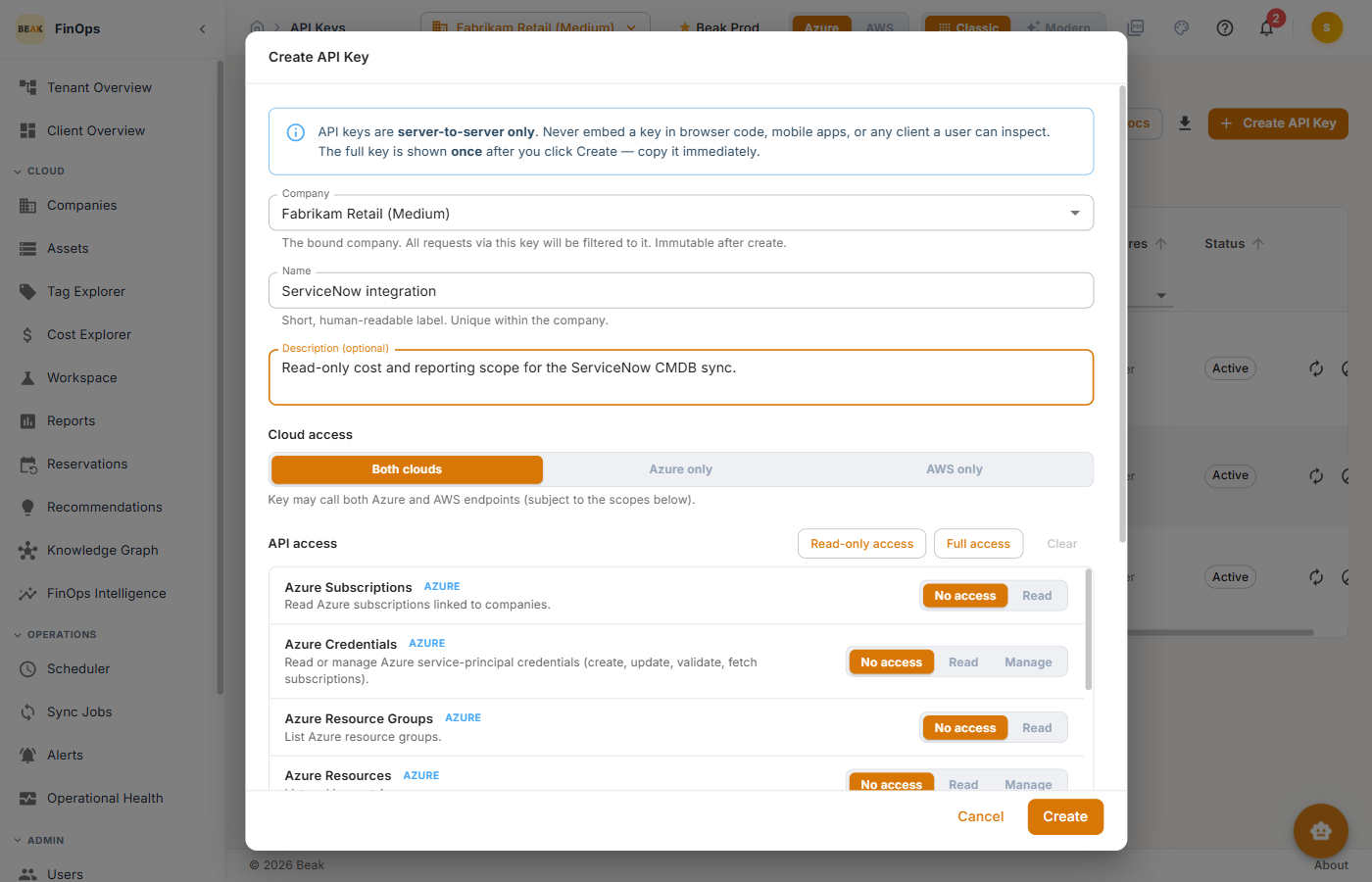
The full key value is shown once at creation — copy it immediately, as it cannot be retrieved later.
Managing Keys
- Rotate — Replace a key's value while keeping its configuration
- Revoke — Immediately disable a key
Each API call is checked against the key's company binding, scopes, IP allowlist, and rate limit.
Best Practices
- Least-scope keys — Grant only the scopes an integration needs
- Set expirations and IP allowlists — Bound keys in time and origin where possible
- Rotate on a schedule — Rotate keys periodically and immediately if one may be exposed
- One key per integration — Separate keys make revocation and auditing precise
Related Pages
- Users and Roles — Human access control
- Audit History — Key creation and revocation is logged
- Settings — Integration configuration