Reports
Reports is a catalog of prebuilt, drill-in views over your cloud spend, usage, savings, and inventory. Pick a report to open it; each one lets you filter and export the underlying data.
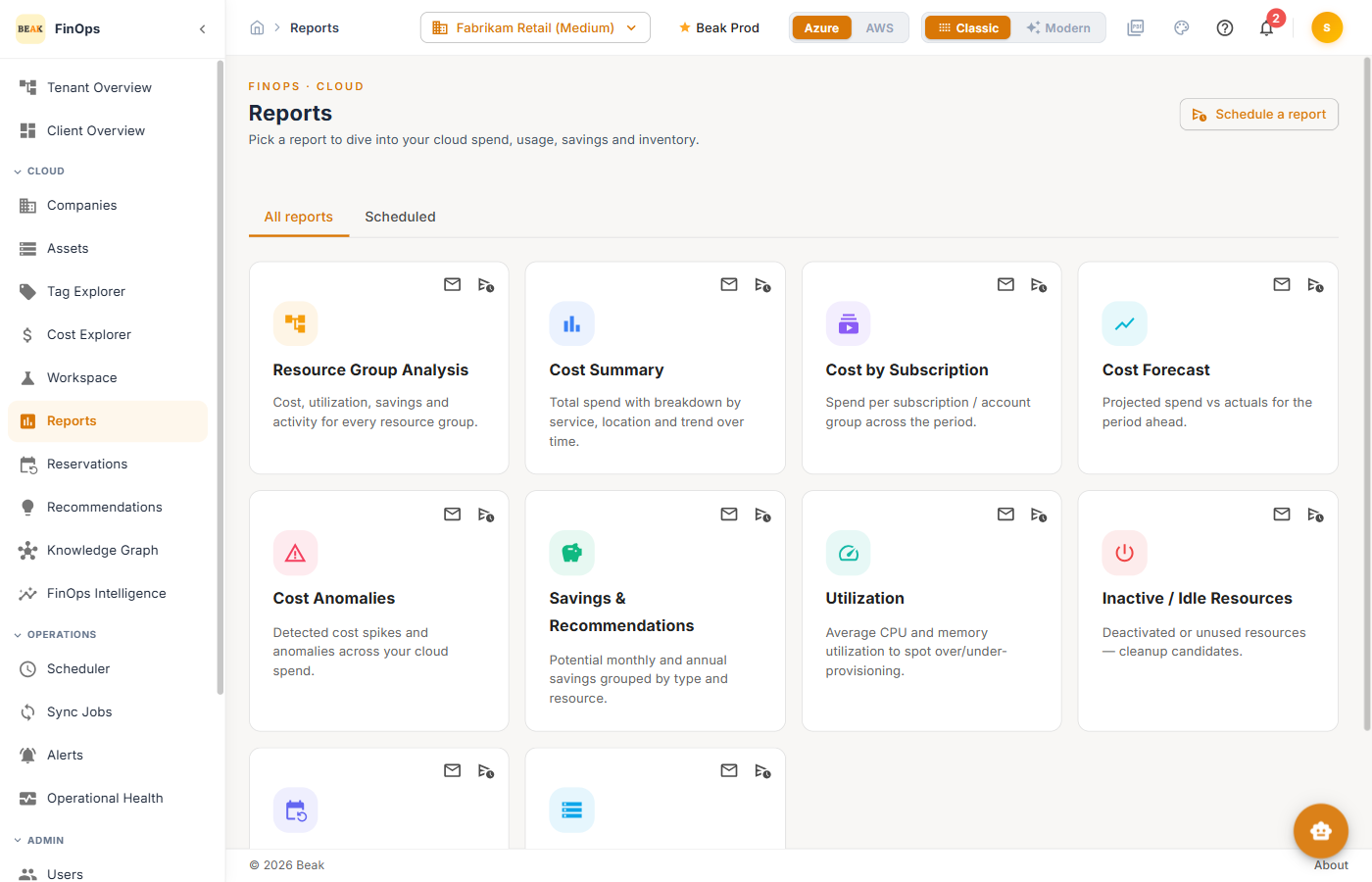
Available Reports
Cost
- Cost Summary — Total spend with period-over-period comparison
- Cost by Subscription — Spend broken down per subscription or account
- Cost Forecast — Projected spend for the current and upcoming periods
- Cost Anomalies — Detected spikes and unusual spend patterns
Savings & efficiency
- Savings & Recommendations — Realizable savings from all recommendation sources
- Utilization — Resource utilization across the fleet
- Inactive / Idle Resources — Resources with little or no usage
- Reservation Coverage — How much eligible spend is covered by reservations and savings plans
Inventory
- Resource Inventory — Full inventory of discovered resources
- Resource Group Analysis — Cost, utilization, savings, and activity for every resource group
Note: The set of reports available depends on the selected cloud and the data your environment has collected.
Note: The workspace reports are no longer part of this catalog — they have their own Workspaces section in the sidebar. Old
/reports/tre-*links redirect there.
Emailing and Scheduling a Report
Reports can be sent to people who do not open the platform themselves — a monthly cost summary to budget owners, for example.
Each report card carries two icons:
- Email — Send the report now to one or more recipients
- Schedule — Set the report to run and send on a recurring basis
Schedule a report at the top of the page starts the same flow without picking a card first. Both dialogs take the recipients and the report's own filters, so a scheduled run reproduces the report as configured.
The Scheduled tab lists every schedule with its report, cadence, and recipients. From there a schedule can be edited or deleted; deleting asks for confirmation first.
Best Practices
- Export for stakeholders — Reports export to file for sharing outside the platform
- Schedule the recurring ones — If you export the same report every month, schedule it instead so it arrives without anyone remembering to run it
- Pair anomalies with alerts — Use the Cost Anomalies report alongside Alerts to catch spend spikes early
- Track reservation coverage — A low coverage number is a direct pointer to savings on Reservations
Related Pages
- Cost Explorer — Interactive cost analysis
- Workspaces — Workspace capacity, cost, and request lifecycle
- Recommendations — Optimization opportunities
- Reservations — Commitment coverage
- Assets — Resource inventory