Scheduler
The Scheduler automates data collection and recommendation generation so cost and asset data stays fresh without manual syncs. Schedules are configured per cloud — the Azure and AWS pipelines are set independently — and cron schedules use the tenant timezone.
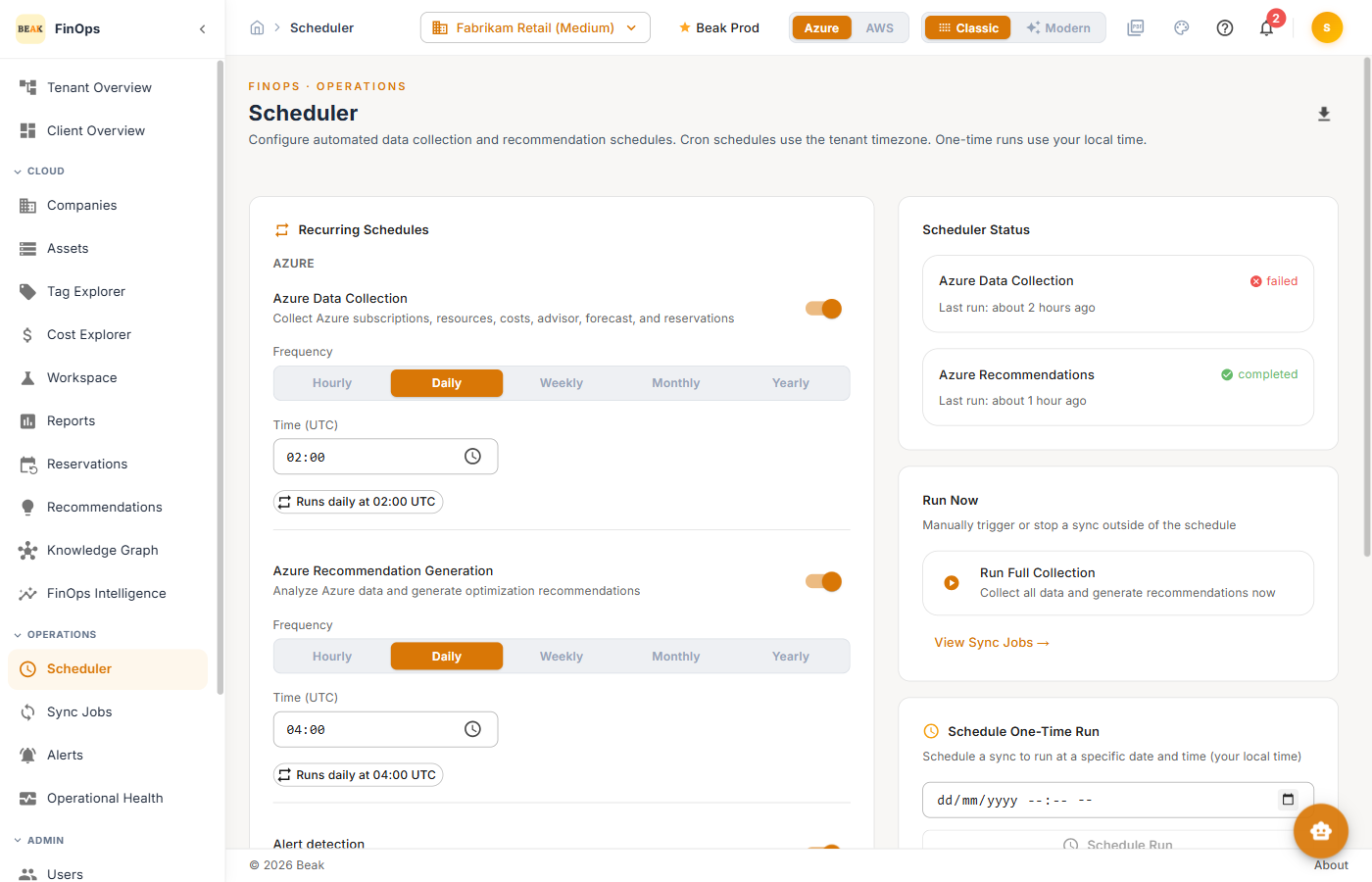
Recurring Schedules
For the selected cloud, configure recurring jobs:
- Data Collection — Collect subscriptions/accounts, resources, costs, advisor data, forecast, and reservations. Choose a Frequency (
Hourly,Daily,Weekly,Monthly,Yearly) and a time in UTC. - Recommendation Generation — Analyze collected data and generate optimization recommendations, on its own frequency and time.
- Alert detection — Runs to provide timely cost and budget alerts.
- Workspace sync — Syncs workspace and resource state from the research environment and correlates it with cloud cost. Runs once a day and requires a workspace connection; pick a schedule and it runs automatically at that time. See Workspaces.
Click Save Azure Configuration (or Save AWS Configuration) to persist the schedule for that cloud.
Note: Workspace sync ignores the subscription filter — workspaces are attributed through the connection they were synced from, not the subscription selected on the page.
One-Time Runs
- Run Full Collection — Collect all data and generate recommendations immediately
- Schedule Run — Schedule a one-time run at a specific local time
Use View Sync Jobs to jump to the run history.
Best Practices
- Match frequency to spend velocity — Daily collection suits most environments; increase frequency only if you need near-real-time cost data
- Stagger the two pipelines — Run recommendation generation after data collection completes so it analyzes fresh data
- Configure both clouds — Set schedules for each cloud a company uses
Related Pages
- Sync Jobs — Monitor scheduled runs
- Operational Health — Fleet-wide sync freshness
- Recommendations — Output of recommendation generation