Assets
Assets is the inventory of every cloud resource Beak FinOps has discovered for a company. Browse resources across all subscriptions or accounts, filter and search, and see them grouped by category with utilization and distribution analytics. It re-renders for the selected cloud (Azure or AWS).
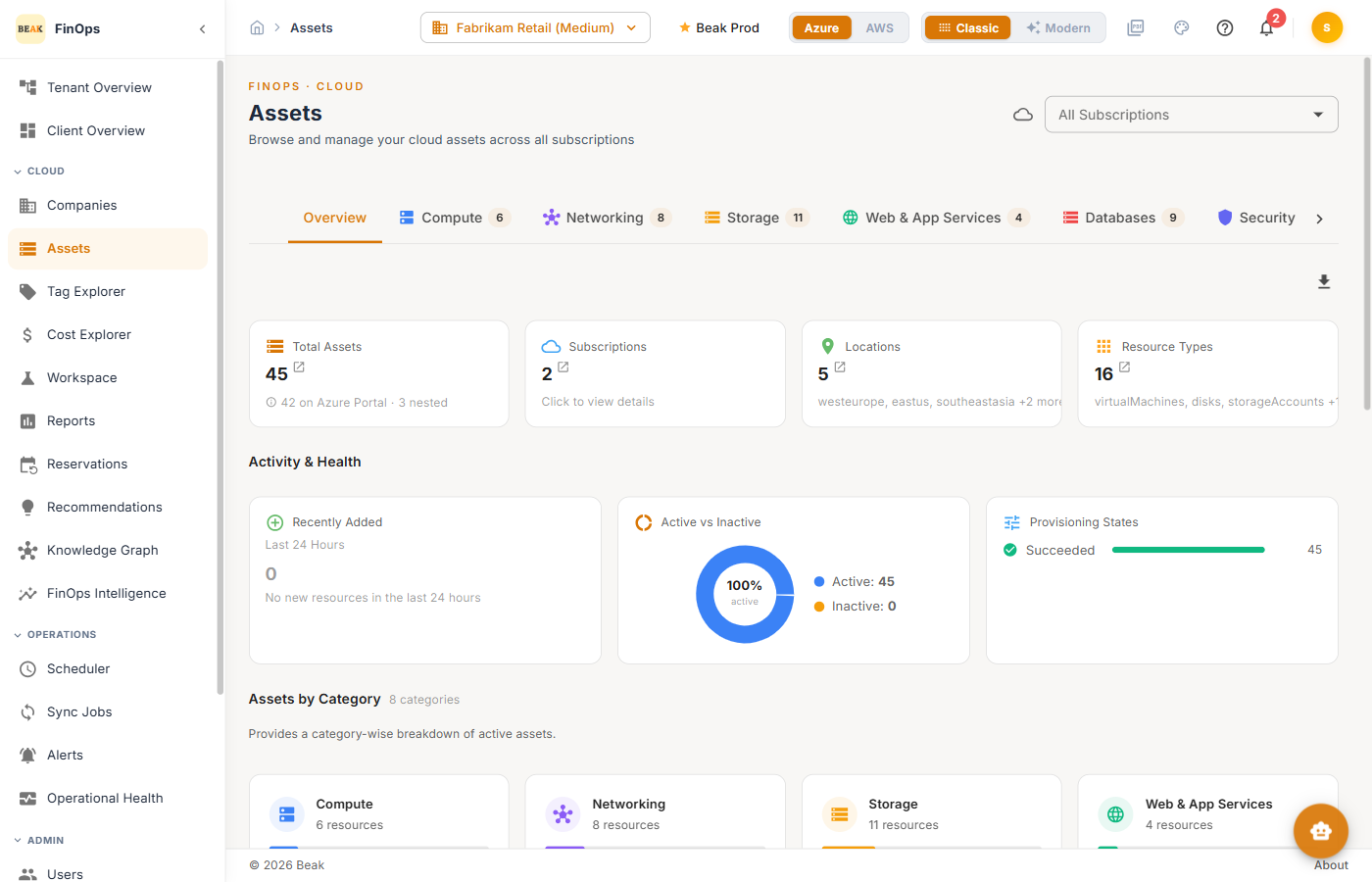
Asset Tabs
The Overview tab summarizes the inventory; the remaining tabs filter to a resource category, each showing a count:
- Compute — Virtual machines and related compute
- Networking — Networking resources
- Storage — Storage accounts and disks
- Web & App Services — App and web hosting
- Databases — Managed databases
- Security, Monitoring, Containers — Their respective resource types
Overview Tab
The Overview tab surfaces:
- Summary metrics — Total assets, subscriptions, categories, and account groups
- Activity & Health — Recently changed and health signals
- Assets by Category — Resource counts per category
- Resource Distribution — Distribution across account groups
- Subscription Distribution — Distribution across subscriptions (accounts, in AWS)
Category Tabs
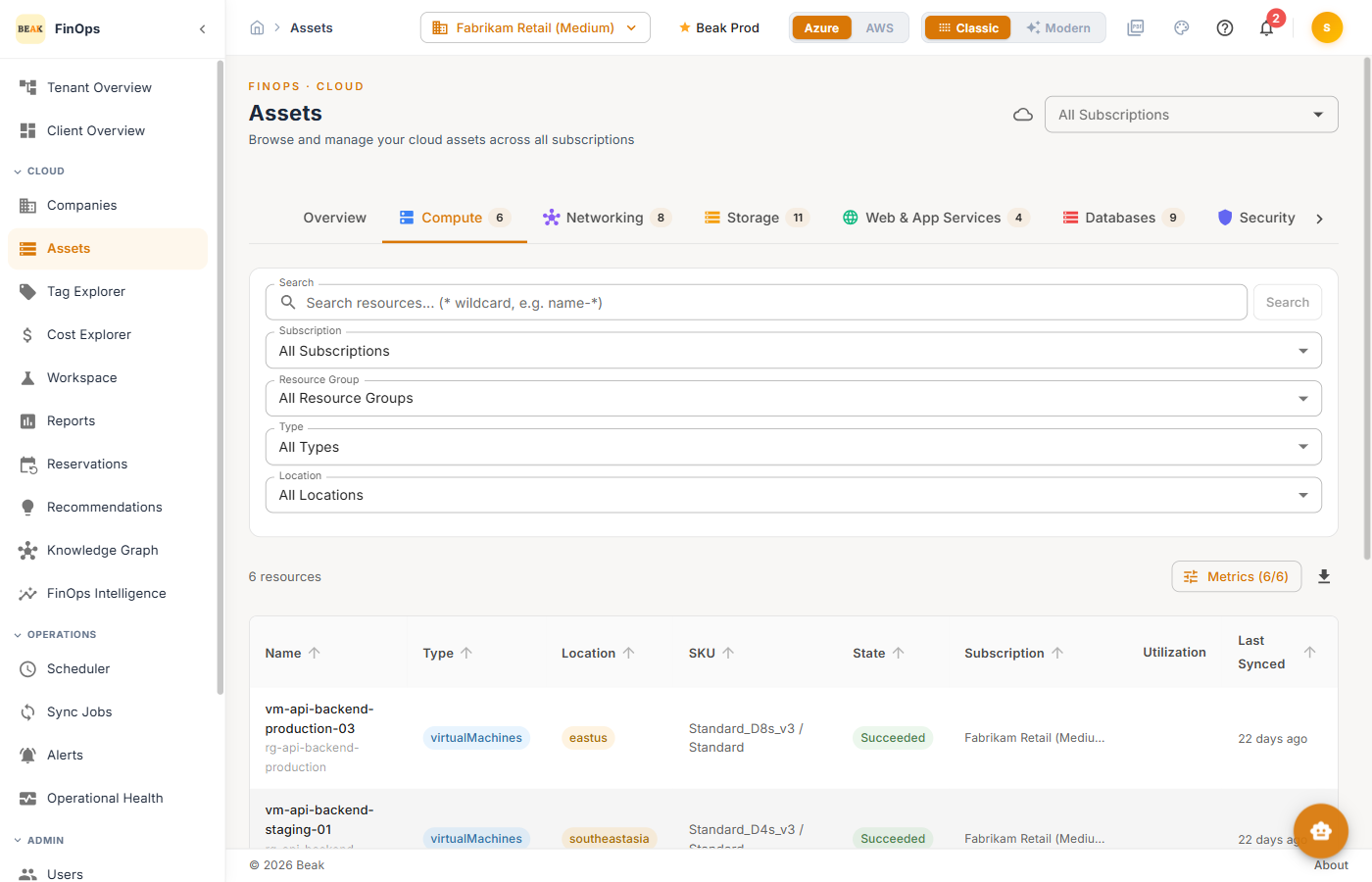
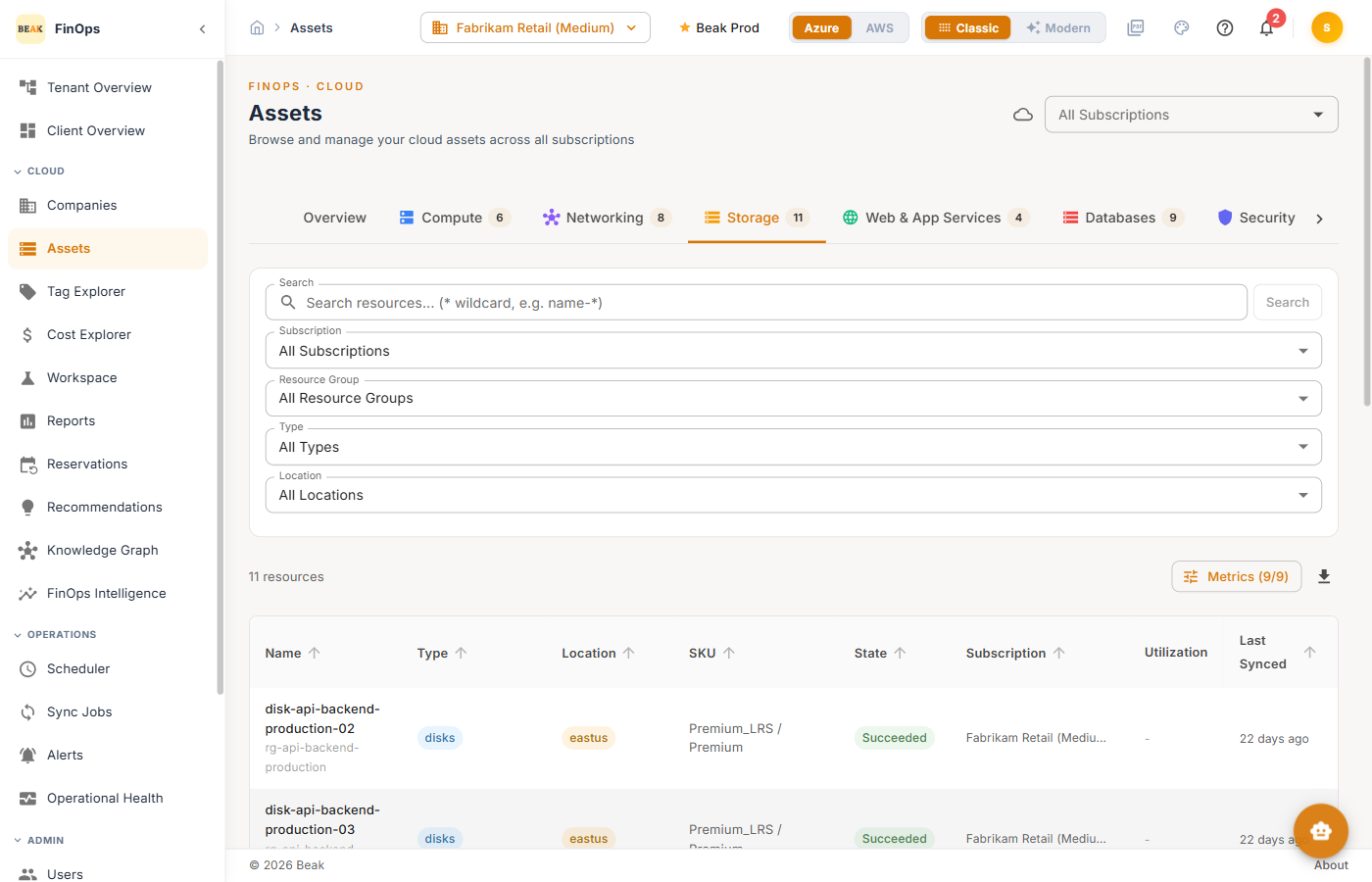
Selecting a category tab filters the resource table to that type. Each row shows the resource name, type, location, SKU, state, subscription, utilization, and last-synced time. Use the filters (search, subscription, resource group, type, location) to narrow further.
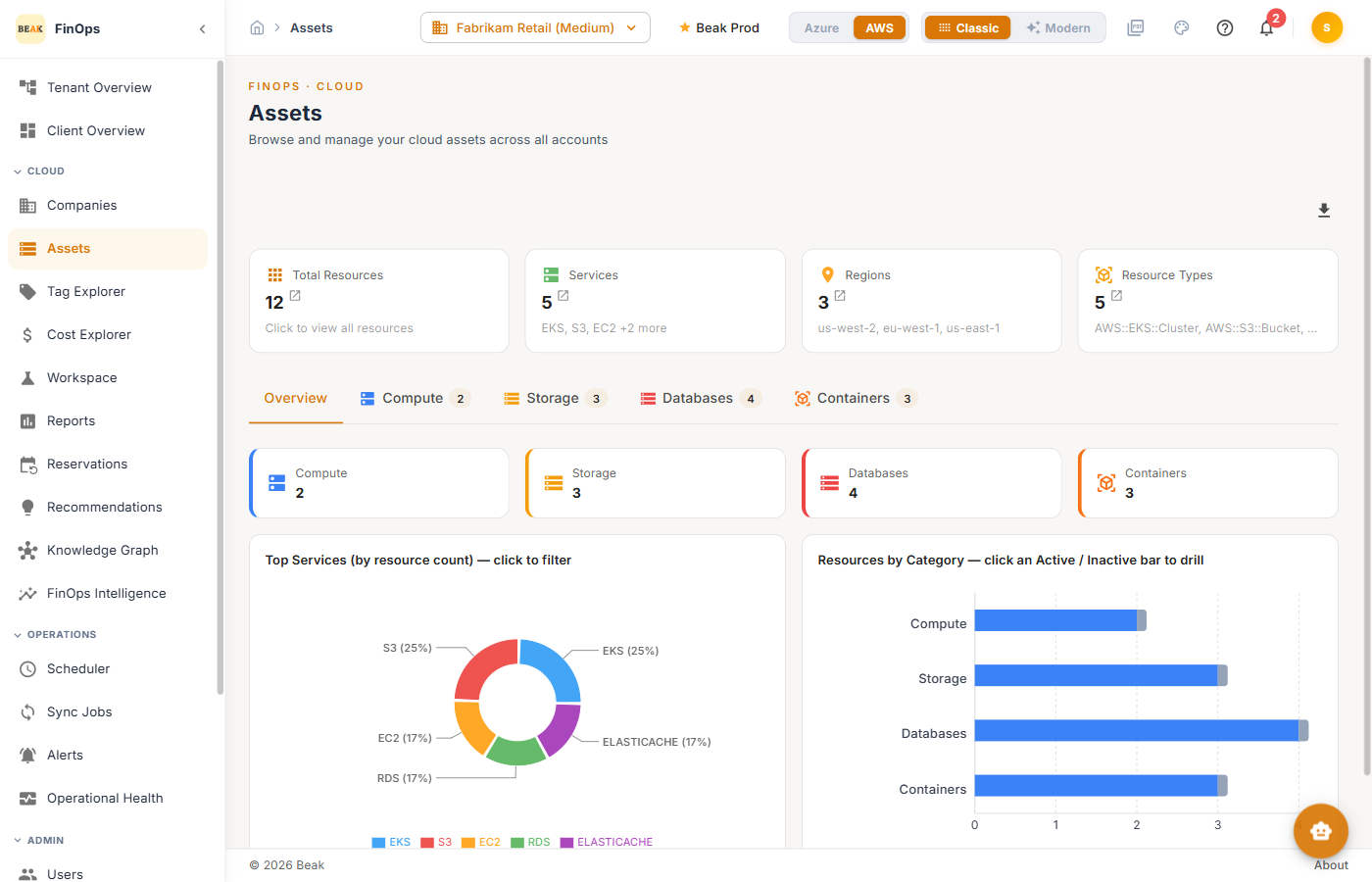
AWS view
Switch the cloud toggle to AWS to inventory AWS resources, with AWS-native categories and account-based distribution.
Best Practices
- Watch hidden resources — The portal-visible vs. hidden split highlights resources that may be missed by manual review
- Use category tabs for cleanup — The Compute and Storage tabs are the fastest way to spot idle or oversized resources
- Cross-reference recommendations — Pair a high-cost asset with its Recommendations
Related Pages
- Cost Explorer — Spend for these resources
- Tag Explorer — Tag and allocate resources
- Knowledge Graph — Resource topology
- Recommendations — Optimize these resources