Devices
The Devices page lists endpoint system details for the active company — the physical and virtual machines behind the install records in Endpoint Inventory. Populate it by importing a device / system-details export, or automatically from the RMM (Endpoint Management) connector.
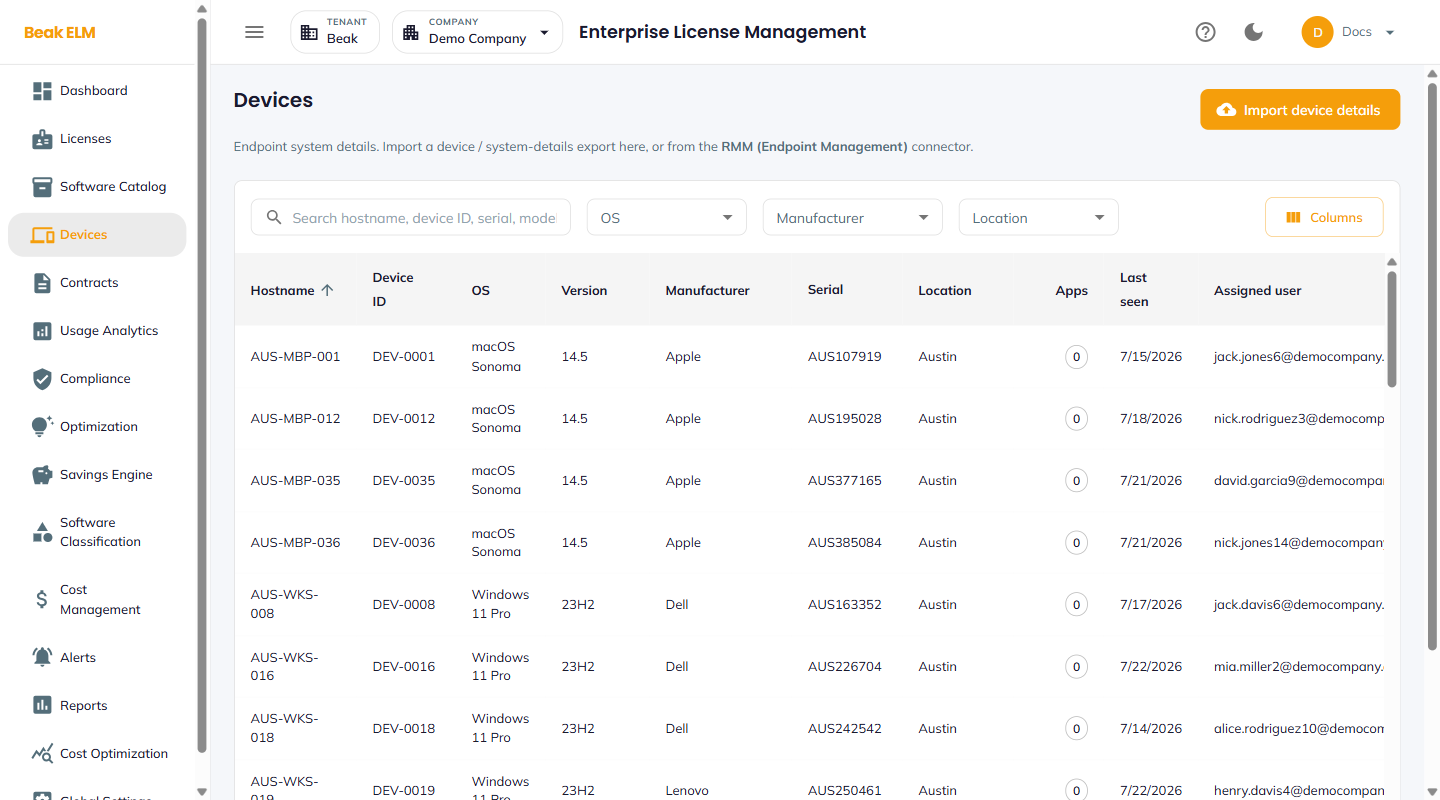
Filters
- Search — Free-text match on hostname, device ID, serial, or model
- OS — Narrow to an operating system
- Manufacturer — Narrow to a hardware vendor
- Location — Narrow to an office / site
- Columns — Choose which columns the table displays
Table Columns
| Column | Description |
|---|---|
| Hostname | Endpoint hostname (e.g. AUS-WKS-008) — sortable |
| Device ID | Device identifier from the source system (e.g. DEV-0008) |
| OS | Operating system (e.g. Windows 11 Pro, macOS Sonoma) |
| Version | OS version / build (e.g. 23H2, 14.5) |
| Manufacturer | Hardware vendor (e.g. Dell, Apple, Lenovo) |
| Serial | Hardware serial number |
| Location | Office / site the device is assigned to |
| Apps | Count of software installs discovered on the device |
| Last seen | Date the device last reported in |
| Assigned user | Email of the user the device is assigned to |
Apps is the link between this page and Endpoint Inventory — a device showing 0 apps has been discovered as hardware but has no software inventory against it yet.
Import Device Details
The Import device details button accepts a device / system-details export and merges it into the device list. Until a first import or connector sync runs, the page shows an empty state prompting for an import.
Best Practices
- Prefer the RMM connector over manual imports — connector-sourced devices refresh automatically and keep the Endpoint Inventory usage data aligned with real endpoints.
- Re-import the device export after fleet changes (onboarding waves, hardware refreshes) so install-to-device rollups stay accurate.
Related Pages
- Endpoint Inventory — Install-level software records across these devices
- Usage Analytics — Endpoint software usage rollups
- Connectors — RMM (Endpoint Management) connector configuration