Software Catalog
The Software Catalog is the master list of every software product known to ELM. Each row is a product (e.g. Adobe Acrobat Pro, AWS EC2, Datadog Pro) with its publisher, category, deployment model, risk rating, and approval status. License records on the Licenses page bind to entries here, so the catalog is the central place to govern which products are sanctioned.
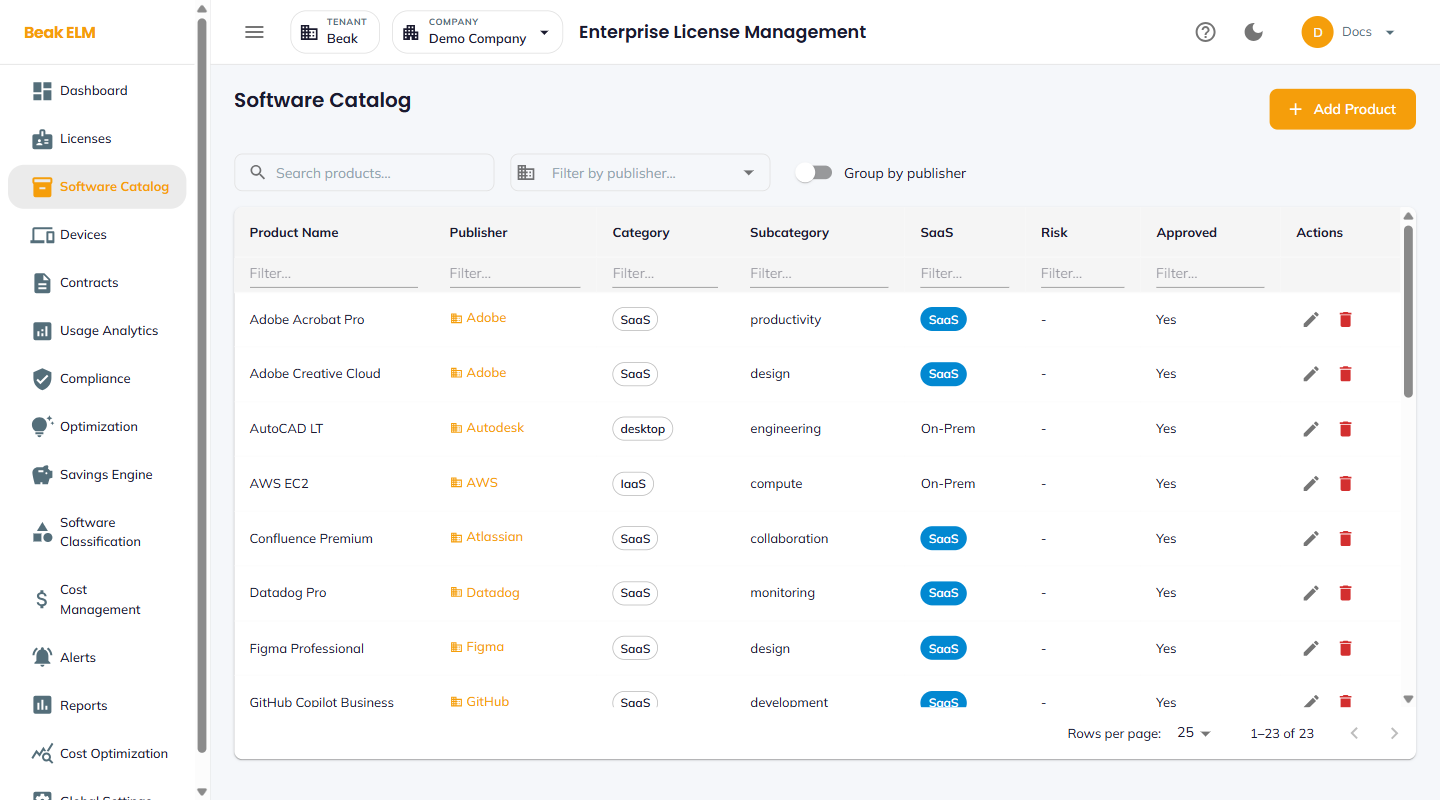
Filters
- Search — Free-text match on product name
- Filter by publisher — Narrow the catalog to a single vendor
- Group by publisher — Toggle to collapse the table into vendor-grouped sections
Table Columns
| Column | Description |
|---|---|
| Product Name | Display name of the product (e.g. Adobe Creative Cloud) |
| Publisher | Vendor / publisher organization (e.g. Adobe, Microsoft, Datadog) |
| Category | Top-level category — SaaS, IaaS, desktop, etc. |
| Subcategory | Functional grouping — productivity, design, engineering, compute, monitoring, collaboration, development |
| SaaS | Deployment model — SaaS or On-Prem |
| Risk | Risk rating from the optimization engine |
| Approved | Yes or No — whether the product is sanctioned for use |
| Actions | Edit (pencil) and Delete (trash) |
Add Product
The + Add Product button opens a Create Product dialog with fields for product name, publisher, category, subcategory, SaaS / On-Prem flag, risk rating, and approval status. Adding a product here makes it available for binding from the Add License form.
Best Practices
- Keep
Approvedaligned with procurement policy — rejected products will surface as recommendations in Optimization when they appear in inventory. - Standardize publisher names —
AWSandAmazon Web Servicesshould not co-exist, since they break the vendor rollup in Cost Management. - Use
Subcategoryto drive the chart in Cost Management → By Category — granular subcategories produce sharper category insights. - Toggle
Group by publisherwhen reviewing the catalog with a vendor manager — the grouped view collapses redundant rows for a single vendor.
Related Pages
- Licenses — License records that bind to catalog products
- Cost Management — Spend rolled up by publisher and category
- Optimization — Risk-based and approval-based recommendations