Shadow AI
The Shadow AI page sits under the Security · Shadow AI eyebrow and gives security and compliance teams a consolidated picture of which AI web services employees are reaching through their browsers, how frequently those services are being used, and how many of those interactions triggered DLP policy actions. The report is built from the endpoint scan events captured by the Beak browser extension across all paired devices.
Each row in the report represents one AI application. Usage is aggregated over a configurable time window and segmented by the sanctioned status recorded in the AI Sites catalog. Services that have not yet been rated appear as Unrated, making this page an effective discovery tool for identifying AI tools in active use that have not yet gone through a security review.
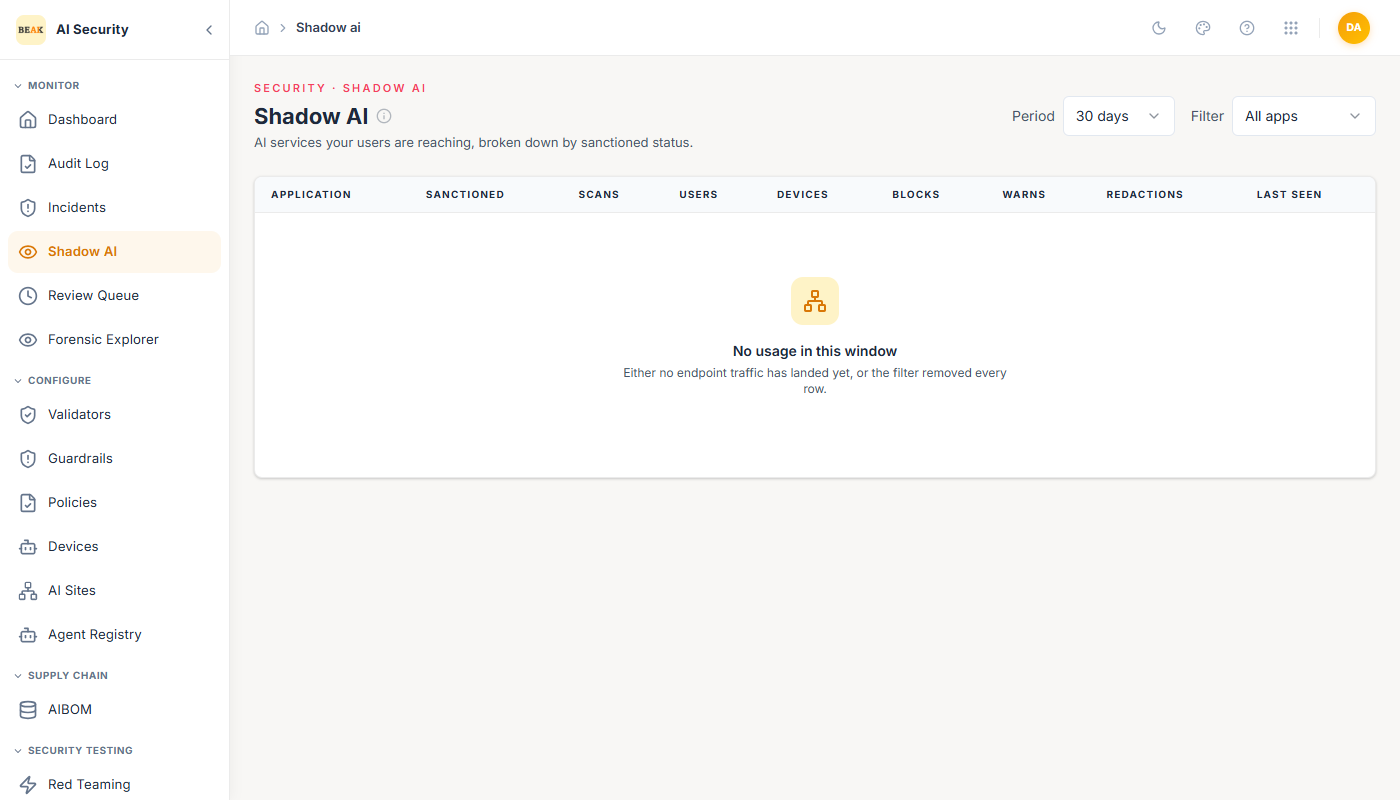
Page Header and Filters
The page header carries the Shadow AI title and the subtitle "AI services your users are reaching, broken down by sanctioned status." Two filter controls appear in the toolbar:
- Period — Selects the lookback window for the aggregation. Options are
7 days,30 days, and90 days. The default is30 days. Changing the period reloads the report immediately. - Filter — Narrows the table to a single sanctioned category. Options are:
All apps— Shows every service with activity in the selected window.Sanctioned— Shows only services your organisation has approved.Unsanctioned— Shows only services your organisation has prohibited or not approved.Unrated— Shows only services that have not yet received a sanctioned decision, making it easy to identify gaps in your AI-site policy review.
Shadow AI Usage Table
The table presents one row per AI application that recorded scan activity in the selected period. The columns are:
- Application — The service's display name in bold, with the vendor name shown beneath it in a secondary tone where available. Applications whose host pattern is not yet in the AI Sites catalog appear here with the name derived from the scan event.
- Sanctioned — A colour-coded badge reflecting the current sanctioned-status decision recorded in AI Sites:
Sanctioned— Displayed in green; the service has been approved.Unsanctioned— Displayed in red; the service has been prohibited or is unapproved.Unrated— Displayed in a neutral grey; no decision has been recorded yet.
- Scans — Total number of scan events recorded for this application in the selected window, rendered in a tabular numeric style.
- Users — Count of distinct users whose devices generated at least one scan for this application in the window.
- Devices — Count of distinct paired devices that recorded activity on this application.
- Blocks — Number of scan events where the DLP rule engine took a
blockaction. Rendered in red when non-zero to draw attention to policy-violating usage. - Warns — Number of scan events where the rule engine took a
warnaction. Rendered in amber when non-zero. - Redactions — Number of scan events where the rule engine automatically redacted sensitive content before the prompt reached the AI service.
- Last seen — Timestamp of the most recent scan event recorded for this application, shown in the browser's local timezone.
Best Practices
- Triage unrated services first — Use the
Unratedfilter combined with theScansandUserscolumns to prioritise which AI services to review in AI Sites. High scan counts from unrated apps represent unknown risk. - Investigate high block and warn counts — Applications with significant
BlocksorWarnsfigures indicate that users are attempting to paste sensitive content into AI tools; review the underlying incidents in the Incidents page to understand the nature of the findings. - Use the 90-day window for trend analysis — The longer window reveals whether unsanctioned AI usage is growing or shrinking over time after policy interventions.
- Act on redactions — A high
Redactionscount means the extension is actively protecting your organisation, but it also signals that users are regularly trying to share sensitive data with AI services; consider tightening policy enforcement or user education. - Cross-reference with device coverage — If an AI service shows unexpectedly low scan counts, verify in Devices that all expected endpoints are paired and have sent a recent heartbeat.
Related Pages
- Overview — High-level product overview for Beak AI Security.
- AI Sites — Set the sanctioned status for each AI service to refine how this report categorises usage.
- Devices — Manage the paired browser extensions that generate the underlying scan data.
- Incidents — Drill into individual scan events and DLP decisions behind the block, warn, and redaction counts.