ATLAS Browser
The ATLAS Browser maps your Beak AI Security deployment against the MITRE ATLAS framework — the Adversarial Threat Landscape for AI Systems. It shows which adversarial techniques your current configuration actively defends against and which remain uncovered, giving you a clear picture of your attack surface.
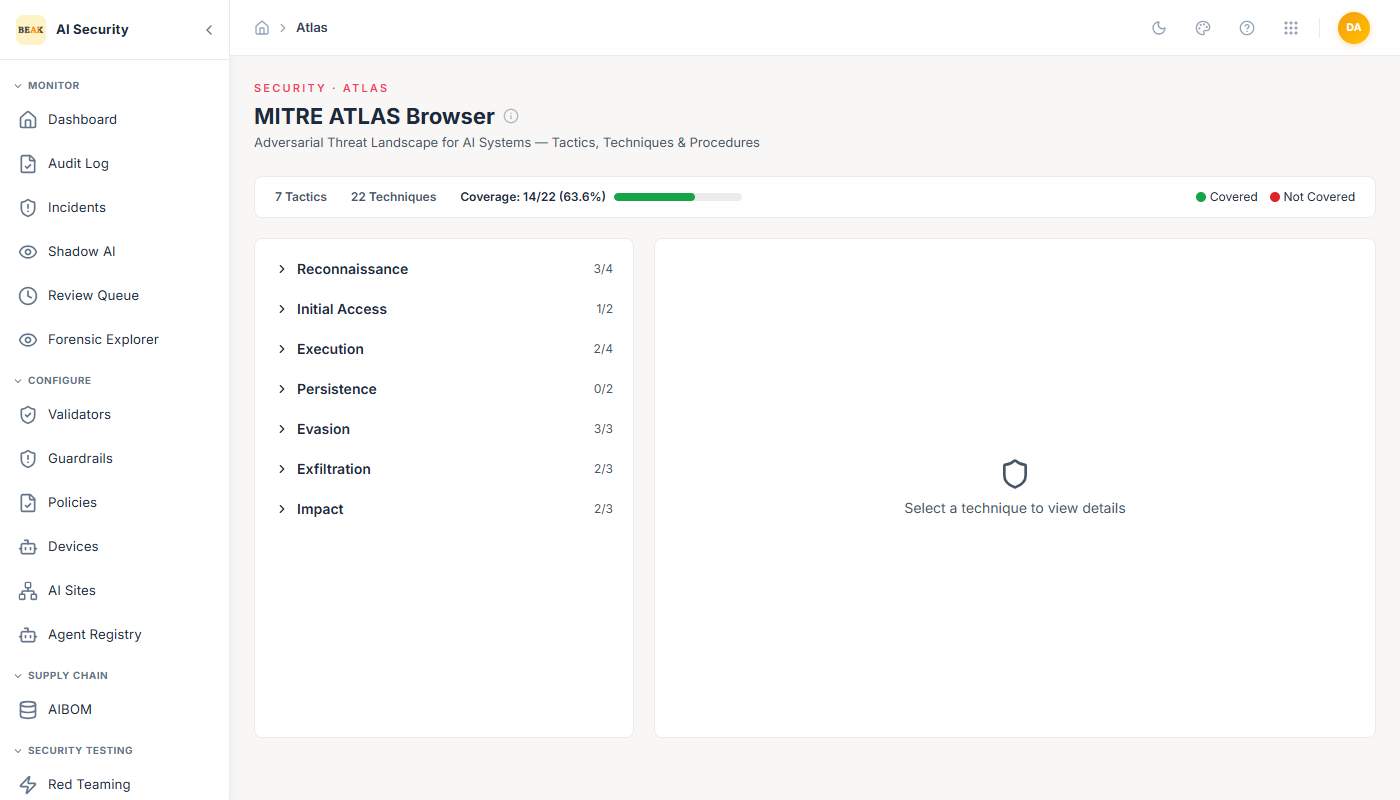
Coverage Summary
The page header shows three key metrics:
- Tactics — The number of MITRE ATLAS tactic categories in the framework (7 in the current version).
- Techniques — The total number of techniques defined across all tactics (22).
- Coverage — How many techniques your deployment currently defends against, expressed as a count and percentage (e.g., 14/22 — 63.6%).
Tactics and Techniques Panel
The left panel shows the full ATLAS tactic hierarchy. Each tactic is expandable to reveal its techniques. For each technique, a status indicator shows:
- Green dot — The technique is covered by your current Beak AI Security configuration.
- Red dot — The technique is not yet covered.
The coverage count shown next to each tactic (e.g., 3/4) tells you how many of that tactic's techniques are covered. The current ATLAS tactics and their coverage structure include:
| Tactic | Description |
|---|---|
| Reconnaissance | Gathering information about the target AI system |
| Initial Access | Gaining an initial foothold through the AI interface |
| Execution | Running adversarial payloads through the model |
| Persistence | Maintaining access or influence across sessions |
| Evasion | Bypassing detection and safety controls |
| Exfiltration | Extracting sensitive data or model internals |
| Impact | Causing harm to the system, its data, or its users |
Technique Detail
Clicking any technique in the left panel opens its detail view on the right, showing:
- MITRE ID — The official ATLAS technique ID (in
AML.T####format). - Technique Name — The descriptive name of the attack technique.
- Coverage Badge —
Covered(green) orNot Covered(red) based on your current deployment. - Beak Coverage Description — An explanation of how Beak AI Security defends against this technique — which validators, guardrails, or runtime protections address it.
For uncovered techniques, the detail view describes what the technique involves, helping you understand what additional configuration would be needed to cover it.
Using ATLAS Coverage to Guide Testing
The ATLAS Browser works hand-in-hand with Red Teaming. The Red Teaming overview shows ATLAS Coverage as a percentage, and the ATLAS Browser identifies exactly which techniques contribute to that gap. Use the workflow:
- Open the ATLAS Browser and identify uncovered techniques (red dots).
- Note the MITRE ID and technique name.
- Create a Red Team campaign using the attack category that maps to that technique.
- After running the campaign, verify the technique moves to covered (green dot).
Best Practices
- Use ATLAS coverage as a KPI when reporting to the CIO/Executive — it translates technical security posture into a framework-aligned metric.
- Prioritize uncovered techniques in high-risk tactic categories: Evasion and Exfiltration are typically the highest-priority gaps for production AI deployments.
- Review coverage after every major policy or guardrail update — changes can affect which techniques are covered.
- For each uncovered technique, check the detail view to understand whether coverage requires configuration changes, additional validators, or new red team campaigns.