Teams
Teams are the primary access-control unit in the Gateway. Each team has a budget, rate limits, a model allowlist, and toggles for Security and Observability. Every virtual key is issued against a team, so the team's limits flow through to every request its keys make.
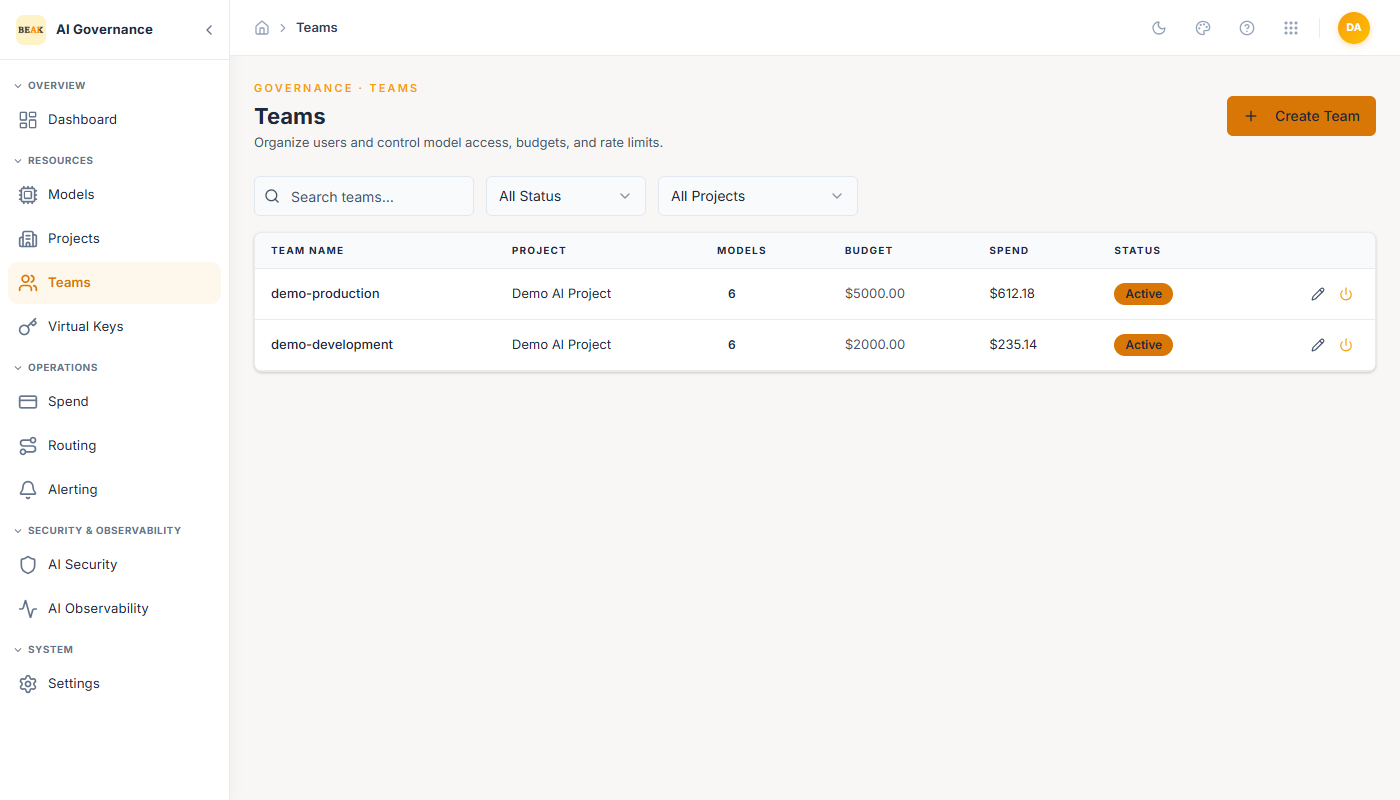
The list view shows each team's name, count of allowed models, max budget, current spend, and status. Filter by status at the top; per-row icons edit and activate/deactivate.
Creating a Team
Click + Create Team in the top-right to open the Create Team form.
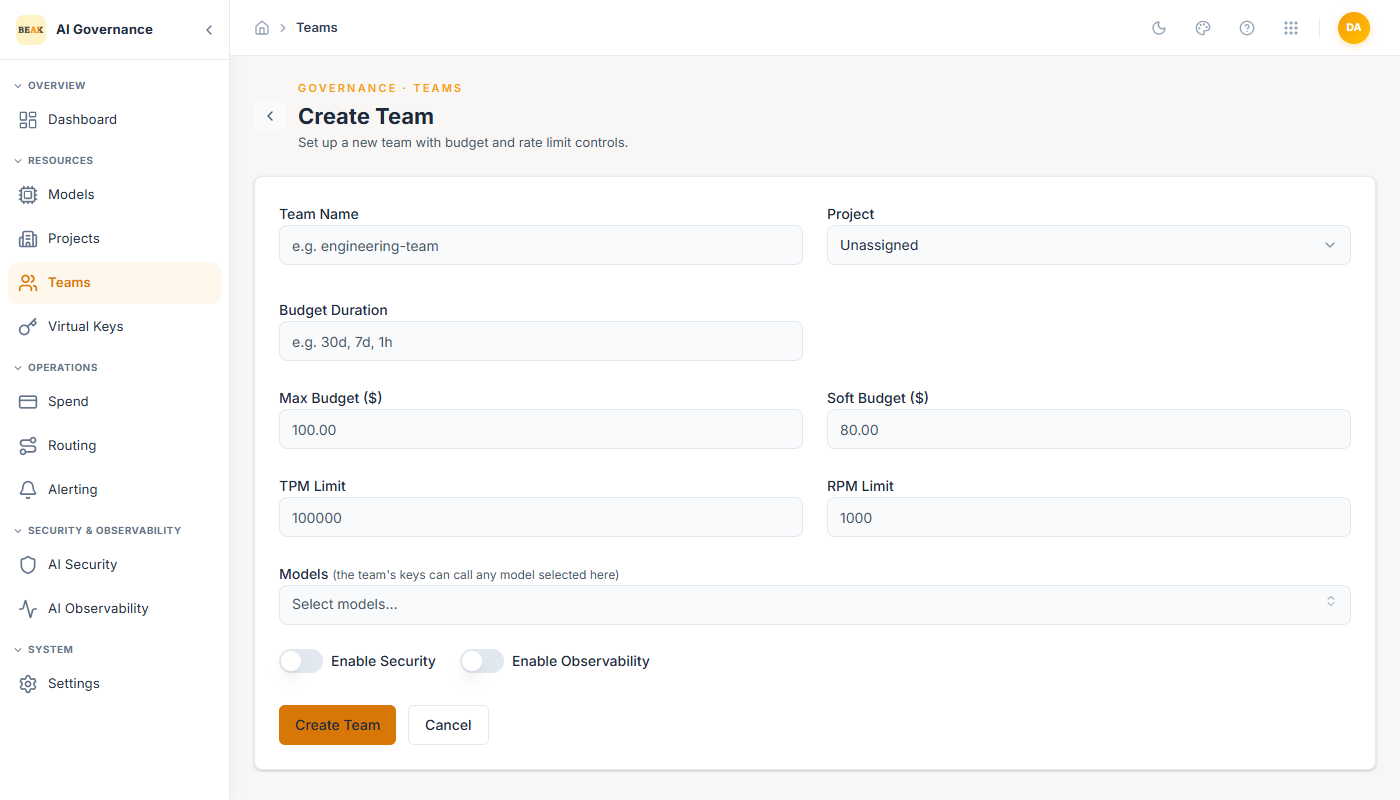
Team Name
Human-readable identifier (e.g. engineering-team, customer-support-prod). Used throughout the Gateway — on virtual keys, spend reports, security assignments, and audit logs.
Budget Duration
Rolling window the budget resets over. Accepts values like 30d, 7d, or 1h.
Max Budget ($)
Hard ceiling. When the team hits this limit, every request is rejected until the budget window resets or the limit is raised.
Soft Budget ($)
Soft ceiling used for alerting. Crossing it fires an alert (see Alerting) but does not block requests. Set it 10–20% below the hard limit so the team has warning before requests start failing.
TPM Limit
Tokens per minute. The Gateway counts both prompt and completion tokens against this limit. When a team hits it, requests get rate-limited with a 429 until the minute rolls.
RPM Limit
Requests per minute. Simple request-count throttle applied alongside TPM.
Models
Comma-separated list of model Display Names this team is allowed to call (e.g. gpt-4o, claude-3-opus, gemini-pro). Requests for a model outside this list are rejected.
Enable Security
Toggle. When on, the team is enrolled in Beak AI Security and uses the policy assigned on the AI Security page. Off leaves LLM requests unscanned.
Enable Observability
Toggle. When on, every LLM request this team makes is streamed as a trace into Beak AI Observability. Off disables tracing for the team.
Click Create Team to save.
Assigning to a Project
A team can optionally roll up into a Project for shared budget envelopes and finance reporting. This is configured when editing the team after creation.
Best Practices
- Use environment suffixes in team names (
-prod,-staging,-dev). Every downstream report will carry this suffix; a consistent convention is worth more than a clever one. - Soft budgets without alerts do nothing. Create a
Teamscoped budget rule when you set a soft budget, or use the hard budget only. - Keep the model allowlist tight. A team that only needs
gpt-4oshould not haveclaude-3-opusin its list — the allowlist is the cheapest governance control on the platform. - Turn on Security + Observability for every production team. The overhead is negligible; the forensic value when something goes wrong is large.