Models
Every LLM the Gateway can call is registered as a model on this page. A model binds a provider, a specific provider model id, a type, an optional custom endpoint, and the provider API key entered when the model is added. Agents and virtual keys reference models by the Display Name defined here.
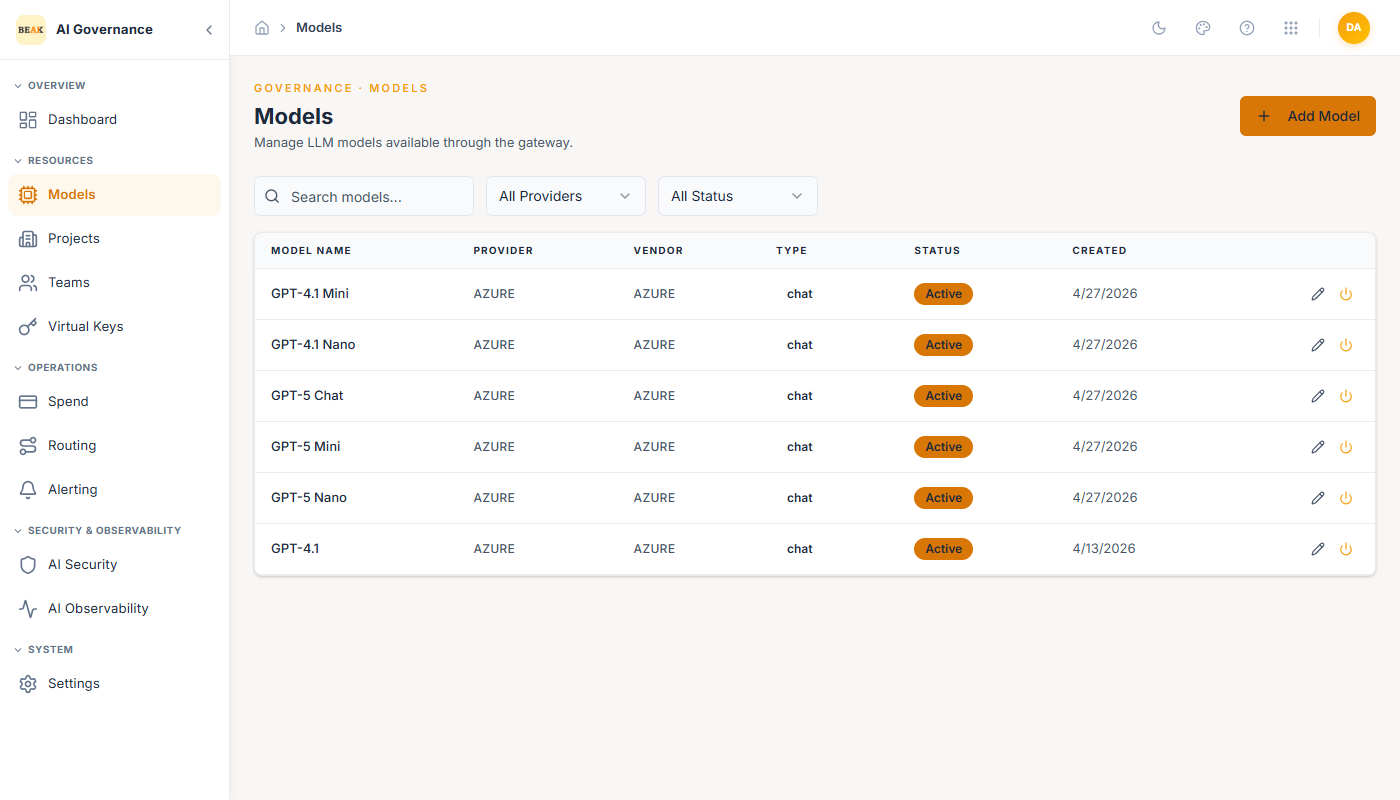
The list view shows each model's name, provider, vendor, type, status, and creation date. Filters at the top of the page narrow by provider and status; per-row icons edit and activate/deactivate.
Supported Providers
The Gateway ships with first-class support for 15 providers:
Amazon Nova · Anthropic · Azure OpenAI · AWS Bedrock · Cohere · DeepSeek · Fireworks AI · Google Gemini · Google Vertex AI · Groq · Mistral AI · OpenAI · Perplexity · Together AI · xAI (Grok)
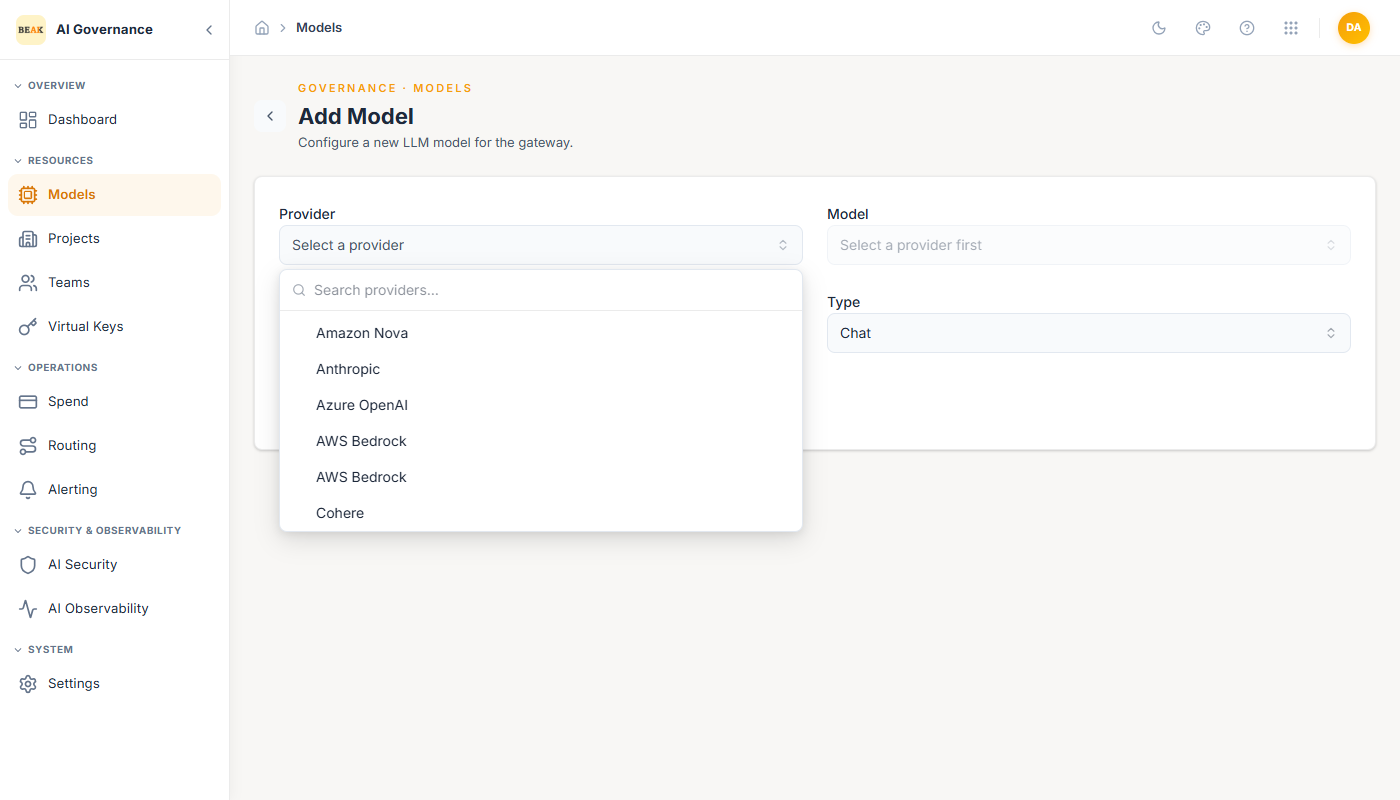
Each provider surfaces its catalog of hosted models through the Model dropdown in the create form. The model id list is pulled live from the provider once the provider and API key are supplied, so new releases appear without a Gateway upgrade.
Model Types
Every registered model declares a Type that determines which endpoints the Gateway serves it on:
- Chat — Conversational completions (
/chat/completions). Default for every modern LLM. - Embedding — Vector embeddings for retrieval (
/embeddings). - Completion — Legacy text completion (
/completions). - Image Generation — Text-to-image endpoints.
- Audio Transcription — Speech-to-text endpoints.
A single provider account can register as many models of as many types as needed. For example, OpenAI can expose one Chat model (gpt-4o), one Embedding model (text-embedding-3-large), and one Audio Transcription model (whisper-1) all backed by the same provider account.
Adding a Model
Click + Add Model in the top-right of the Models page.
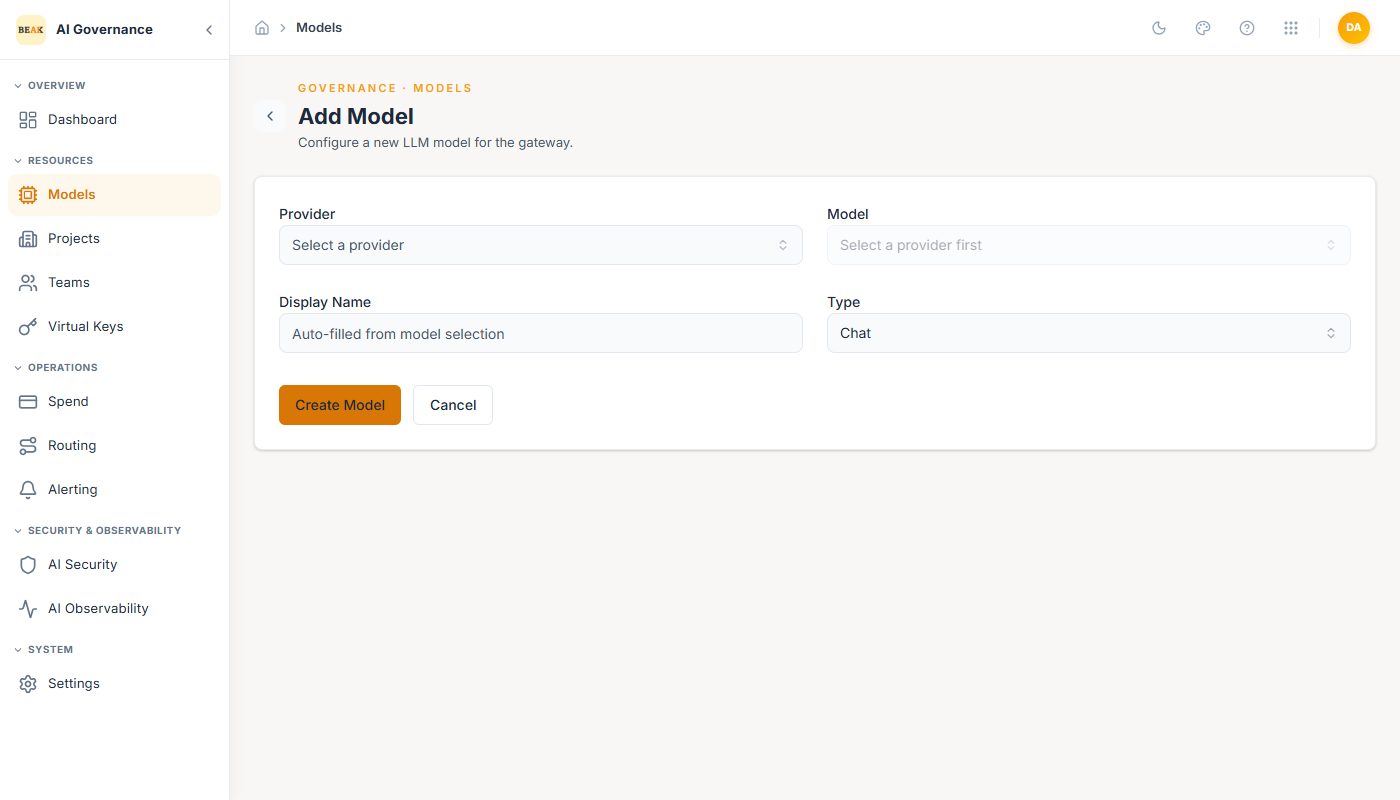
- Provider — Pick from the supported provider list.
- Model — Pick the specific model id the provider offers. Populated after a provider is chosen.
- Display Name — Auto-filled from the model selection, editable. This is what agents and virtual keys reference.
- Type —
Chat(default),Embedding,Completion,Image Generation, orAudio Transcription. - API Base URL (optional) — Override the provider's default endpoint. Required for Azure OpenAI (
https://your-endpoint.openai.azure.com/) and for self-hosted / private deployments; otherwise leave blank. - API Key — The provider API key the Gateway uses to authenticate to the vendor, entered directly on the form and stored encrypted. Provider-specific credentials (for example Azure OpenAI endpoint details or AWS Bedrock access/secret keys) are captured here too. A model without a key cannot be called.
Click Create Model to save. The new model appears in the list with Active status and is immediately available to teams that include it in their allowlist.
Best Practices
- Keep Display Names stable. Agents, virtual keys, and routing fallback lists reference them literally, so a rename is a breaking change to downstream configurations.
- Register at least one model per
Typeyour agents need. The Gateway will not auto-downgrade aChatmodel into anEmbeddingrole. - For Azure OpenAI, always set the
API Base URLto the deployment endpoint — the default public endpoint will not route to your private deployment. - Deactivate unused models with the power icon instead of deleting them. Deactivation preserves historical spend data for reporting.