Virtual Keys
Virtual keys are the API keys agents and applications use to call the Gateway. Each virtual key is bound to a team (inheriting its budget, rate limits, model allowlist, and Security/Observability toggles), can carry its own sub-budget, and can expire on a configured date.
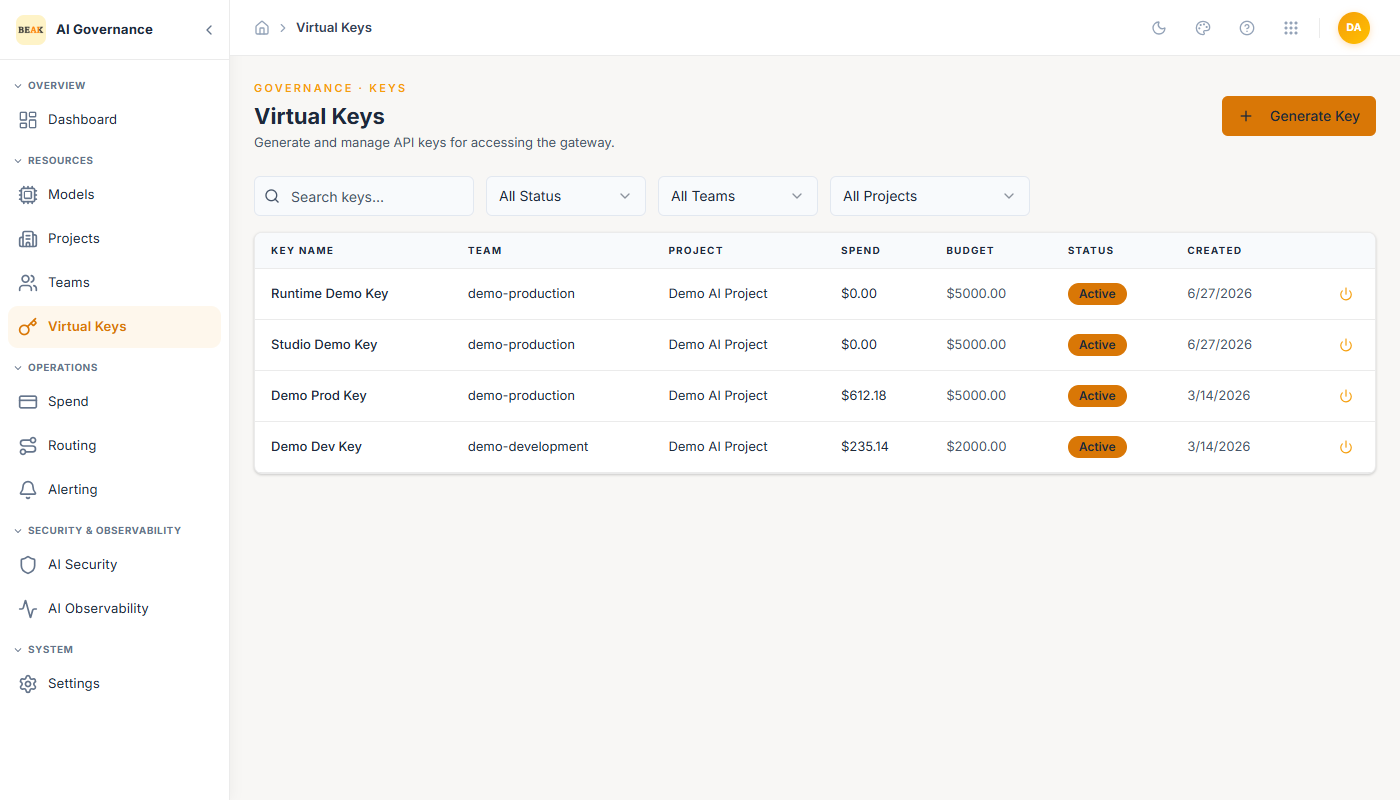
The list view shows each key's name, associated team, current spend, budget, status, and creation date. Filter by status or team at the top; the power icon per row activates or deactivates a key instantly.
Generating a Key
Click + Generate Key in the top-right to open the Generate Virtual Key modal.
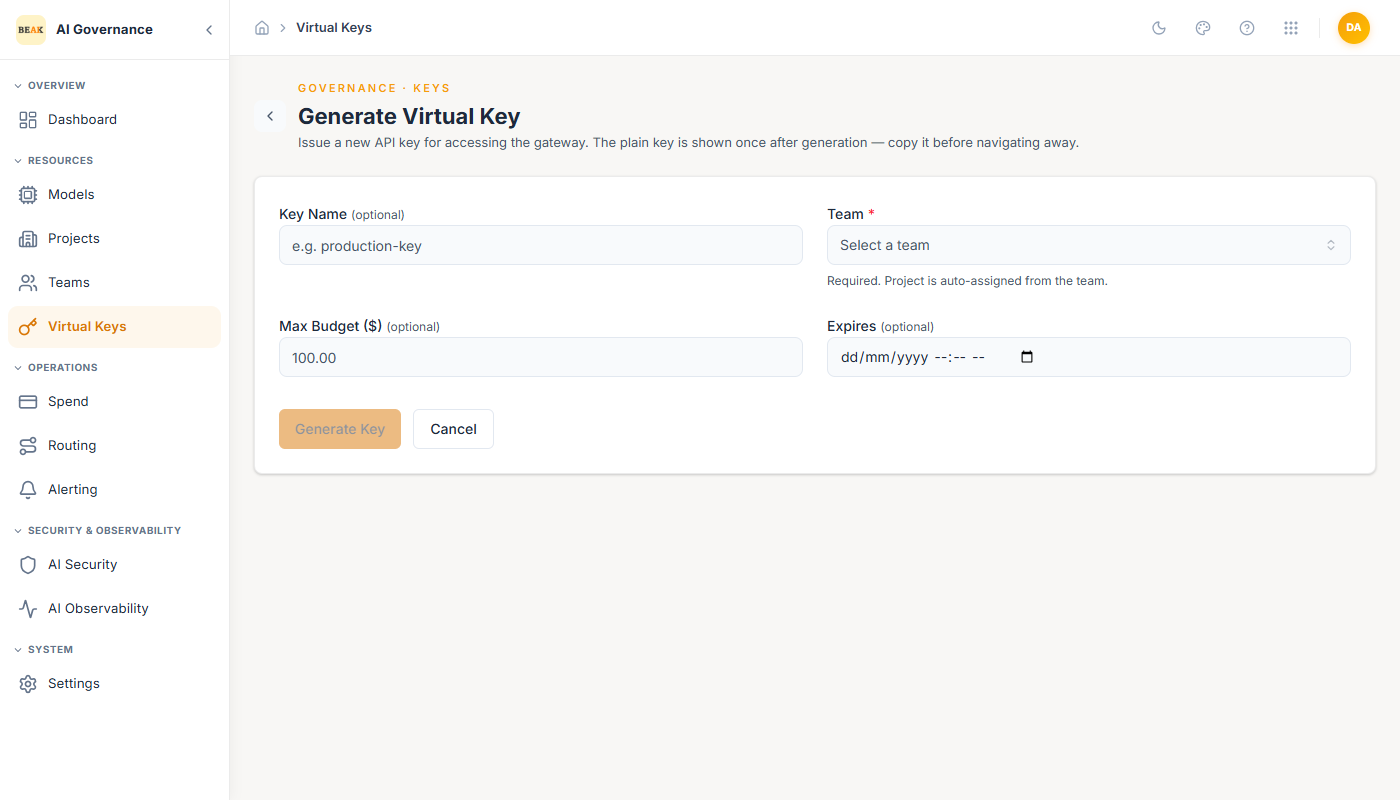
- Key Name — Human-readable handle shown in lists, spend reports, and audit logs (e.g.
production-key,mobile-app-prod). Not visible to the consumer. - Team (optional) — Pick a team. The key inherits the team's budget, rate limits, model allowlist, and Security/Observability toggles. Leave blank for a standalone key bound only to the key-level limits.
- Max Budget ($) — Optional spend cap for this specific key. When both the team budget and the key budget are set, the lower of the two applies.
- Expires — Optional ISO date. After the date, the key is automatically deactivated. Leave blank for a non-expiring key.
Click Generate to create. The key value is shown once — copy it immediately into a secret store.
Note: The key value is never displayed again after creation. If lost, generate a new key and rotate.
Using a Virtual Key
Virtual keys are passed as the Authorization: Bearer <key> header on requests to the Gateway. The Gateway identifies the key, resolves the team, applies routing / security / observability, and forwards the request to the underlying provider.
Every consumer — agent runtimes, applications, CI pipelines — should have its own key. Sharing a key across environments collapses audit trails and makes rotation risky.
Best Practices
- Bind every key to a team. Standalone keys skip the team's allowlist and budget envelope, which is almost never what you want in production.
- Set an
Expiresdate on short-lived keys (CI runs, temporary integrations) so they self-revoke if the owner forgets. - Rotate production keys on a schedule (e.g. quarterly). Generate the new key, deploy it, then deactivate the old one with the power icon — the old key can be reactivated briefly if a consumer still uses it, then removed for good.
- Treat key names as public. They appear in spend reports alongside cost and volume; use a name that is safe to show finance.