Skill Lifecycle Management
Skills follow the same lifecycle as agents: draft → published → active → inactive. The Skills list shows the publish state and active state on each row, and the per-row icons handle activate/deactivate, history, and edit without opening the skill.
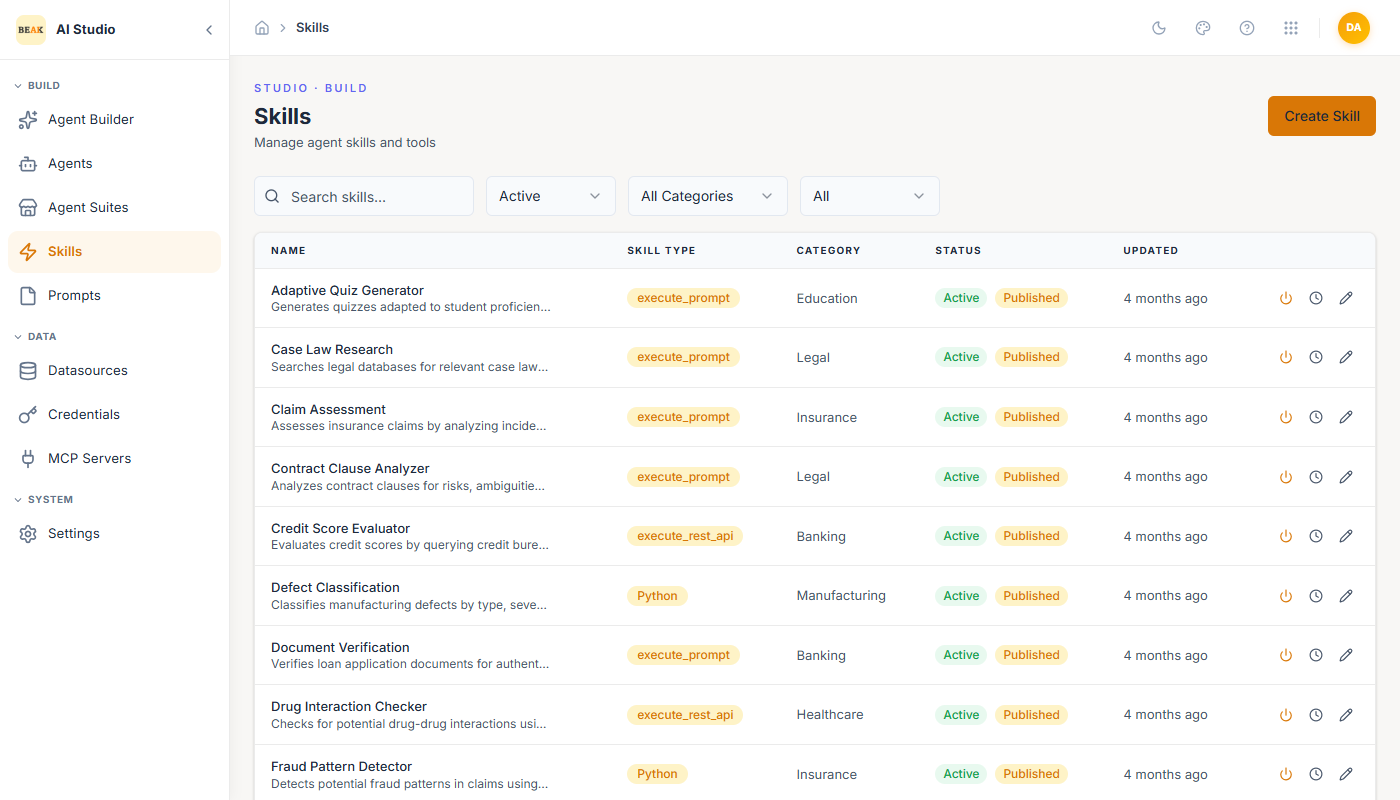
States
- Draft — Saved but not yet published. Will not appear in the agent builder's Skills picker.
- Published — Available to attach to agents. Toggled by the Published switch in the editor.
- Active — Default state for a published skill. Will execute when called.
- Inactive — Published but disabled. Power icon flips between Active and Inactive without unpublishing. Useful for muting a misbehaving skill across every agent at once.
Versioning & History
Every save creates a new version. Use the History icon on the Skills list to view prior versions of a skill and roll back. Because skills are reused across many agents, a rollback affects every agent that has the skill attached — version diffs and audit logs are the safety net.
Best Practices
- Publish only after the skill has been called from at least one test agent in the Playground.
- For skills with side effects, leave Audit on permanently and turn on Approval during the first week of production.
- When deprecating a skill, deactivate first (rather than deleting) so existing agents fail loudly instead of silently degrading.