Credentials
Credentials are the secrets agents use to call external systems. They are created once, stored centrally, and referenced by name from any skill, datasource, or MCP server that needs them. The Credentials page is under Data in the left navigation.
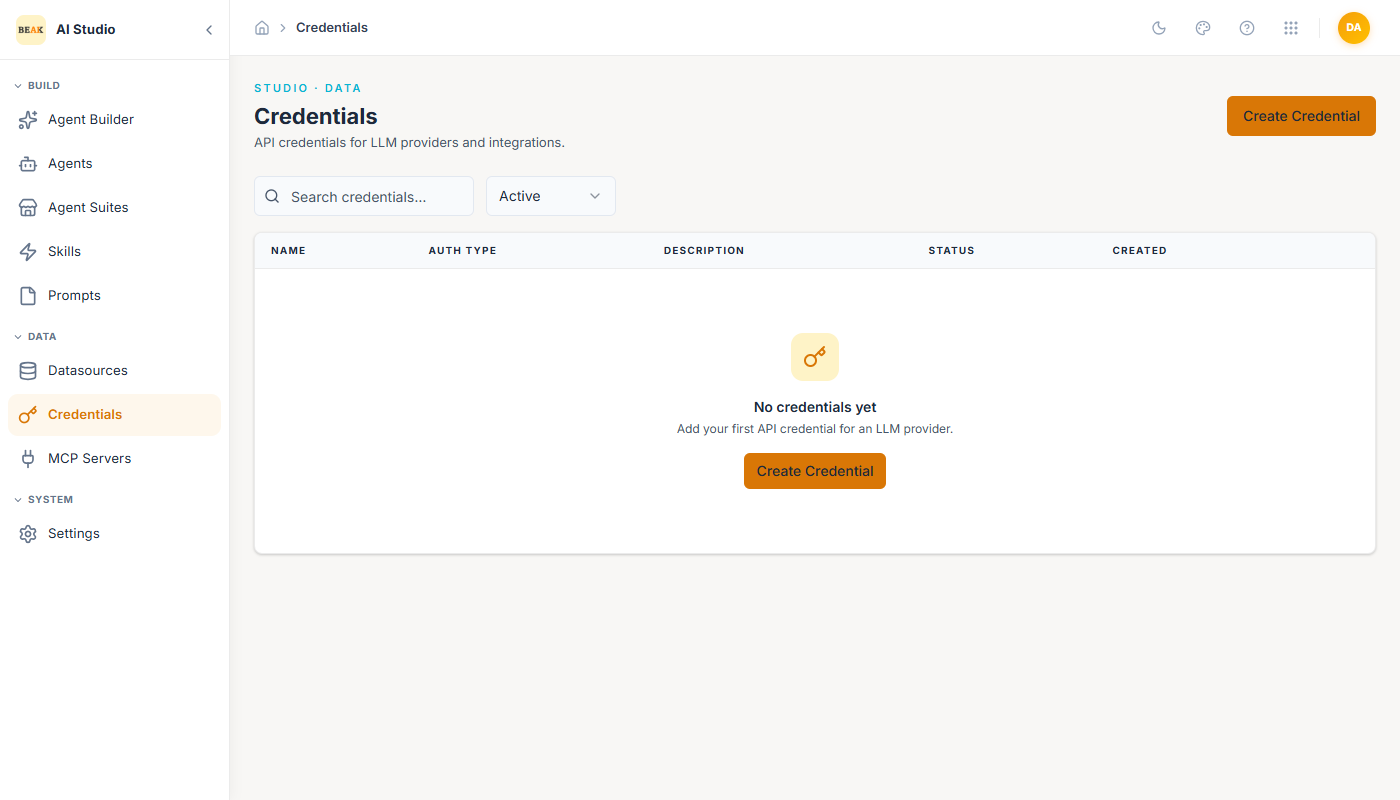
The list view shows the credential name, auth type, description, status, and creation date. Filters narrow by status (Active / Inactive).
Note: Credentials are never embedded in agent definitions or in conversation traffic. Agents reference credentials by handle; the runtime resolves the secret at call time.
Creating a Credential
Click Create Credential in the top-right.
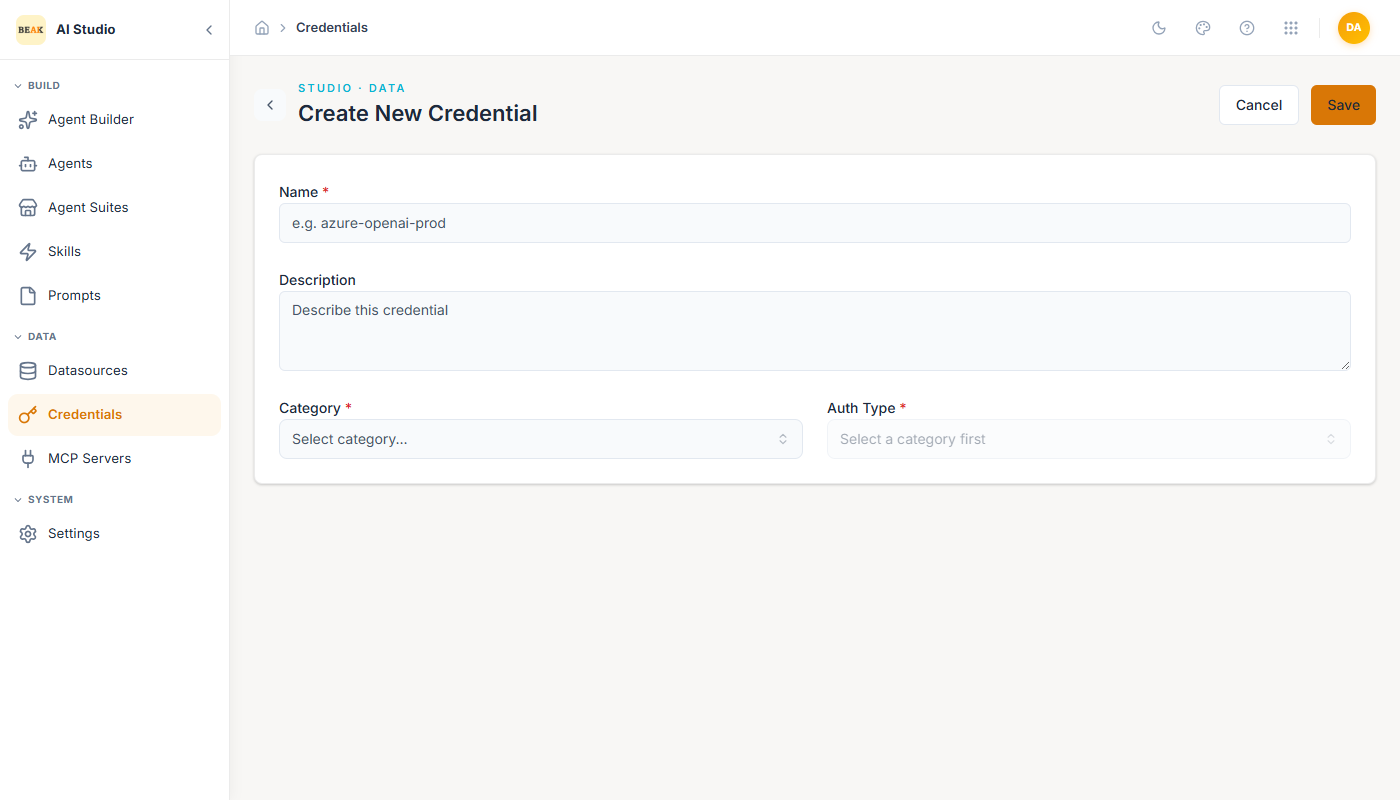
- Name — Unique identifier (e.g.
azure-openai-prod). Used everywhere the credential is referenced. - Description — Free-form notes shown to other builders.
- Category —
API,Cloud, orOAuth. The category determines which auth types are available. - Auth Type — Picked from the category-filtered list:
| Category | Auth Types |
|---|---|
API | API Key · Basic Authentication · Bearer Token · Custom Header |
Cloud | AWS IAM Credentials · Azure AD Service Principal · Azure OpenAI · OpenAI |
OAuth | OAuth 2.0 flows for supported providers |
The fields below the picker change to match the auth type — for example, API Key exposes a single API Key field, Basic Authentication exposes Username and Password, and Azure AD Service Principal exposes Tenant ID, Client ID, and Client Secret.
Using a Credential
Credentials are bound at attach time, not at create time. This means the same skill or datasource can be reused across tenants and environments by binding a different credential per agent.
- In a Skill — When
Requires Authenticationis on, the agent builder shows a credential picker for that skill in the agent editor. - In a Datasource — Database, System, Web Portal, and SharePoint datasources prompt for a credential during setup.
- In an MCP Server — Set a
Default Credentialon the server; agents can override it on attach.
Lifecycle
Credentials use the standard draft → active → inactive lifecycle. Deactivating a credential immediately revokes access for every consumer — useful as a kill-switch when a secret leaks.
Note: Rotate secrets in place rather than deleting and recreating credentials. Editing a credential's secret keeps the same handle, so every consumer continues to work without reattaching.
Best Practices
- Name credentials with environment and provider in the handle (
azure-openai-prod,servicenow-dev) so attach-time pickers are unambiguous. - Prefer service-account credentials over personal ones — personal credentials become a single point of failure when the owner changes role.
- Audit
Inactivecredentials regularly. Inactive credentials still hold secrets that should be rotated or deleted. - For prohibited credentials (anything tied to financial or identity data), keep them out of AI Studio entirely and use the underlying system's first-party access controls.