Agent Lifecycle Management
Every agent in Beak AI Studio progresses through a consistent lifecycle: draft → published → active → inactive. Versions are tracked automatically, and the same toolbar in the agent editor controls every transition.
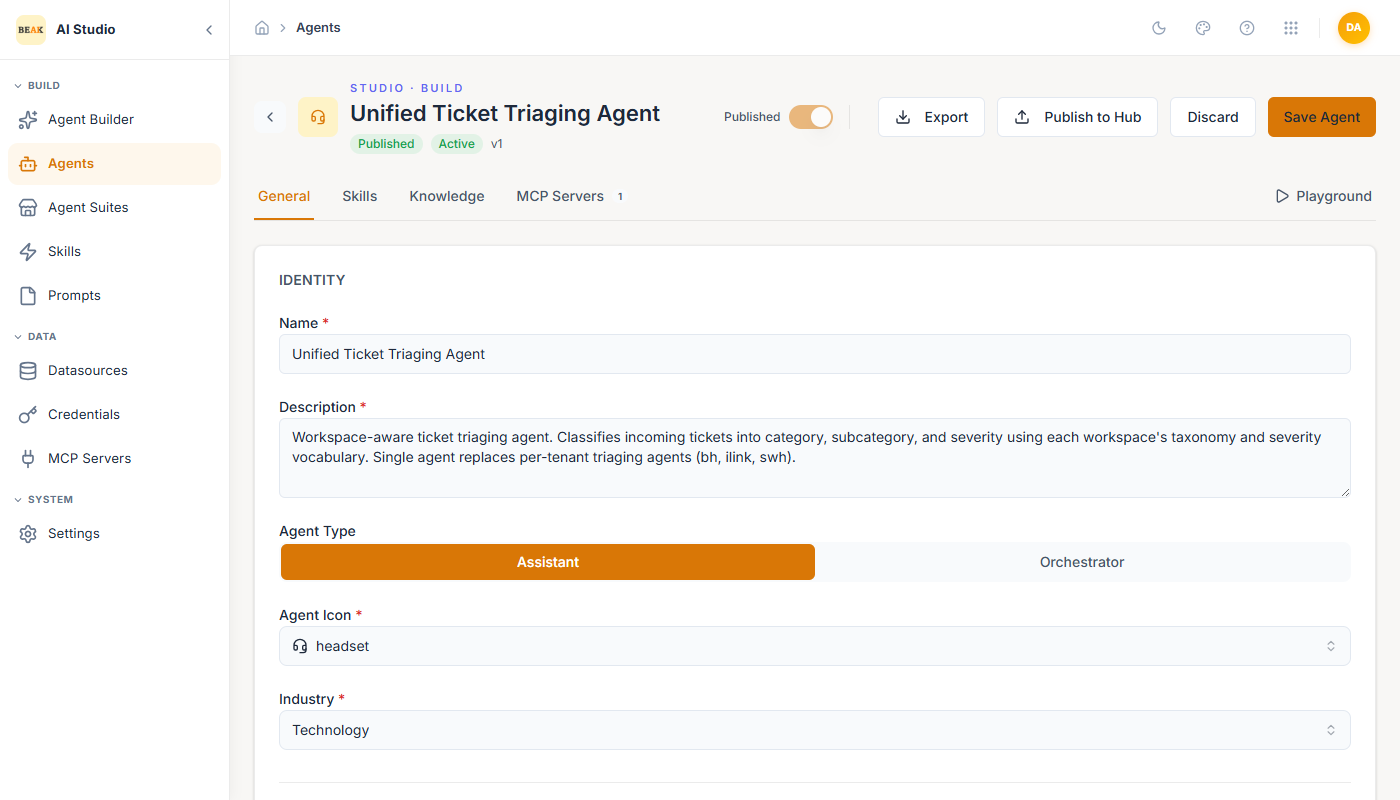
States
- Draft — Created but not yet published. Visible only in the Agents list. Not exposed to the Playground or the Runtime.
- Published — Marked available. Appears in the Playground agent picker and is registered with the Runtime. Toggled by the Published switch in the editor toolbar.
- Active — Default state for a published agent. Will respond to runtime traffic.
- Inactive — Published but disabled. Power-icon in the Agents list flips between Active and Inactive without unpublishing.
The Agents list shows the publish state (Published / Draft) and the active state (Active / Inactive) as separate chips on each card.
Versioning
Each save creates a new version (v1, v2, …). The version label sits next to the agent name in the editor header. Use the History icon on the Agents list (or in the editor when reopening an existing agent) to view prior versions and roll back if needed.
Note: Publishing a new version replaces the prior version in the Runtime. Drafts in progress are never auto-published — you must flip the toggle explicitly.
Test Before Publish
The Test button in the editor opens the agent in the Playground in a new thread. The Playground always uses the latest saved version (draft or published), so you can validate changes before flipping the publish toggle.
Export & Import
- Export — The Export button on a saved agent downloads the agent definition as JSON, including its system prompt, settings, model selection, and references to attached skills, datasources, sub-agents, and MCP servers.
- Import — The Import button on the Agents list takes a previously exported JSON file and creates a new draft. References that do not exist in the target workspace must be re-attached manually before publishing.
This pair is the supported path for promoting agents between environments (dev → qa → prod).
Discard & Delete
- Discard — Drops unsaved changes in the editor and reverts to the last saved version.
- Deactivate — Power icon flips a published agent to
Inactive. The agent stops responding to runtime traffic but is preserved.
Best Practices
- Save drafts often. The runtime only sees published versions, so drafting is a free workspace.
- Bump the publish toggle only after testing in the Playground — published changes hit production users immediately.
- Use Export/Import for environment promotion; do not edit the same agent in two environments by hand.
- Keep an
Inactiverollback copy of the previously published version when shipping a major prompt change.