Anomaly Alerts
Anomaly Alerts fires when a fleet metric crosses a configured threshold. The detector uses z-score based anomaly detection on top of the rolling trace stream, which makes it sensitive to sudden moves without being noisy on normal day-to-day variance.
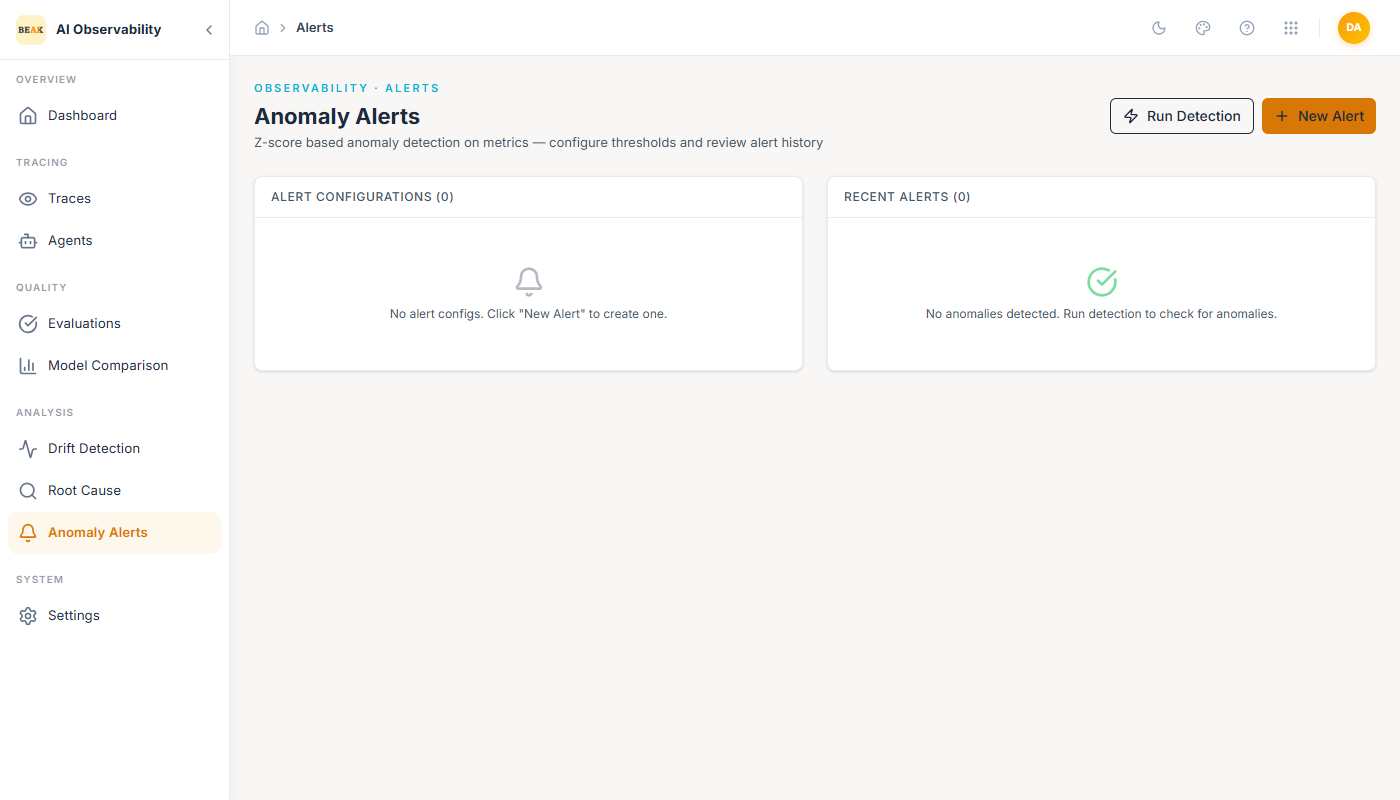
The page splits into two regions:
- Alert Configurations — The thresholds you have configured. Each config binds a metric, a condition, and a threshold.
- Recent Alerts — The feed of fired alerts, each with a severity (
critical·warning), the metric value that tripped the threshold, and the agent that breached.
Two primary actions sit in the top-right: Run Detection (force an immediate evaluation against current metrics) and + New Alert (create a new threshold).
Creating an Alert
Clicking + New Alert reveals an inline configuration form.
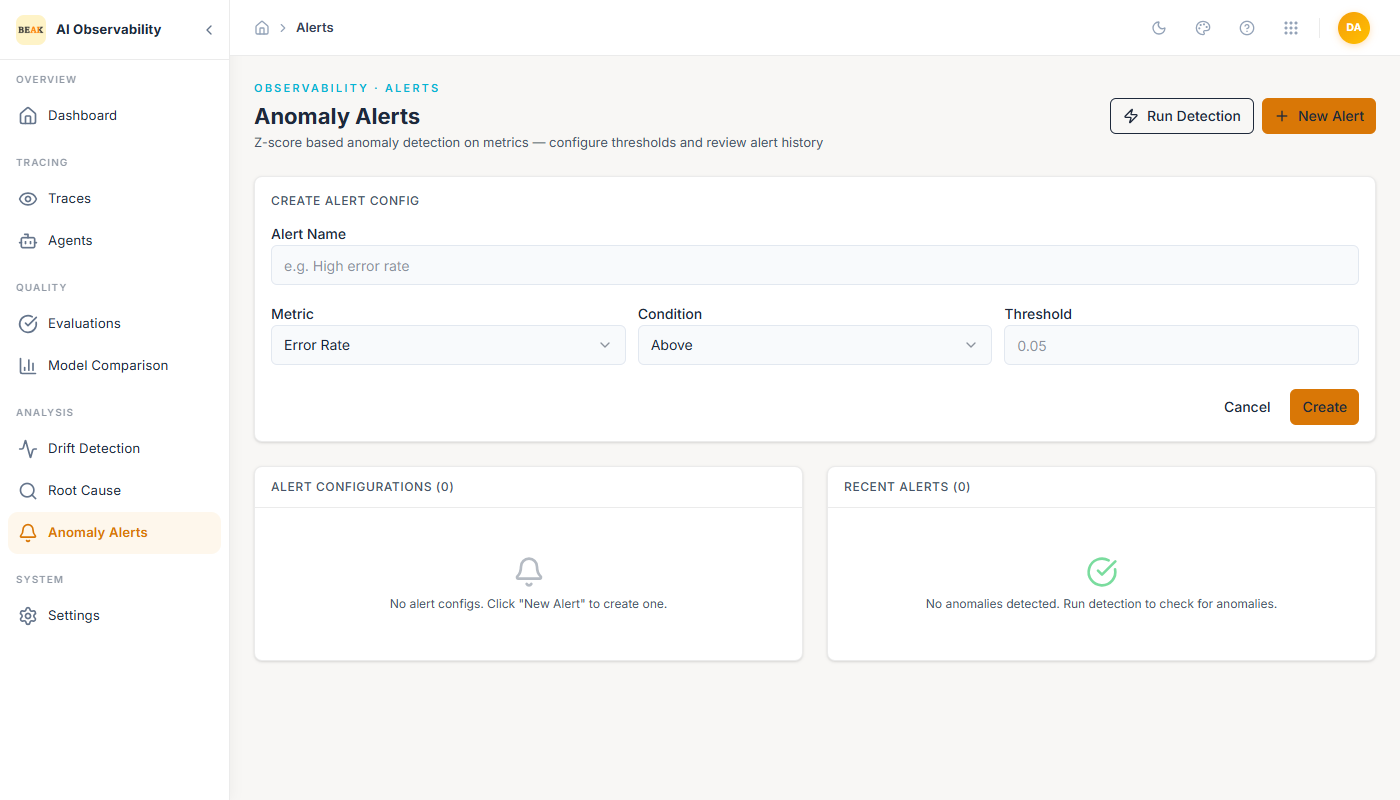
- Alert Name — Human-readable identifier (e.g.
High error rate). - Metric — One of:
Error RateP95 LatencyCostThroughput
- Condition —
AboveorBelow. - Threshold — Numeric value the metric must breach to fire.
Click Create to save. The new config appears under Alert Configurations and starts evaluating on the next detection cycle.
Reading Recent Alerts
Each row in Recent Alerts shows:
- Severity chip —
critical(red) orwarning(amber), driven by the z-score magnitude. - Title — The metric that tripped and the agent it tripped for (e.g.
error_rate alert for CodeOps AI). - Detail line — The observed value, the configured threshold, and the agent identifier (e.g.
Error Rate: 0.15 (threshold: 0.05) — Agent: agent-codeops-002). - Timestamp — When the alert fired.
Clicking a row (where supported) opens the matching filtered Traces view so you can inspect the traces that contributed to the breach.
Best Practices
- Keep a small set of high-signal alerts rather than a long tail of low-signal ones. Four alerts — one on Error Rate, one on P95 Latency, one on Cost, one on Throughput — cover most production regressions.
- Set thresholds above normal peak variance, not at the mean. A threshold at the mean will fire constantly; a threshold 2σ above peak fires when something is genuinely wrong.
- Pair Anomaly Alerts with Root Cause. When
error_ratefirescritical, run an RCA immediately so the cluster is summarized while the incident is live. - Use Run Detection after tuning a threshold to confirm the new value does not back-fire against recent history.