Assets
The Assets register is BEAK ITSM's inventory of physical and virtual IT assets — laptops, peripherals, network gear, and other equipment — tracked with lifecycle status, ownership, and warranty information. It complements the CMDB, where assets can also be represented as Configuration Items.
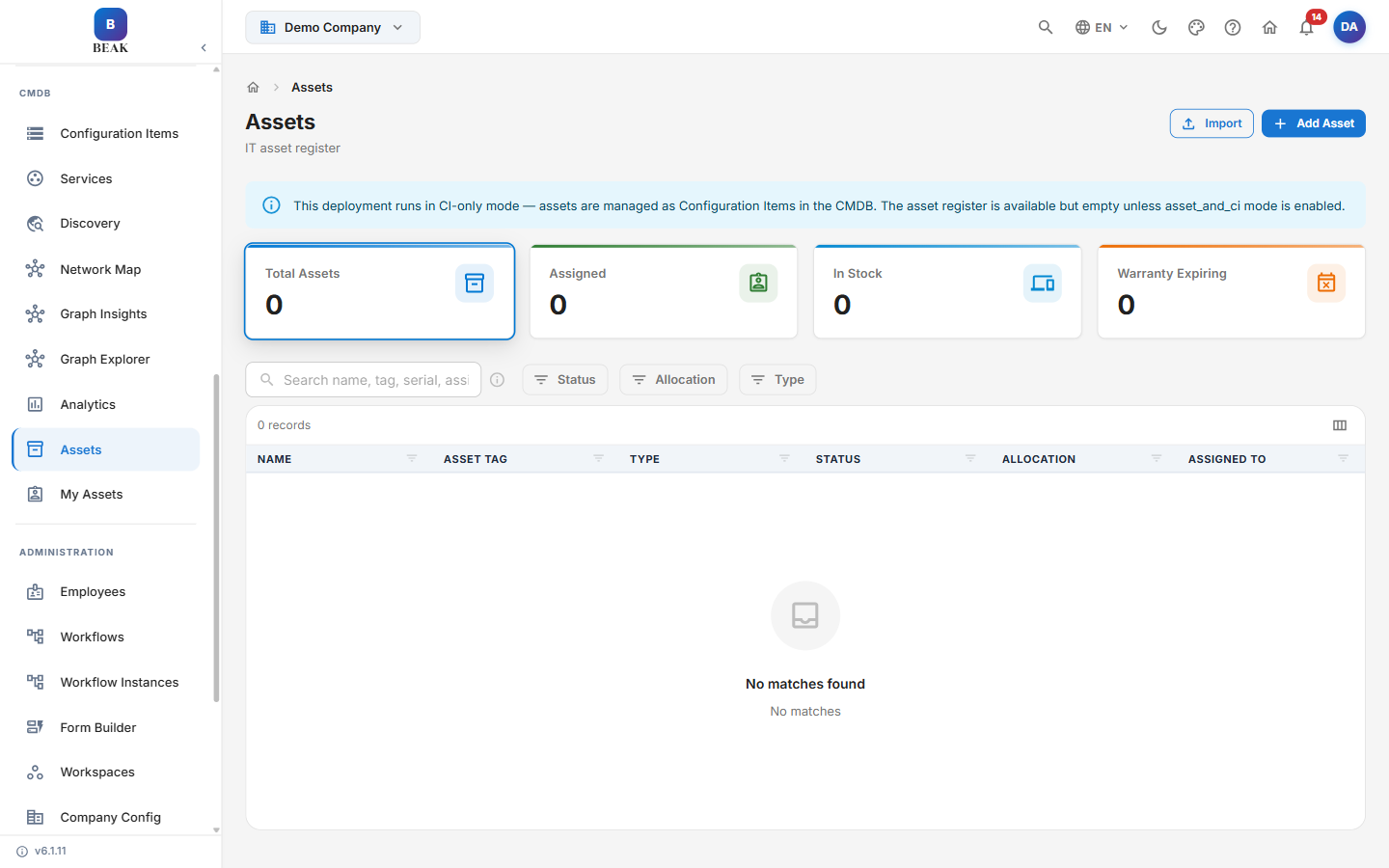
Note: This deployment runs in CI-only mode — assets are managed as Configuration Items in the CMDB and the asset register stays empty unless
asset_and_cimode is enabled. In CI-only mode, use Configuration Items as the source of truth for hardware records.
Asset Summary
The summary cards give an at-a-glance view of the asset estate:
- Total Assets — All assets recorded in the register
- Assigned — Assets currently allocated to an employee or location
- In Stock — Unassigned assets available for allocation
- Warranty Expiring — Assets whose warranty is approaching its end date
Searching & Filtering
- Search — Find an asset by name, asset tag, serial number, or asset ID
- Status — Filter by lifecycle status (e.g. in stock, assigned, retired)
- Allocation — Filter by allocation state
- Type — Filter by asset type
Asset Register
The register lists every asset with the following columns:
- Name — Asset display name
- Asset Tag — The organization's inventory tag
- Type — Asset classification
- Status — Current lifecycle status
- Allocation — Whether the asset is in stock or allocated
- Assigned To — The employee or location holding the asset
Adding Assets
- Add Asset — Create a single asset record manually
- Import — Bulk-load assets from a file
Best Practices
- Keep asset tags unique — Use a consistent tagging scheme so search and reconciliation stay reliable.
- Track warranty dates — Populate warranty information so the Warranty Expiring metric can surface renewals before they lapse.
- Reconcile with the CMDB — When running in CI-only mode, maintain hardware records as Configuration Items to avoid duplicate sources of truth.
Related Pages
- Configuration Management Database (CMDB) — Configuration items, services, discovery, and analytics
- My Assets — Configuration items allocated to the signed-in user