Vulnerability Detection & Remediation
Overview
Vulnerability detection is the process of identifying weaknesses or vulnerabilities in software, systems, networks, or applications that could be exploited by attackers to compromise the security of the system.
Vulnerabilities may arise from:
- Flaws in system design
- Configuration errors
- Software bugs
- Other implementation oversights
Scenario
David, as an IT Admin, is responsible for ensuring the security of the company's IT infrastructure, including:
- Servers
- Databases
- Network devices
- Employee workstations
He understands the importance of regularly identifying and addressing vulnerabilities to protect sensitive financial data and maintain regulatory compliance.
David would like to run a full scan of:
- Product vulnerabilities on assets
- Internal network
- External (public-facing) endpoints
Scan Methods
To detect vulnerabilities, BEAK provides three main scanning methods:
Adhoc Scan
Scan an asset directly using the Scan Now action on the individual asset — Inventory > asset > Actions > more > Scan Now.
Scan Job
Create a scan job to scan all assets at once or select specific assets. A scan job can be run immediately, or scheduled to run later or at regular intervals.
Open Sidebar > Automation, set the page-group selector to Scan and open Scan Profiles, then click Add Scan Profile.
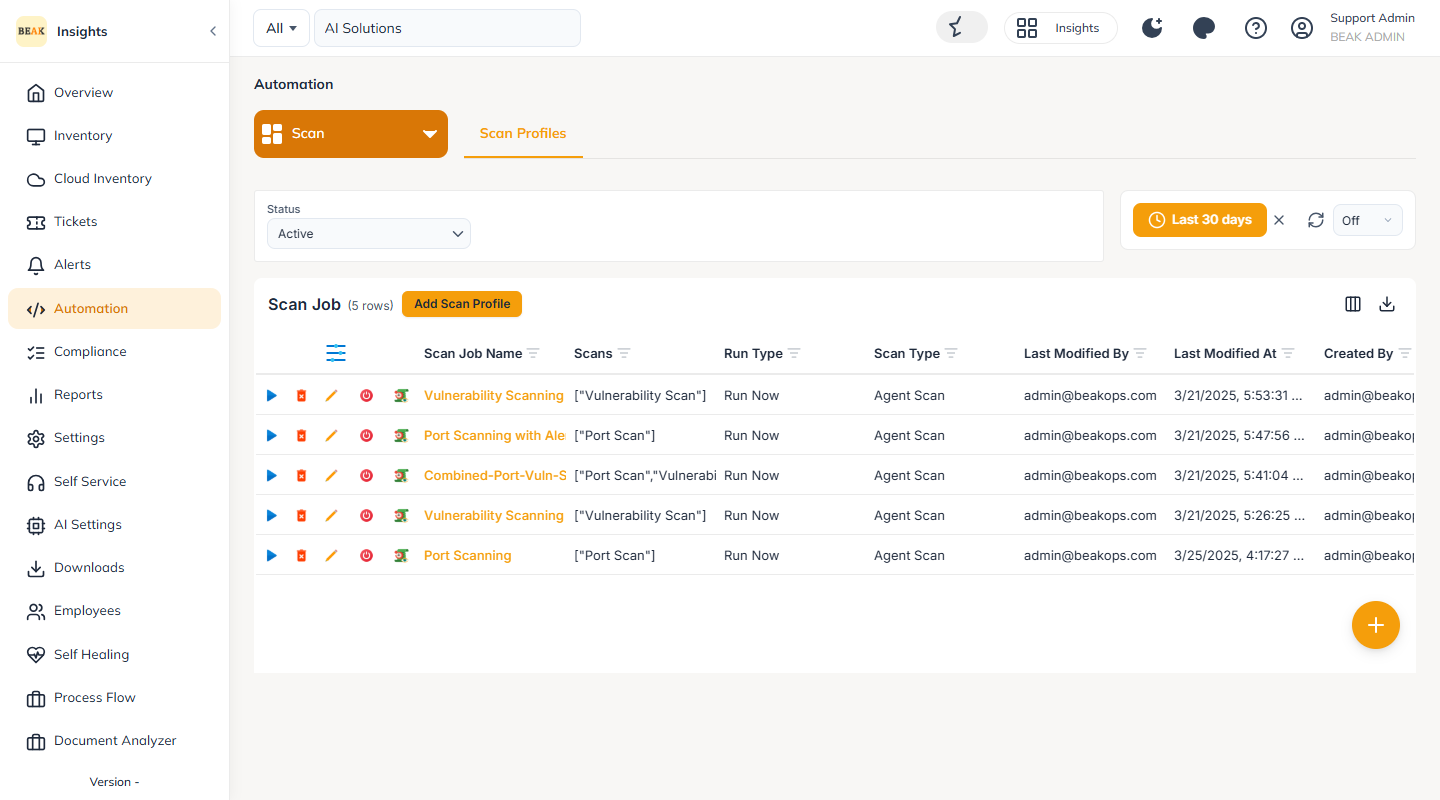
The Scan Job list shows each job with its Scan Job Name, Scans, Run Type and Scan Type.
Real-Time Scan
Real-time scanning does not require triggering Adhoc scans or scan jobs.
The platform continuously scans assets and automatically displays vulnerabilities in real time when detected by BEAK's vulnerability engine.
This feature is enabled in the client-level settings.
Scan Types
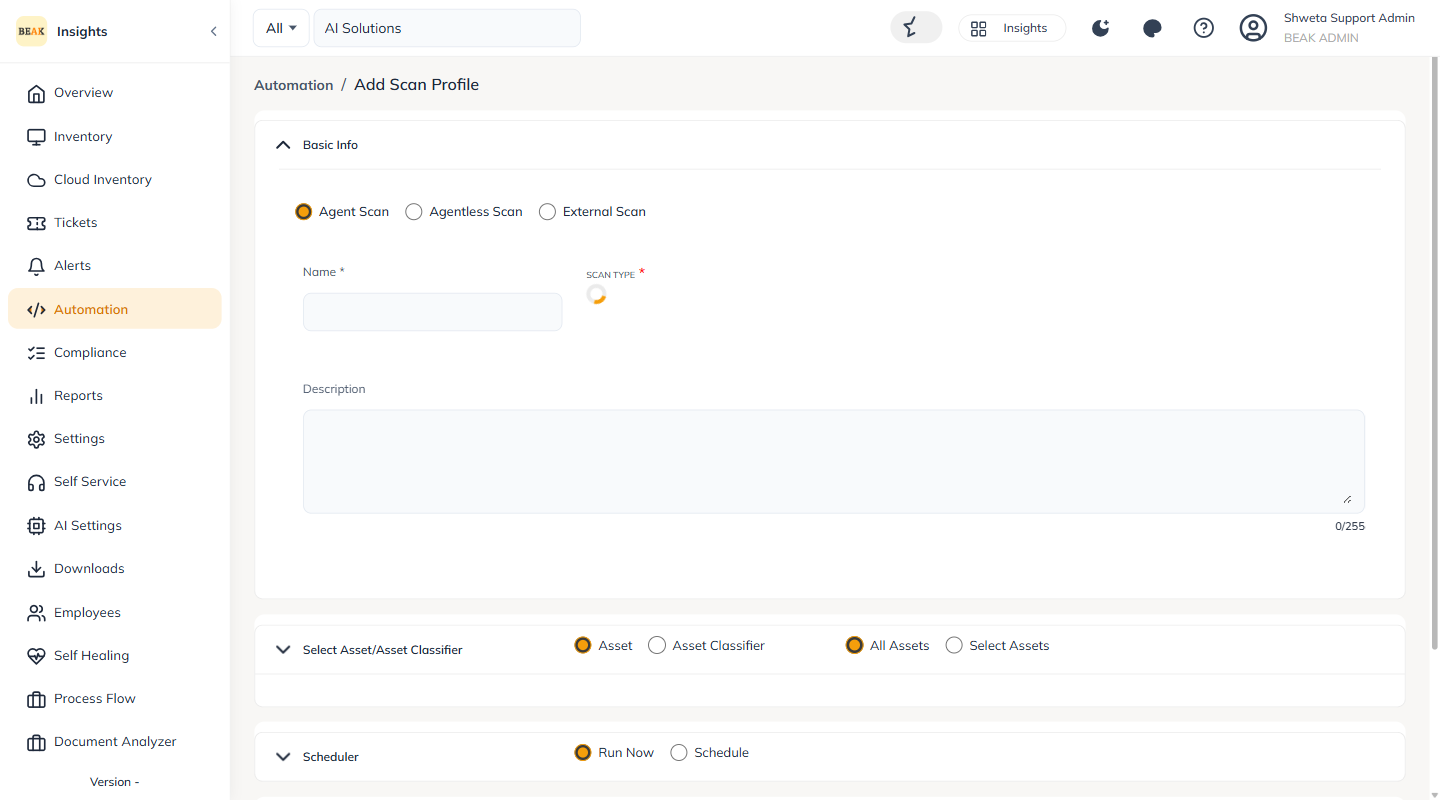
On the Add Scan Profile form, the scan type is selected at the top — Agent Scan, Agentless Scan or External Scan.
Agent Scan
Agent scans are conducted on devices that have the BEAK Agent installed.
When setting up an Agent Scan, users can:
- Run a Vulnerability (Product) scan
- Run a Port Scan
- Or perform both simultaneously
Port vulnerabilities refer to weaknesses associated with specific network ports, which serve as communication endpoints that let applications and services interact over a network.
Agentless Scan
Agentless scanning performs vulnerability assessments without installing agents on target systems.
Instead, network-based scanning is performed remotely through a Gateway device — any workstation or server that has the BEAK Gateway installed.
External Scan
External scans evaluate an organization's external-facing infrastructure — systems, services, and endpoints — from outside its network perimeter.
This scan helps identify vulnerabilities that could allow attackers to gain unauthorized access or compromise systems and data.
Scan Profile Settings
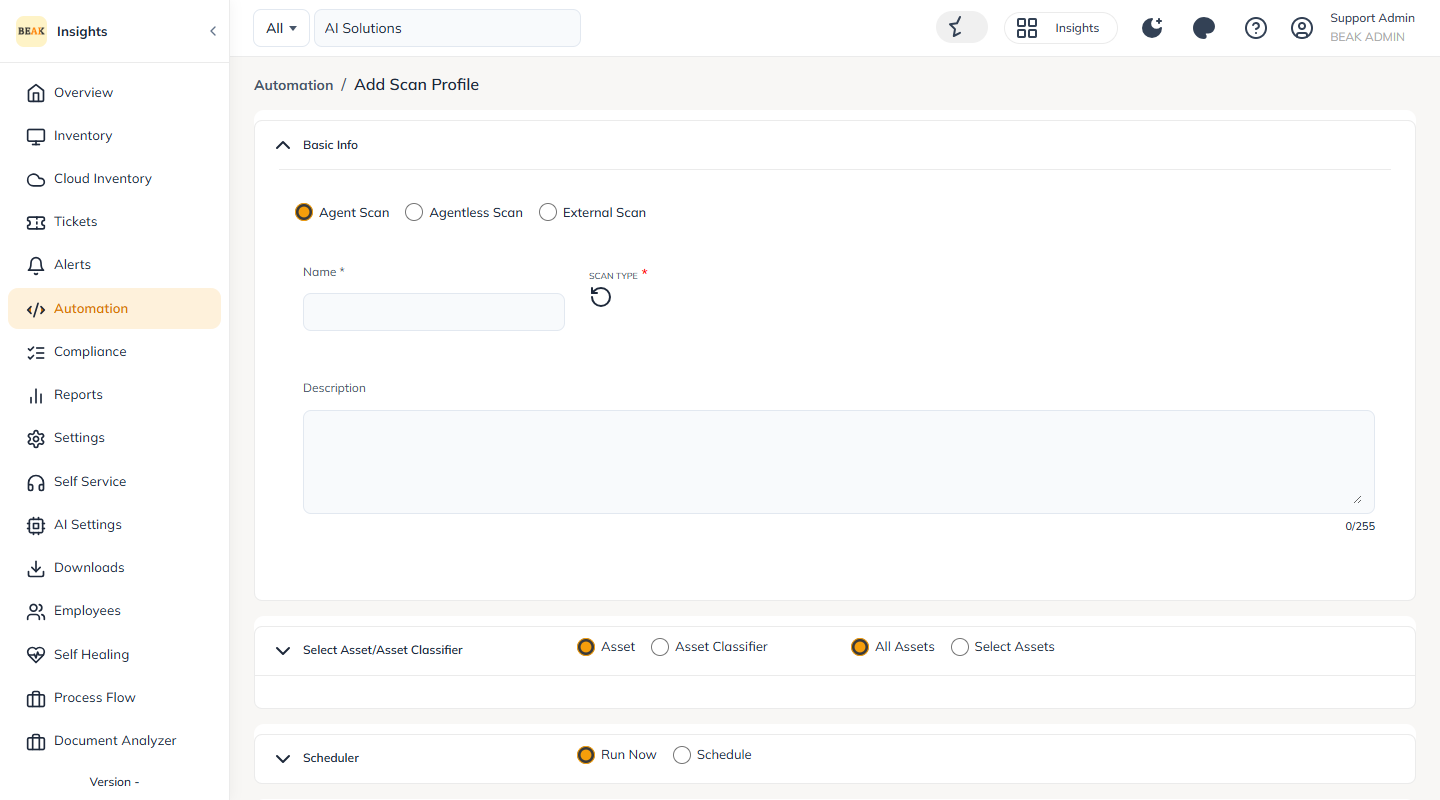
Below the scan type, the form provides Select Asset/Asset Classifier to choose the scan targets, a Scheduler section for Run Now or Schedule, and Additional Settings.
Viewing Detected Vulnerabilities
Detected vulnerabilities can be viewed at three levels:
Company Level
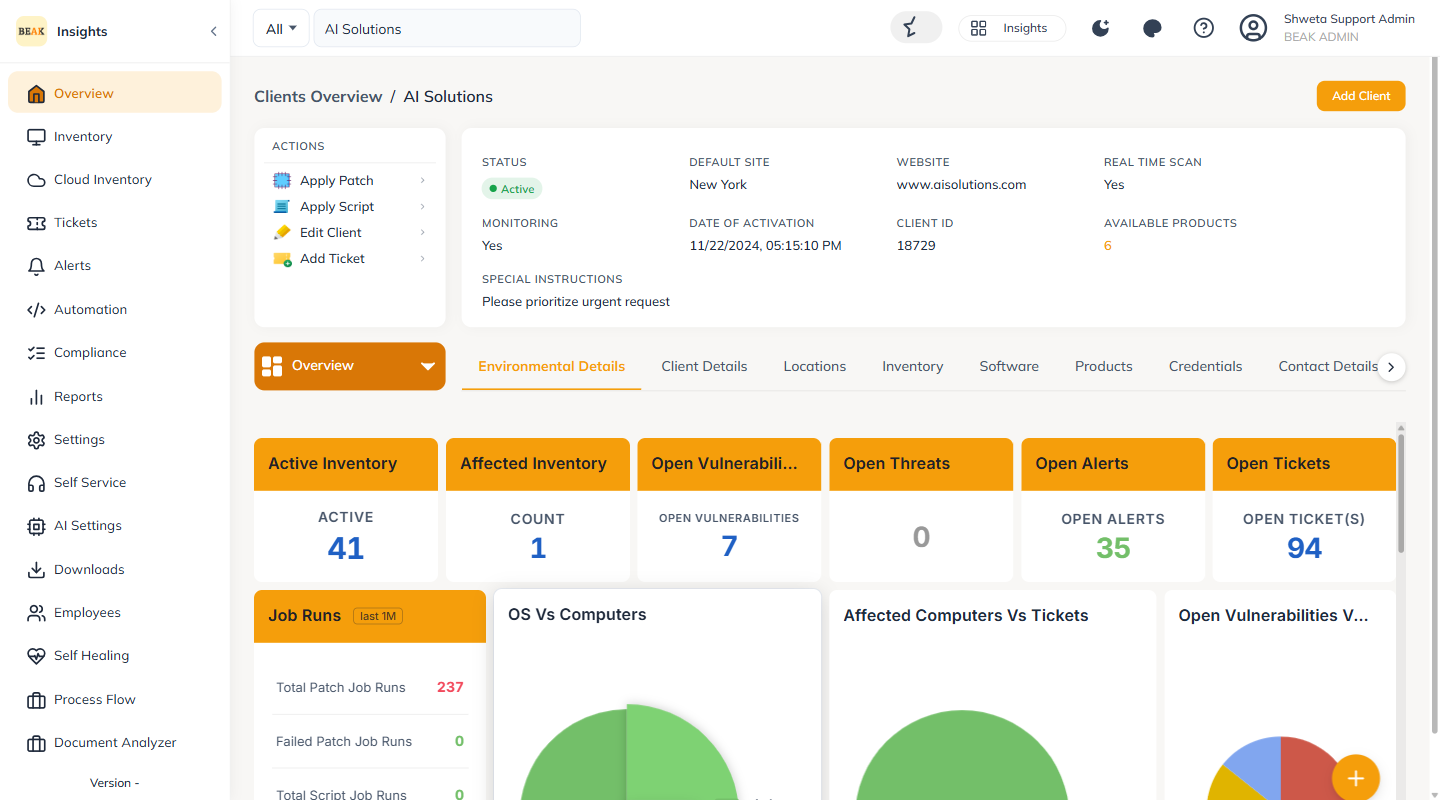
Review all vulnerabilities for the company. The client Overview surfaces Open Vulnerabilities along with Top 10 Vulnerable Computers and a Vulnerability Summary. The Compliance and Reports areas provide the detailed vulnerability listings.
Asset Level
Review the vulnerabilities of a specific asset from the asset detail page.
Ticket Level
Review the vulnerabilities recorded against the corresponding ticket.
Remediation Actions
David can perform the following remediation actions on identified vulnerabilities:
Accept Risk
Marking a vulnerability as Accepted Risk indicates a conscious decision to tolerate it.
Example:
If an application requires a specific (older) component version, the vulnerabilities associated with that version can be marked as accepted risks.
False Positive
If the platform detects vulnerabilities that are not valid or exploitable, they can be marked as False Positives.
This improves accuracy and reliability in decision-making by reducing incorrect identifications.
Patching
Patching refers to upgrading software or systems to the latest available version.
Note: Patching is covered in detail in the Patch Management module.