Products
A product is a Beak application that customers license — M365 Lite, FinOps, and so on. Each product carries a code that its installer sends during validation, a version, a default metric, and a feature catalogue. Plans are defined per product and can only grant features that exist in the product's catalogue.
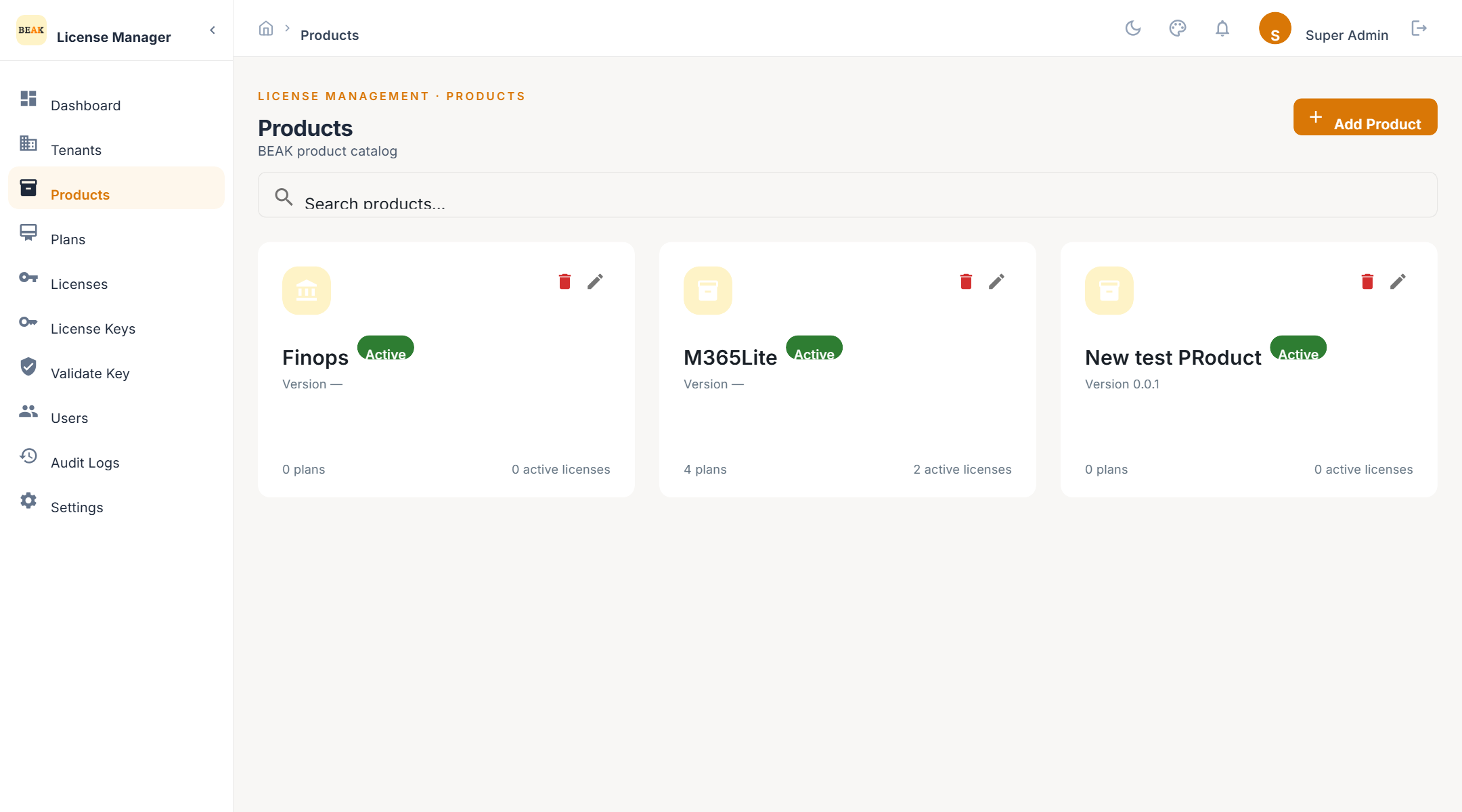
Product List
Each product card shows the name, an Active or Inactive chip, the version, the description, and the default metric. Inactive products remain listed so that their existing licences stay traceable.
Adding a Product
- Click Add Product
- Enter the Name of Product
- Enter the Version Number in
MAJOR.MINOR.PATCHform, for example1.0.0 - Choose the Status —
ActiveorInactive - Optionally add a Description
- Save
- Code — Derived from the name automatically and stored in upper case. This is the
product_codean installer sends when it validates a key, so it does not change when the product is renamed. - Version — Required, and validated as three dot-separated numbers. It is shown on the product card and returned to operators; it does not affect validation.
- Duplicate names — Creating a second product with the same name is rejected.
Feature Catalogue
A product's features are the codes that its plans can grant and that the product itself checks for after validation. For M365 Lite, for example, each feature code corresponds to a screen the product unlocks.
The catalogue is maintained through the product API today. The plan form reads it: when you create a plan for a product, the selectable features are exactly that product's catalogue, with the option to add a custom feature code by hand.
Note: A product created through the UI starts with an empty feature catalogue. Populate it before defining plans, otherwise the plan form has nothing to offer and every feature must be typed manually.
Default Metric
The unit the product is sold by. Plans for the product inherit it as their metric type. Available metrics:
- Devices — Managed endpoints
- Users — Named users
- Employees — Headcount
- Technicians — Operator seats
- Agents — Deployed agents
- Log Size (GB) — Ingested data volume
- Tenants — Managed tenants
- Features — Feature-count based
- Unlimited — No unit limit
Best Practices
- Bump the version when the product ships a licensing-relevant change — The version is informational, but keeping it aligned with the product release makes support conversations unambiguous.
- Deactivate rather than delete — A product with licences cannot be safely removed. Set it to
Inactiveto stop new plans and licences while keeping history.