Companies
The Companies page is where tenants manage their company catalog. Companies sit under your tenant; each company can have multiple sites and owns operational data scoped to it.
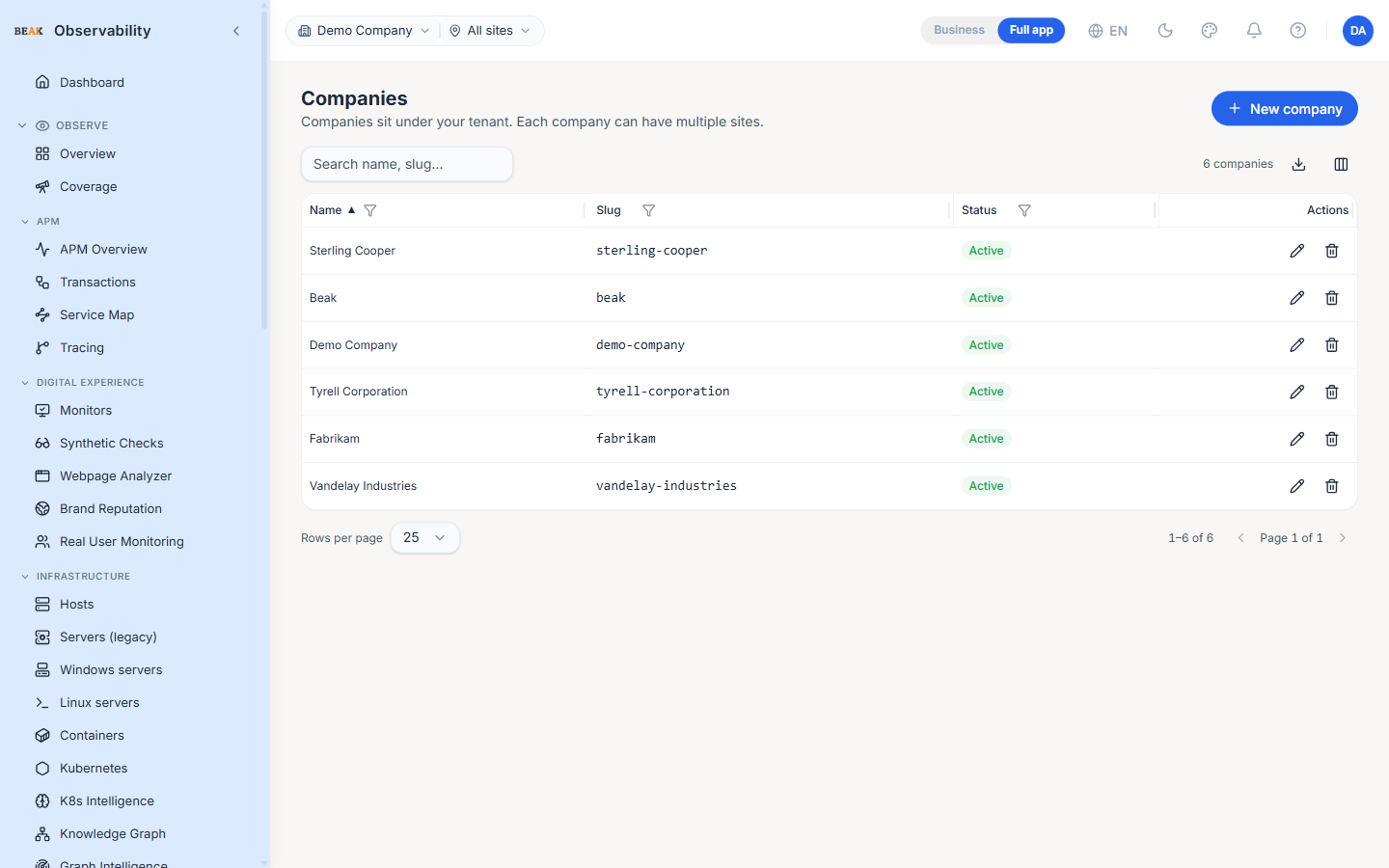
Columns
- Name — Display name
- Slug — URL-safe identifier; auto-generated from the name on creation, immutable after
- Status — Active / Inactive chip
- Actions — Edit and delete
Creating a Company
The + New company button opens an editor with three fields:
- Name — Display name (required)
- Slug — Optional override; auto-derived from the name when blank
- Active — Toggle controlling whether the company is selectable in the scope picker
Once the company is saved, the platform prompts you to create its first site. A company holds no operational data until it has at least one site — every monitor, host, alert and incident is scoped to a site — so this nudge keeps a new company from becoming a dead end.
- Create site now — Opens the Sites page with the New site editor already open and this company pre-selected
- Later — Dismisses the prompt; you can add sites from the Sites page at any time
Note: Until a company has a site, it won't appear as a usable scope for monitors, hosts, or dashboards. Create at least one site before configuring monitoring for the company.
Editing
Click the pencil icon to edit a company. Only Name and Active can change after creation; the slug is fixed so links and references stay stable.
Deleting a Company
Deleting a company is destructive — it cascades into every site, every monitor, every host, every alert, every incident scoped to the company. The platform forces a two-step confirmation:
- The trash icon opens a preview dialog that fetches a per-table row count from the backend
- The operator must type the company's exact name before the Delete button enables
The toast on success reports the number of rows purged and the number of tables involved.
Note: Use the Active toggle instead of deletion if the goal is to remove a company from the scope picker but keep its history.
Best Practices
- Use the slug only for internal tooling that needs a stable identifier; the name is the human-facing label everywhere else.
- Deactivate before deleting — it lets the team validate that nothing references the company before the destructive step.
- The delete preview's row count is the truth — review it before typing the name in the confirmation field.
- Sites are independently manageable on the Sites page; you don't need to come back here to manage them.
Related Pages
- Sites — Sites belong to companies
- Administration — Top-level admin tabs (API keys, audit, SSO)